Price Matching Guarantee: How Claims and Refunds Work
Learn how a price matching guarantee works, which purchases qualify, the claim windows that matter, and how to claim a price match or refund step by step.
16 min read
By 2013, at least 20% of large-format retailers had price-matching policies, according to research cited by CNBC, although many didn't prominently advertise them. That distinction matters: a retailer can offer protection without making it easy for shoppers to recognize or use.
A price matching guarantee isn't an automatic discount. It's a conditional promise that becomes valuable only when you identify an eligible offer, preserve the evidence, and submit the right request before the deadline. The useful question isn't whether a store offers a guarantee. It's whether you can turn that promise into a lower charge or a refund received.
Table of Contents
- Price Matching and Price Adjustment Are Not the Same
- Why Most Shoppers Never Claim the Difference
- Eligibility Rules That Decide Whether You Get Paid
- Retailer Rules and Claim Windows Compared
- Requesting a Match Before You Buy
- How to Claim a Price Match or Refund Step by Step
- What Price Matching Delivers in Practice
- Track Price Drops Before Your Claim Window Closes
Price Matching and Price Adjustment Are Not the Same
A competitor price match is a retailer's promise to honor a lower advertised price from an eligible rival on an identical item. It lets you buy from your preferred store without necessarily paying its higher displayed price.
Think of a match as asking a cashier to honor a rival's flyer. A post-purchase price adjustment is more like asking for a rebate after the receipt is already in your hand: you bought the item, then the same retailer reduced its own price.
The terminology on a retailer's website doesn't always make that distinction obvious. In Consumer Reports coverage published by KRGV, Target's reported policy permits adjustments against its own store or online price within 14 days, while Walmart's reported policy concerns in-store matching against Walmart.com rather than competitor prices.
Card-linked price protection is a separate route. If your card includes that benefit, the card issuer's rules determine what qualifies, not the store's guarantee. Don't assume that paying by card automatically provides it.
Guarantee types compared by trigger, deadline and proof
| Type | Trigger | Typical deadline | Proof you submit | Who honors it |
|---|---|---|---|---|
| Competitor price match | Lower advertised price from a named rival on an identical item | Before checkout, unless the policy expressly permits later claims | Live competitor listing with date and price | Retailer |
| Post-purchase price adjustment | Retailer's own price drops after you bought | Short post-purchase window specified by the retailer | Receipt and current listing | Same retailer's store or website |
| Card-linked price protection | Price drop on an eligible card purchase | Deadline in the card's benefit guide | Card statement and original receipt, plus required price evidence | Card issuer |
Start by asking where the lower price comes from and whether you've already purchased. Those answers identify which policy to read and which organization should receive your request.
For an Amazon purchase, consult the Amazon price adjustment guide before treating a price drop as refundable. A retailer-only adjustment can be more usable than a broadly worded guarantee when the receipt and the retailer's own listing establish everything needed.
Practical rule: Identify the claim type before collecting evidence. A perfectly documented competitor offer won't establish eligibility under a retailer-only adjustment policy.
Why Most Shoppers Never Claim the Difference
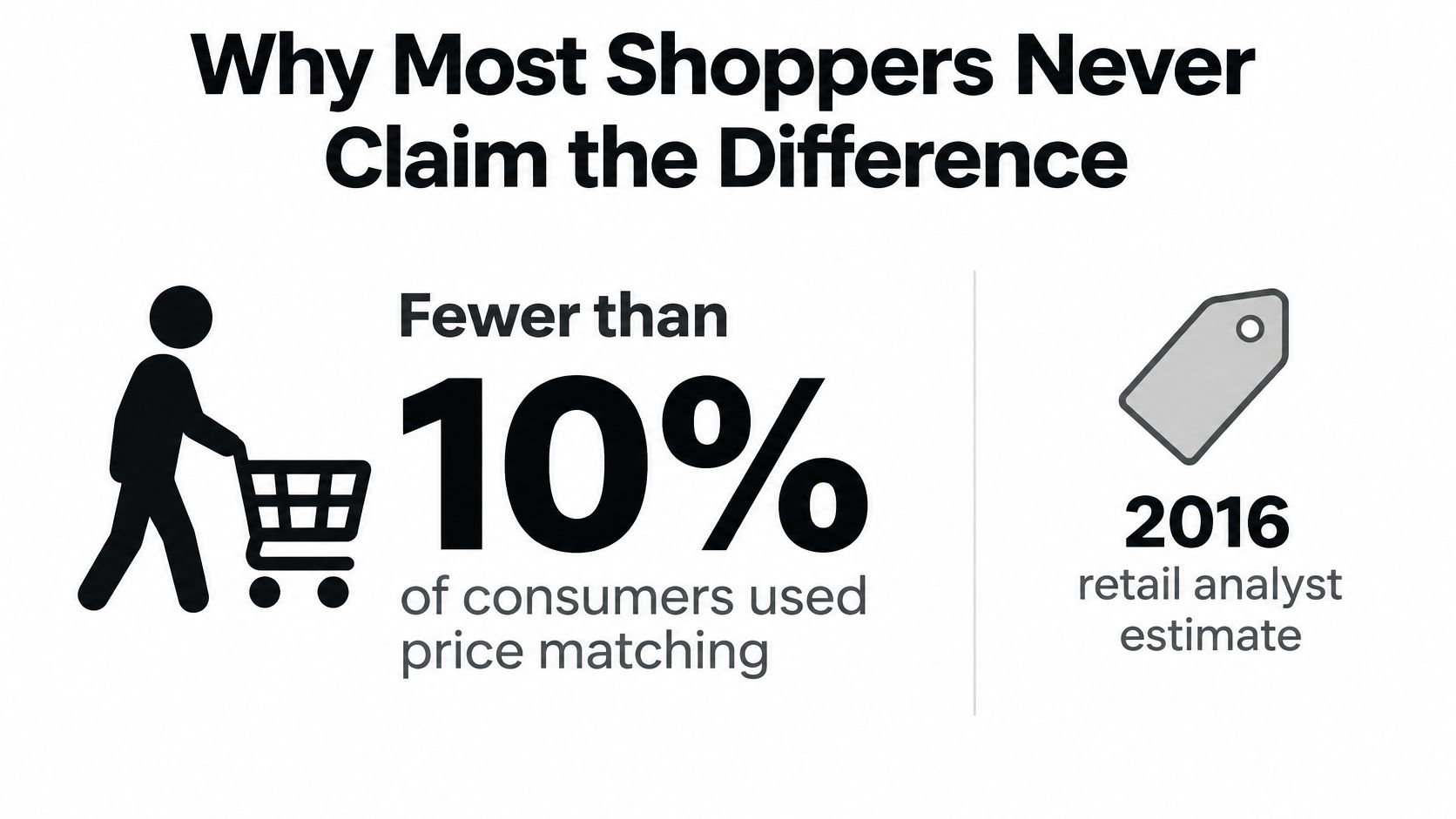
In 2016, retail analyst Sucharita Mulpuru estimated that fewer than 10% of consumers used price matching, and another consumer-reporting estimate put usage below 5%; the same Fox Business report cited a Retail Perceptions study finding that 88% of shoppers researching products online compared prices across stores, while 75% sought the lowest price.
Those estimates describe different groups and shouldn't be treated as a single conversion funnel. They nevertheless illustrate the distinction between looking for a lower price and completing a claim.
The practical blockers are specific:
- Limited awareness: Shoppers can compare prices without knowing that their preferred retailer accepts qualifying matches.
- Administrative effort: Finding the policy, documenting the offer, and contacting support require work beyond browsing.
- A closing deadline: A price drop discovered after the claim cutoff can be financially irrelevant.
- Unexpected exclusions: A convincing headline price can still fail the retailer's eligibility test.
The important distinction is between discovery and execution. A shopper who notices a lower price has identified a possible opportunity, not secured savings. Someone still has to establish comparability, use the required contact channel, and obtain approval.
For that reason, save the policy alongside the receipt rather than waiting until a price falls. It's easier to act when you already know the submission method and deadline.
A policy you never claim is not protection you've used.
Eligibility Rules That Decide Whether You Get Paid
| Exclusion | Why it blocks a claim | What to verify |
|---|---|---|
| Clearance | Policies often exclude clearance pricing | Whether the wording excludes clearance items |
| Refurbished or open-box | Different condition means a different offer | Condition label on both listings |
| Holiday-event pricing | Temporary event prices may be excluded | Event dates and the claim cutoff |
| Coupons | The advertised price requires an additional code or entitlement | Final price and coupon eligibility on both sides |
| Bundles | Included items differ from the single item | Contents of each offer |
| Members-only discounts | Access requires a qualifying membership | Membership terms on the rival offer |
| Third-party marketplace sellers | Seller and fulfillment differ from the retailer | Seller name and shipping source |
These exclusions are described in Fresh Calendars' price-adjustment policy overview, which also reports that Best Buy excludes products sold and shipped by third-party marketplace sellers even when they appear on an otherwise qualifying retailer website. Treat that overview as a prompt to verify the retailer's operative terms, not as a substitute for them.
The website's name isn't necessarily the seller's name. Open the offer details and inspect who sells the item and who ships it. A familiar storefront can contain offers from sellers outside the guarantee.
Compare the offer, not just the product photograph
Check the model number, color, size, quantity, and condition. Then compare shipping, required memberships, and included benefits. A matching photograph or similar product title doesn't establish that the offers are equivalent.
Say a rival advertises an item for less but adds delivery charges and requires a paid membership. The apparent saving shrinks once you include those costs, and the membership restriction may independently disqualify the offer.
Don't automatically subtract every benefit from the price yourself. A retailer may prescribe its own comparison method, including how it treats shipping or bundled extras. Your task is to document those differences and apply the policy's method.
This creates an important limit: the cheapest offer available to you may not be the cheapest offer a retailer will match. Coupons and loyalty benefits can make buying elsewhere attractive without creating a valid claim. Decide whether the offers are comparable before investing time in submission.
Retailer Rules and Claim Windows Compared
Retailer policies change. Use reported examples to understand the questions to ask, then verify the current policy on the day you intend to rely on it.
The comparison below separates policy scope from assumptions about generosity. A retailer that matches its own website price isn't necessarily promising to match another store.
Named retailer policies by scope, claim window and limit
| Retailer | What it matches against | Notable limit |
|---|---|---|
| Target | Its own in-store and online prices, as reported | No competitor matching reported; confirm the current adjustment deadline |
| Walmart | In-store prices against Walmart.com prices, as reported | Does not match competitor prices, as reported |
| Home Depot | Competitor advertised prices in historical reporting | Historical price-beating terms aren't a current promise; verify the live policy |
| Lowe's | Competitor advertised prices in historical reporting | Confirm current scope and submission timing rather than relying on historical coverage |
| Best Buy | Eligible offers defined by its current matching policy | Reported exclusion for items sold and shipped by third-party marketplace sellers |
A useful comparison requires more than the retailer's name and a yes-or-no answer. Read across scope, timing, proof, and exclusions. If the available reporting doesn't establish a reliable claim window, don't infer either unlimited protection or no protection.
For Best Buy, use the Best Buy price match policy guide to identify the relevant questions, then confirm the current terms before submitting. Pay particular attention to the distinction between an eligible retailer and an eligible seller on that retailer's website.
Record the rule that applies to your transaction
Save the policy wording with your order confirmation. Note whether it applies to an online order, an in-store transaction, or both, and identify the required submission channel.
Also record what starts the clock. Don't substitute delivery date for purchase date, or assume that opening a support conversation satisfies a formal submission requirement.
Keep the promise specific: A historical price-beating offer doesn't establish today's refund rights.
When a rule is unclear, ask support a narrow question: whether your order, the exact comparison listing, and your submission date qualify. A general answer that the retailer offers price matching leaves too much unresolved.
Requesting a Match Before You Buy
Before checkout, you can resolve eligibility without first committing money to the higher price. If the retailer refuses, you can compare the alternatives rather than depending on a later refund.
Have the product pages and applicable policy open before contacting support. The objective is to obtain a confirmed purchase price, not merely an encouraging statement about the guarantee.
- Record the preferred store's exact listing. Save the model number, color, size, condition, and seller so you can identify the item without relying on a shortened product title.
- Find a qualifying rival offer. Check product equivalence, seller eligibility, and current availability before presenting the listing.
- Capture the competing offer. Save a dated screenshot showing the price, seller, shipping, and promotional restrictions, while keeping the live page available for verification.
- Request approval through the retailer's designated channel. Use its price-match desk, chat, or phone process and identify the policy clause that supports your request.
- Obtain confirmation before paying. Ask for the approved price in writing or in the order notes, and retain the conversation reference.
If support declines
Ask which requirement the offer fails. That answer lets you distinguish a correct exclusion from a misunderstanding, such as an agent comparing the wrong model.
Don't complete the purchase on the assumption that another representative will reverse the decision afterward. Check the final checkout amount, including delivery charges, and decide whether the preferred store still offers the better overall purchase.
A pre-purchase match is simpler to evaluate because the result appears in the amount you're about to pay. There's no need to reconcile a promised adjustment with a later credit.
How to Claim a Price Match or Refund Step by Step
Treat a post-purchase claim as a small project with a deadline. Keep the receipt, policy, comparison listing, and correspondence together so another support agent can understand the request without reconstructing it.
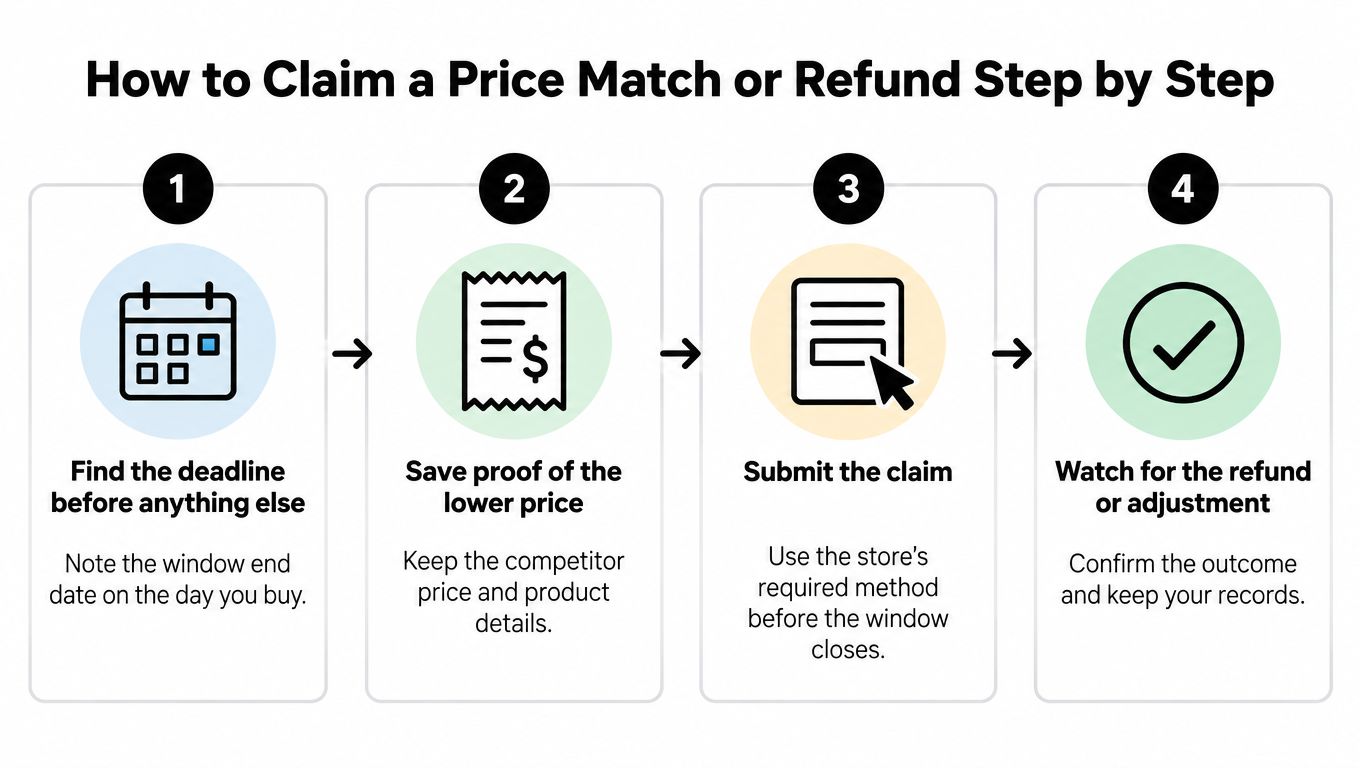
The workflow starts with timing and ends with confirmation that the money arrived.
Build and submit a reviewable claim
Find the deadline first. Read the policy applicable to your purchase and enter the cutoff in your calendar. Check both what starts the window and what action must be completed before it ends.
Confirm the item is identical. Compare the receipt's product identifier with the lower-priced listing, including model, variant, quantity, and condition. Don't substitute a similar item because the photographs look alike.
Preserve the lower price. Capture a dated screenshot with the listing address, price, seller, availability, and relevant restrictions. Include the live listing in your submission because saved evidence doesn't replace live verification when the policy requires it.
Compare the payable amounts. Account for shipping, tax where relevant, required membership, and included benefits using the retailer's comparison rules. Keep those components visible rather than presenting an unexplained total.
Verify the transaction against your bank. Check the amount and transaction date before acting, particularly if an order was split into separate charges. Users should check anything they intend to act on against their bank, rather than relying solely on an automated finding or order email.
Submit a concise request. Include the order number, purchase date, amount paid, qualifying lower price, requested difference, and listing evidence. Use the retailer's required method and save its acknowledgment.
Request a reasoned review if declined. Ask which policy condition failed and respond with evidence addressing that condition. If the store's policy doesn't apply, check whether your card includes an applicable price-protection benefit before opening a separate claim.
Verify the outcome
Keep returns, price adjustments, and payment disputes separate. For example, Used Mobiles 4 U's refund terms and conditions are a merchant-specific resource to consult when considering a return or refund; don't assume a returns policy creates a competitor-price guarantee.
For card-linked protection, use the card's benefit guide to establish eligibility, deadline, and documentation. Keep the original receipt and card statement ready, but submit the complete evidence package the benefit requires.
Record the claim reference, approved amount, promised payment method, and any stated processing period. Use the guide to tracking a refund to reconcile the approval with the eventual credit.
Approval isn't the final accounting event. Close your record only after the credited amount matches what the retailer approved.
What Price Matching Delivers in Practice
A difference-in-differences study of US online consumer-electronics retail found that the adopting retailer's prices increased 4.7% during the guarantee period and remained higher for up to five days afterward, with effects concentrated among highly rated, highly visible, and expensive products, according to the Economic Inquiry study.
That finding challenges the assumption that displaying a guarantee means a retailer has lowered its prices. The distinction between posted prices and recovered savings is central to interpreting the offer.

A retailer can maintain a higher posted price while granting reductions to shoppers who establish eligibility. That arrangement protects successful claimants without giving every customer the same price automatically.
Consider a shopper who obtains an adjustment on an expensive item. The refund is real, but it doesn't prove that the original purchase was competitively priced. Another shopper might find an attractive bundle elsewhere yet receive no adjustment because the offers aren't comparable.
Measure what you actually recover
For a household, useful measures are straightforward:
- Credits received: Count completed refunds, not possible savings or approvals still awaiting payment.
- Net purchase cost: Assess the amount ultimately paid, including unavoidable purchase costs.
- Claim effort: Consider the documentation and follow-up required, especially for a modest difference.
- Unsuccessful requests: Record the reason so you don't repeatedly pursue the same excluded offer type.
The accompanying video can be viewed separately from those findings.
The study's result shouldn't be generalized to every retailer or category. It does support a narrower conclusion: guarantee availability isn't a reliable substitute for checking the purchase price.
Compare eligible offers before buying. Afterward, treat the guarantee as a verification-and-recovery process, not as a discount already embedded in your purchase.
Track Price Drops Before Your Claim Window Closes
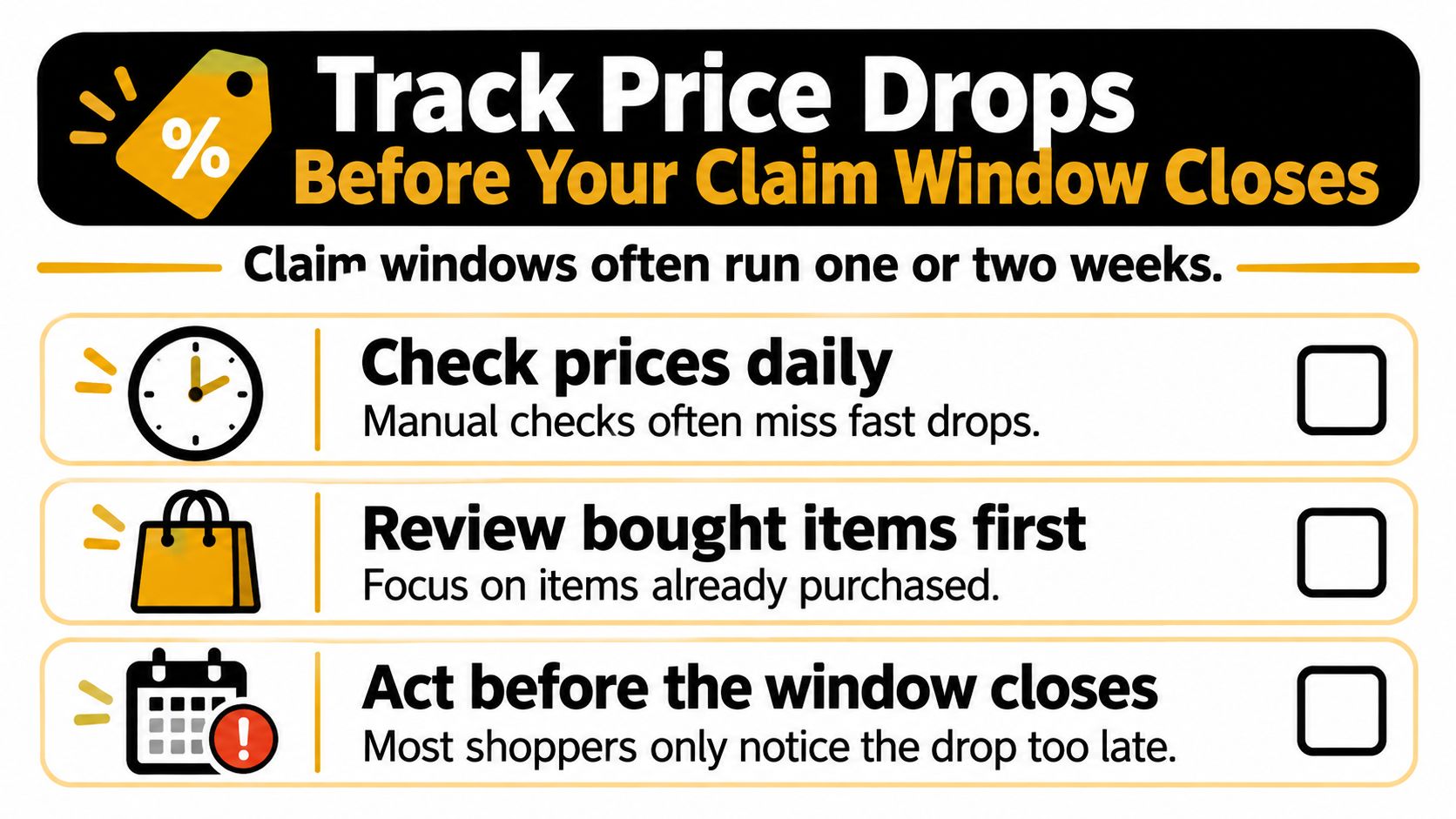
A post-purchase opportunity requires the lower price and the applicable claim window to overlap. Manual checking can miss that overlap, especially when receipts, merchant messages, and calendar reminders sit in separate places.
The practical objective is to connect each purchased item with its deadline and a clear next action. A notification that something became cheaper isn't enough unless you can identify the order and establish eligibility.
What monitoring helps you do
Compass+ monitors linked shopping orders, money-relevant emails, receipts, and calendar dates to surface post-purchase price drops, delivery credits, refunds, and return windows. We pair findings with an estimated amount and a concrete next step, so you can evaluate a specific opportunity rather than start a general search.
We get bank data through Plaid in read-only mode. Figures are accurate as of the last refresh, which the app shows, so check the current bank record before acting.
Our access has firm limits:
- No money movement: We can't move money, make payments, or open or close accounts.
- No merchant cancellation: We can't cancel a subscription with a merchant.
- No claim submission for you: You still send the retailer your request and supporting evidence.
Compass+ Monthly costs $19.99 a month, charged after a 7-day free trial for new subscribers. Availability may vary, and the standalone experience is currently available by waitlist; joining the waitlist doesn't guarantee access or lock in a price.
Use each finding to begin the claim process: verify the deadline, preserve the qualifying offer, submit through the required channel, and reconcile the eventual credit. Monitoring can help you notice an opportunity, but the retailer's rules still determine whether it pays.
Compass+ connects purchase information, deadlines, and financial records to surface potential price-drop savings and other recoverable funds with a concrete next step. Visit Compass+ to explore availability and decide whether its monitoring fits your shopping and refund-tracking needs.