Price Adjustment Gap: How to Claim the Drop
The price adjustment gap is money left on the table after a drop. See 7–30 day windows, proof rules, and how to claim the difference.
18 min read
The price adjustment gap is the difference between what you paid and a lower price that appears after your purchase. Retailer adjustment windows often run from 7 to 30 days, according to Checkbook's review of price-matching policies. A lower price during that period may still be out of reach if it disappears before you file a claim.
The advertised deadline is only part of the calculation. You also need to know whether the retailer covers your purchase and whether its policy requires the lower price to remain visible when you ask. A calendar gives you the outer limit; the live offer may set the practical one.
The useful deadline may arrive when the sale ends.
Table of Contents
- What a Price Adjustment Gap Costs You
- Retailer Windows That Decide a Refund
- Proof That Makes One Order Eligible
- How to Catch a Drop in Time
- Tools That Watch Price Drops for You
- How to Request the Price Difference
- Claim the Difference Before the Clock Runs Out
What a Price Adjustment Gap Costs You
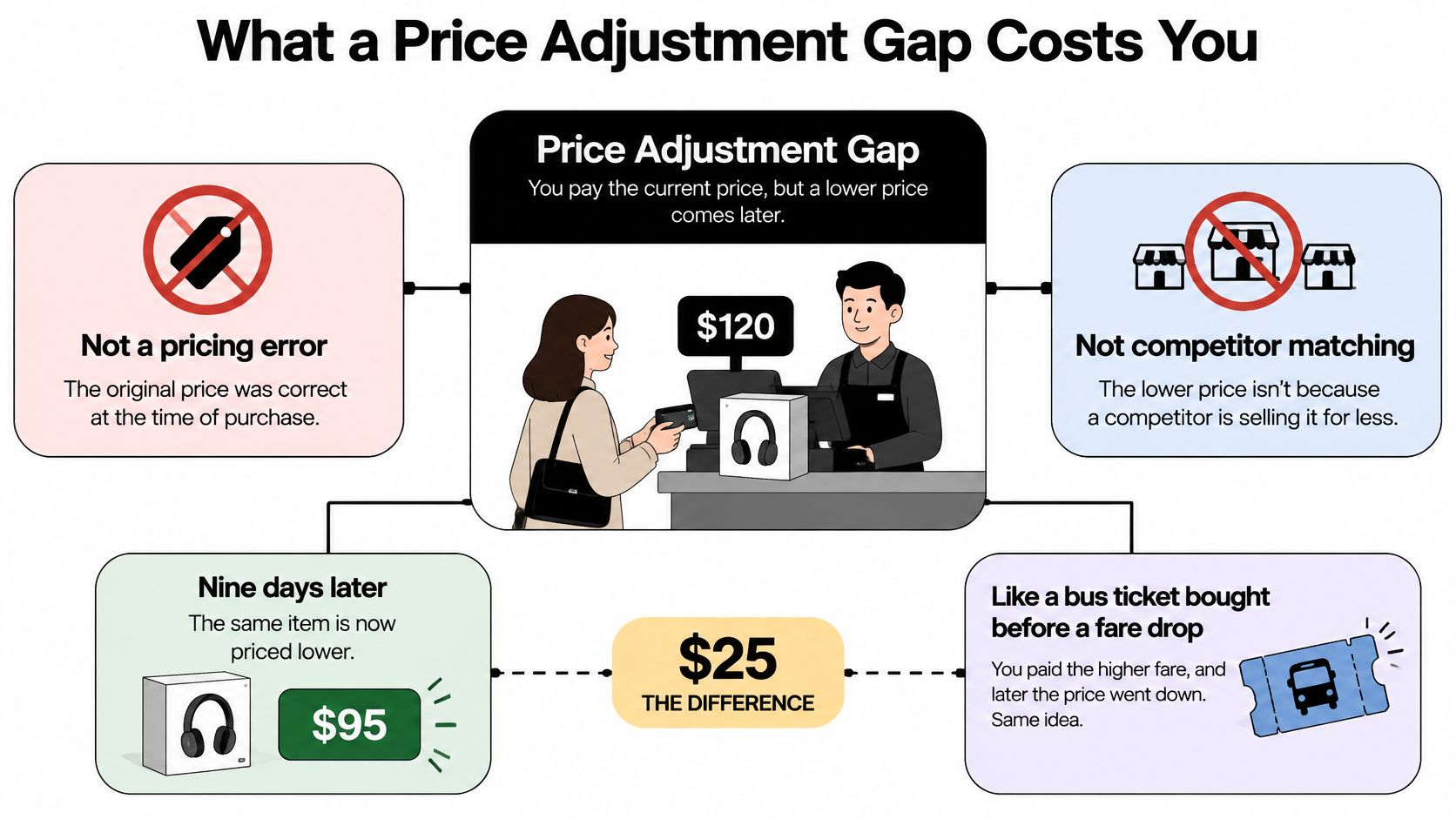
Say you buy a kitchen appliance for $120. Nine days later, you open the same listing and see it advertised for $95. In this hypothetical purchase, the $25 difference is your price adjustment gap.
The original charge wasn't necessarily a mistake. You agreed to the checkout price, and the retailer later changed its offer. You're also not asking the store to match a competitor. You're asking whether its own post-purchase policy lets you recover a qualifying markdown.
Think of a bus ticket bought before a fare sale. Your ticket still gets you where you're going, but the cheaper fare doesn't automatically entitle you to money back. That depends on whether the carrier promised to look back at earlier purchases.
The markdown and the missed opportunity
There are two separate problems to solve:
- The pricing gap: The retailer offers the same eligible item for less after you buy it.
- The attention gap: You must notice the offer, confirm your order qualifies, and request the difference while the opportunity remains open.
Frequent markdowns aren't just isolated checkout frustrations. A U.S. Federal Trade Commission study of store-level pricing across 20 categories found that retail prices changed about 2.5 times as frequently as wholesale prices.
The study found that retailers generally maintained a regular price and that most deviations were downward. Many changes were temporary sales, rather than permanent reductions. Discounting also differed among products within a category, including cereal, and an item's likelihood of going on sale increased when demand was highest.
That helps explain why waiting for news about supplier costs won't tell you whether your purchase is about to become cheaper. Retailers can change the customer-facing offer without a corresponding change in what they pay suppliers.
Practical rule: Treat a lower advertised price as a reason to check eligibility, not as proof that the retailer owes you a refund.
What the gap means for your receipt
A receipt proves what you paid. During an applicable adjustment window, it may also support a request to reduce your effective purchase cost.
That makes post-purchase checks part of a broader habit of finding money you're owed or wasting. But don't count the difference as recovered money until the retailer approves and pays it. You still need a published policy, a qualifying lower offer, and a timely request.
Retailer Windows That Decide a Refund
Retailer adjustment periods commonly fall between 7 and 30 days, but the day count does not tell the whole story. Chicago Consumers' Checkbook's review of approximately 100 major retailers found that most offered periods in that range. Some policies also require the lower price to remain visible when you make your claim, so a long window can still leave little time to act.
| Retailer or case | Reported window | What the policy says | Typical payout |
|---|---|---|---|
| Most retailers in the 2025 Checkbook review | 7 to 30 days | Post-purchase adjustments were generally less restricted than competitor-price matching | Refund or store credit |
| Michaels | 7 days | A post-purchase adjustment may be requested within the reported period | Difference if the item qualifies |
| JCPenney | 14 days | A post-purchase adjustment may be requested within the reported period | Difference if the item qualifies |
| Costco | 30 days | A post-purchase adjustment may be requested within the reported period | Difference if the item qualifies |
| Home Depot | 30 days | A post-purchase adjustment may be requested within the reported period | Difference if the item qualifies |
| Amazon | None found | Checkbook's 2025 review found no post-purchase price adjustment | No post-purchase adjustment |
| Walmart | None found | Checkbook's 2025 review found no post-purchase price adjustment | No post-purchase adjustment |
| Target | 14 days in other summaries; none found in Checkbook's 2025 review | Reports differ on whether a post-purchase adjustment is offered | Difference if the item qualifies |
Use the table as a starting point
Treat these periods as reported terms, not a guarantee for your order. A retailer can change its policy, and an online summary may not cover your purchase channel or offer. Target's conflicting reports make that especially clear.
Start with the policy for a lower price after purchase. A competitor-price-match page may apply only before checkout. Checkbook found that post-purchase adjustment policies were generally less restricted than competitor matching, but restrictions can still apply.
For a Best Buy order, the Best Buy price-match policy guide can help you identify which policy questions to check for your transaction.
What the day count doesn't guarantee
The clock's starting point matters. A retailer may count from the purchase, order, shipment, or delivery date, so use the date specified in its policy.
A request can also fall within the stated period while the lower offer has already disappeared. That is why the advertised adjustment window is not always the true recovery window: the practical deadline may be the earlier moment when the qualifying price stops being visible.
Before relying on a table row, check:
- Which purchase channel qualifies? Confirm whether the policy covers your online order, store purchase, or marketplace transaction.
- What payment will you receive? Check whether approval means a refund or store credit.
- Which offers are excluded? Review the promotion restrictions.
- Where must you apply? Find the specified order-page option, form, chat, or customer-service route.
Save the current policy with your purchase records. A dated copy gives you a specific rule to refer to if you contact support, rather than relying on a search snippet that may no longer match the retailer's terms.
Proof That Makes One Order Eligible
Suppose a retailer offers a hypothetical month-long adjustment period, but the sale you spotted disappears partway through it. You contact support afterward, confident that your purchase is still within the advertised period. If the policy requires a currently available lower price, your request can fail.
You didn't miss the calendar deadline. You missed the qualifying offer.
Checkbook's consumer guidance and retailer-specific summaries describe adjustment eligibility that can turn on identical products, qualifying sellers, proof of purchase, and promotion restrictions. For your order, those details matter more than a generous-looking headline window.
Test the transaction, not just the store
Eligibility checks for a price adjustment
These are screening checks, not universal retailer rules. An offer in the “usually fails” column may qualify if the retailer expressly includes it.
| Check | Usually passes | Usually fails |
|---|---|---|
| Item identity | Same model, size, color, and pack | A different variation or bundle |
| Seller | The retailer's own listing or a named qualifying seller | An excluded marketplace seller |
| Price type | A regular markdown on the same item | Coupon, clearance, member-only, or special promo exclusions |
| Visibility | Lower price still shown and in stock at claim time | Sale ended or item unavailable before you submit |
| Clock | Inside the stated days and the price is still live | Days remain but the qualifying price is gone |
| Proof | Order confirmation plus a dated screenshot of the current price | Receipt alone, or a price you can no longer show |
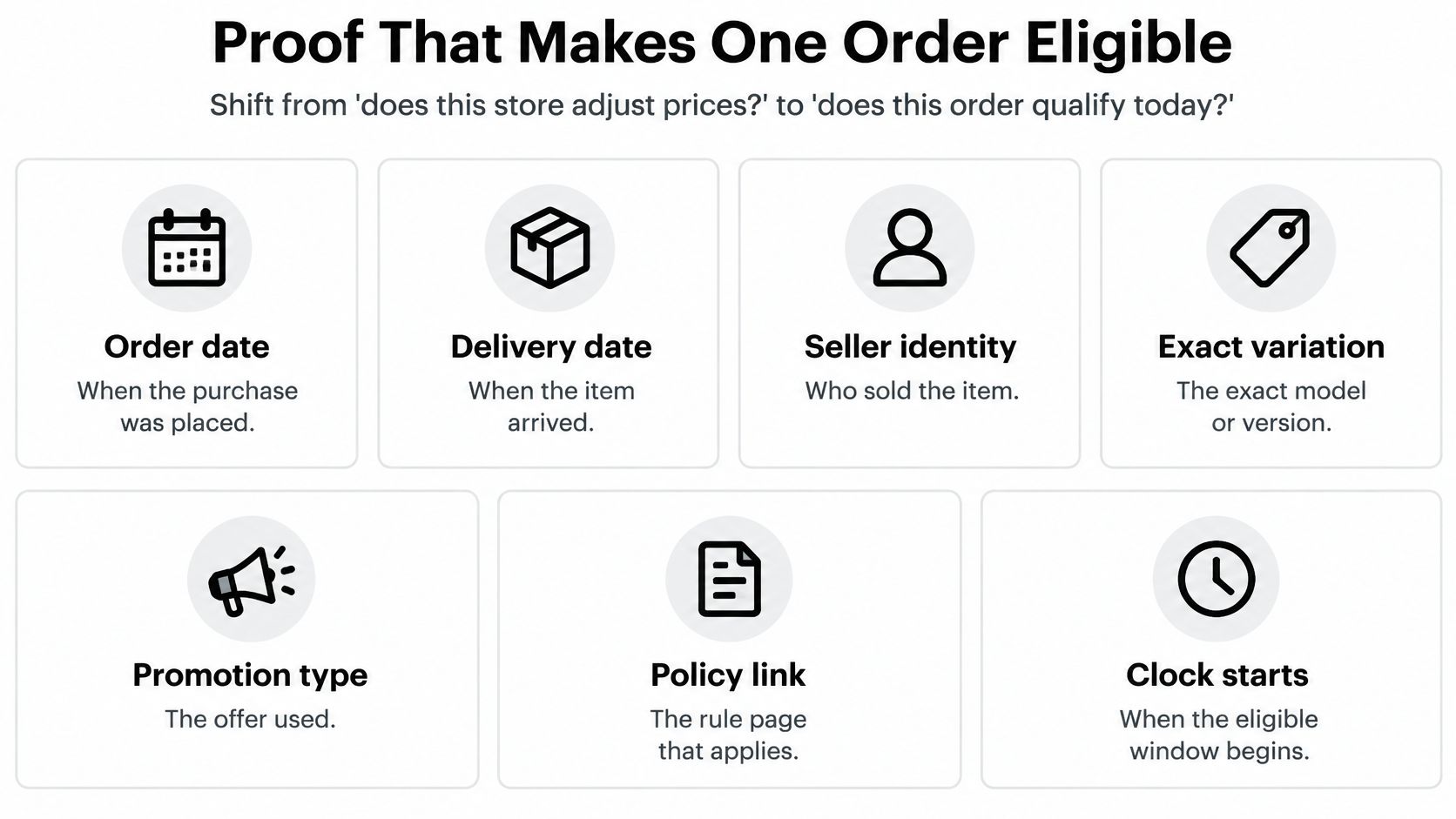
Start with the order date and delivery date, then identify which one starts the policy clock. Next, check who sold the item. A familiar retail website can host listings from outside sellers, so the website's name alone doesn't establish seller eligibility.
Then compare the exact variation. A blue appliance isn't necessarily interchangeable with the black version for adjustment purposes, even if their features match. Model numbers, pack quantities, accessories, and bundles can also change the comparison.
Keep proof of both sides
A clean hypothetical claim would involve the same SKU, an eligible first-party seller, an ordinary markdown, and records showing both the amount paid and the current offer. A weaker claim might compare your single item with a multipack or rely on a member-only offer that the policy excludes.
The advertised adjustment period is not the true recovery window. Your usable opportunity is the overlap between an eligible purchase and an eligible lower offer.
A screenshot can preserve evidence of an offer. It can't force a retailer to accept an expired offer when its policy requires a live price.
Save the order confirmation and a dated screenshot before opening support. Include the listing address, selected variation, seller, price, and stock status where possible. Keep the policy page too.
That evidence lets you explain your request clearly. It also helps you distinguish a missing document you can supply from a policy exclusion you can't fix.
How to Catch a Drop in Time
Build a small monitoring routine around purchases worth checking. Focus on orders with a usable adjustment policy and a potential saving that justifies your attention, rather than watching every receipt indefinitely.
The aim isn't to predict the retailer's next sale. It's to recognize an eligible offer while you can still act on it.
Keep the purchase and the offer connected
Save the purchase record immediately. Keep the order number, actual item price paid, seller name, exact product address, and policy page together. Record the event that starts the clock so a delayed delivery doesn't leave you working from the wrong date.
Set reminders before the deadline. Put a check near the middle of the window and another comfortably before it closes. These reminders are a backstop, not a guarantee that you'll catch a short promotion between them.
Open the exact listing. Use the product address from your order rather than a broad search result. Confirm the selected model, size, color, quantity, and seller before treating a lower headline price as relevant.
Capture a qualifying offer when you find it. Save a full-page screenshot or print-to-PDF record with the address and capture date. Include stock status and any promotion conditions, then store it alongside the receipt.
Verify and submit promptly. Recheck the live listing immediately before filing. If you're interrupted and resume the next morning, check again, but don't deliberately postpone an otherwise ready request overnight.
Avoid the last-day-only check
A single visit near the deadline can tell you today's price. It can't reliably tell you which qualifying offers appeared and disappeared earlier.
Use order history to recover the original listing and a price-tracking alert to draw your attention to changes. When an alert arrives, verify the actual retailer page. The alert may concern another seller, a different variation, or an offer you can't use.
Monitoring shortcut: Keep the receipt, policy, current listing, and deadline in the same note or folder. An isolated price alert leaves you with the eligibility work still to do.
An automated watcher is most useful when it connects the original order to the current offer and the relevant deadline. A chart of public listing prices alone doesn't establish whether your purchase qualifies.
Once you've captured the offer, shift from watching to requesting. After the claim is resolved or the applicable window closes, archive the reminder unless the policy gives you a reason to continue. Monitoring should help you finish a task, not create a permanent shopping chore.
Tools That Watch Price Drops for You
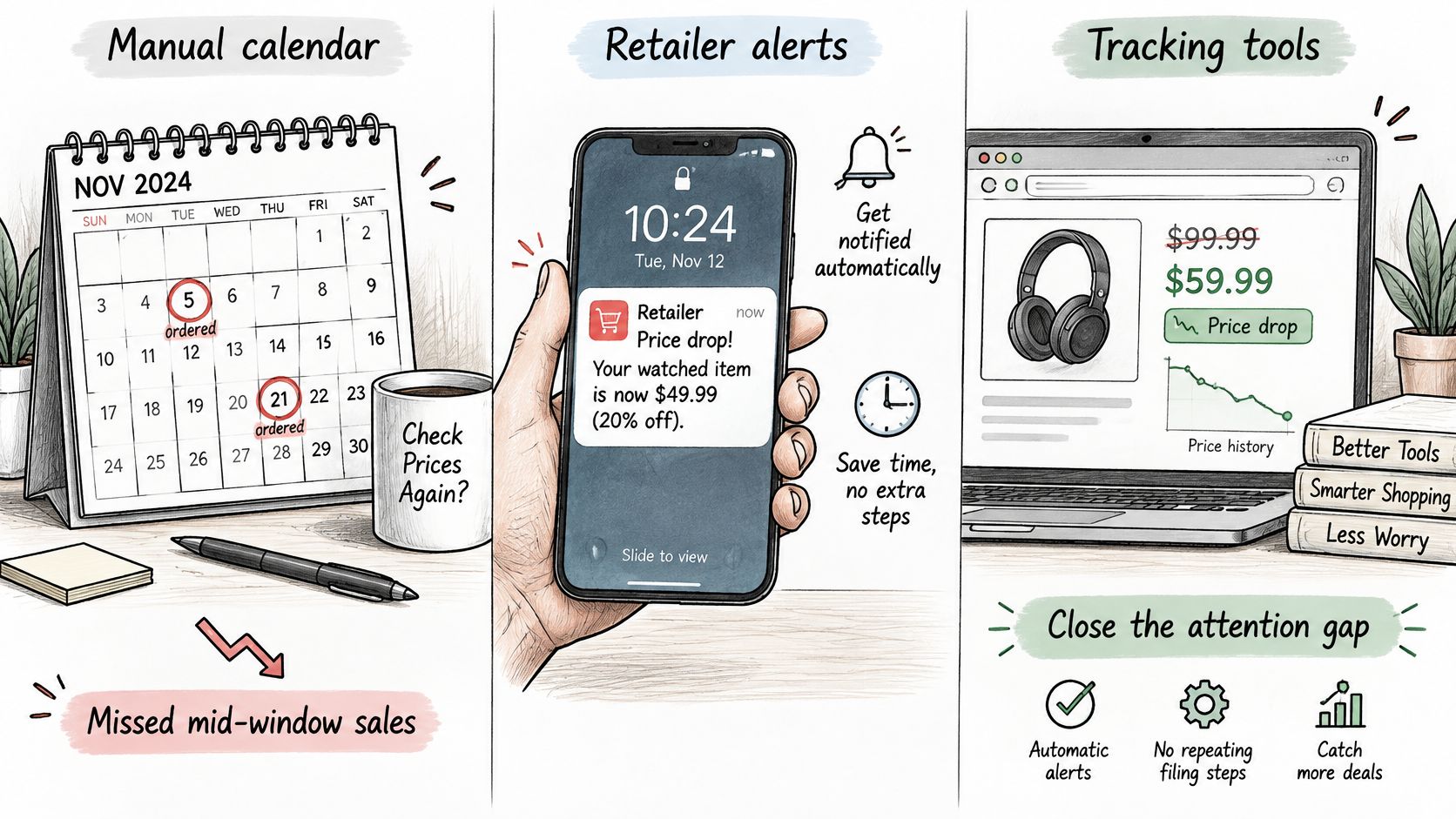
Choose a tool based on what you're likely to forget. Remembering a deadline, noticing a markdown, and connecting that markdown to an eligible order are different jobs.
Compare what each method actually knows
| Method | Useful information | Main limitation |
|---|---|---|
| Manual calendar and purchase folder | The deadline and records you enter | You must revisit the listing yourself |
| Retailer alerts and public price trackers | Changes to a watched product listing | They may lack your purchase date, seller, and policy details |
| Cross-account savings agent | Connected purchase, charge, receipt, and deadline context | Findings still need an eligibility check and action |
A manual calendar suits a small set of purchases and doesn't require a separate monitoring subscription. Its weakness is the interval between checks.
Retailer alerts and public trackers can notify you about a listing without requiring repeated visits. But a lower-price notification isn't the same as an adjustment recommendation tied to your actual order.
What a cross-account agent adds
At Compass+, we monitor linked financial, email, calendar, and shopping accounts to surface potential savings with an estimated amount and a concrete next step. Our coverage includes Amazon and broader order tracking, alongside missing refunds, late-delivery credits, duplicate charges, bill increases, and low-use subscriptions.
A detected drop isn't a promise that a retailer offers price protection. We can point you toward an opportunity, but you still need to satisfy the merchant's proof rules and submit the request.
Our financial connection through Plaid is read-only. We can't move money, make payments, open or close accounts, or cancel a subscription with a merchant. Figures reflect the last refresh shown in the app.
After connecting a bank, users can see what we found for 7 days without paying. Compass+ Monthly costs $19.99 a month, charged after a 7-day free trial for new subscribers; prices appear before confirmation.
The standalone experience is waitlist-based, while our embedded assistant is available inside Gerald for U.S. users. Compare the ongoing subscription cost with the work you want help monitoring, rather than assuming a potential adjustment will pay for it.
How to Request the Price Difference
Once your order passes the checks, make the request easy to verify. A short, complete message gives the agent a specific transaction, a qualifying offer, and the remedy you're asking for.
Submit a focused request
Calculate the item-price difference. Subtract the current qualifying price from the item price you paid after applicable purchase discounts. Keep tax and shipping separate unless the policy says they're included in the adjustment.
Use the retailer's stated route. Start with its adjustment form, order-page option, chat, or customer-service channel. A later markdown isn't itself evidence of an unauthorized charge, so don't begin with a card dispute.
Send the supporting details together. Include your order number, purchase date, item identifier, original price, current qualifying price, listing address, and screenshot. Ask for the refund method the policy provides, whether that's the original payment method or store credit.
Ask for the exact reason if denied. Find out whether the problem is item identity, seller, promotion, stock, timing, or missing proof. Resubmit only when you can correct the relevant point or show that the agent applied the wrong rule.
Save the decision and follow the payment. Retain the confirmation, amount, approval date, and any stated posting instructions. Use a refund-tracking routine to confirm that the credit arrives.
You can adapt this message without adding a long account of why you bought the product:
I'm requesting a post-purchase price adjustment for the attached order. The identical item is currently available at a lower price from the qualifying seller. I've included my purchase confirmation, the current listing, and a dated screenshot. Please confirm whether this order qualifies and how the difference will be refunded.
Handle shipping and denials carefully
If the item is still in transit, ask whether the policy allows a request before delivery. Don't assume the retailer will preserve today's sale price until the package arrives.
For a partial shipment, identify the particular item and quantity you want adjusted. Ask whether undelivered units qualify rather than treating the entire order as a single completed purchase.
A denial can be useful if it names the rule. Missing documentation may be repairable; an excluded seller or expired qualifying offer may not be. Repeating the same request without new evidence usually doesn't address the reason it failed.
Treat return and reorder as a separate decision
Returning the original purchase and buying again may be an alternative, but calculate the whole cost first. Check return eligibility, shipping charges, possible restocking charges, and whether you can still obtain the replacement.
Don't send back a usable item on the assumption that stock will remain available. The saving needs to outweigh both the charges and the inconvenience.
Success means the agreed difference posts in the promised form. A coupon requiring another purchase isn't equivalent to a refund unless you knowingly accept that alternative.
Claim the Difference Before the Clock Runs Out
Choose your next action from the order in front of you. Don't spend an afternoon collecting evidence before confirming that the retailer offers the remedy you want.
Open the current policy and your exact listing together. If the purchase qualifies and the item is cheaper, preserve the offer and request the adjustment promptly. Remaining calendar time isn't a reason to delay a ready claim.
Choose the path that fits today
- Eligible order and qualifying live price: Capture the evidence and file through the retailer's specified channel. Keep the confirmation until the money or credit arrives.
- No adjustment policy or a clear exclusion: Stop pursuing an unavailable remedy. Compare keeping the purchase with an allowed return and repurchase, including charges, stock risk, and your time.
- Too many purchases and unresolved credits to track manually: Use a watcher that connects orders, receipts, and deadlines. Prioritize findings that identify an amount, an actionable rule, and a next step.
A written denial also gives you something concrete to act on. It tells you whether you lacked a policy, failed an eligibility condition, or contacted the retailer after the usable offer ended.
That distinction can improve your next purchase decision. You might favor a retailer with clearer terms, save better records, or avoid spending time monitoring purchases that have no post-purchase protection.
The goal isn't to make every markdown refundable. It's to claim the differences your actual orders qualify for, without letting the checking process cost more attention than the saving deserves.
Compass+ helps surface post-purchase price drops, missing refunds, and other potential savings from connected accounts, with estimated amounts and practical next steps. Visit Compass+ to explore the available experience or join the standalone waitlist, then use each finding to decide which retailer request is worth making.