POF Free Trial: What It Includes and How to Avoid Charges
Learn what a POF free trial includes, how trial terms and renewals work, and how to cancel in time to avoid an unexpected charge.
13 min read
Can you say out loud how many days your POF free trial runs and exactly what it charges when it ends? If the answer is fuzzy, the reason isn't carelessness. POF doesn't sell one standard trial, so the words "free" and "trial" mean different things depending on which screen you're reading.
Visitors often arrive at POF expecting a free dating service and meet a checkout page asking for a card. Those two facts aren't a contradiction, but the gap between them is where readers get caught: a free account, a discounted promotional membership and a time-limited offer that converts to a paid plan are three different products wearing one name.
This guide separates them. It covers what a POF trial includes, which terms to read before you pay, where to cancel depending on how you bought it, and what to do if a charge already landed. The thread running through all of it is simple. The checkout screen decides your terms, not the homepage and not the app banner.
Table of Contents
- What a POF Free Trial Includes
- Trial Terms to Check at Checkout
- Where to Cancel by Purchase Channel
- How to Cancel Before the Trial Converts
- Recovering an Unexpected POF Charge
- Set Reminders Before the Notice Window
What a POF Free Trial Includes
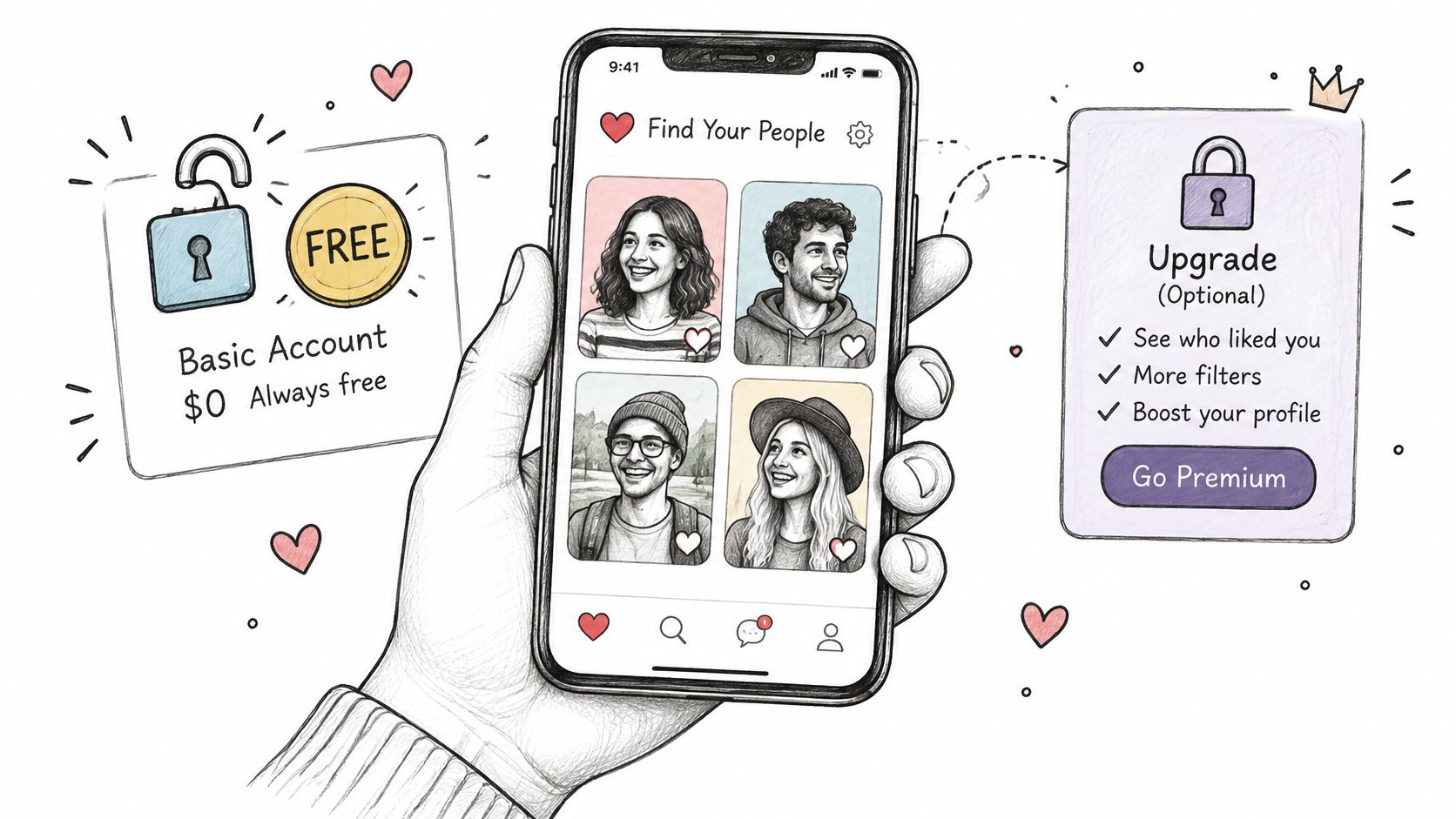
A POF free trial isn't one fixed offer, and that's the first thing to pin down. POF runs on a free basic account where you can create a profile, browse matches and send messages without handing over payment details. Above that free tier sits a set of optional paid memberships, and checkout may present either a time-limited trial or a discounted promotional rate. Which of the three you're looking at depends entirely on the screen in front of you.
That structure reaches back to the site's beginning. Plenty of Fish launched in Vancouver in 2003, founded by Markus Frind, and it grew by offering a free-to-use dating service while competitors charged for access. By the end of that first year the site had about 10,000 users and was earning more than $3,000 a month from advertising, enough for Frind to leave his job, as the New York Times reported on POF's early growth. Free access came first. Paid features were added afterward as an optional layer, not as a gate that slammed shut after a short window.
The scale that followed shows the same mechanism at work. When the company announced in March 2015 that it had passed 100 million registered users, it also estimated that 80% to 85% of users reached the service on mobile devices, a shift that pushed revenue toward subscriptions rather than ads, Global News reported. Mobile users buy through app stores, and app stores bill subscriptions.
The sample-tray comparison: the free account is the sample tray at the deli counter. A trial is a coupon for the full product, and the coupon renews on a schedule unless you stop it. Nobody confuses the two in a shop, but online the same word, free, covers both.
Practically, when a trial ends without renewal, the paid features switch off and the basic account stays usable. You lose the upgrade, not your profile. Your trial length, renewal price and billing interval come from checkout, not from an app banner.
Trial Terms to Check at Checkout
The trial is defined at checkout and nowhere else. Read that screen the way you'd read a lease: slowly, with the six items below in hand.
| Term | Where to find it | What to note |
|---|---|---|
| Trial length | Checkout screen or offer page | The number of days before the first charge |
| Renewal price | Checkout summary | The amount charged once the trial ends |
| Billing interval | Checkout summary | Weekly, monthly or longer; this sets your next charge date |
| Renewal date | Account page or receipt email | The last day to cancel before renewal |
| Purchase channel | Receipt or payment method | Whether billing runs through POF, Apple or Google |
| Promotional rate | Offer details | Rates can differ by region, account activity or past purchases |
Trial length is the count of days before money moves, and it's often printed smaller than the price. Renewal price is what the plan costs afterward, which can sit well above the introductory number on the same screen. Billing interval sets the rhythm: a weekly plan renews about four times as often as a monthly one, so a modest-looking price can add up fast. The renewal date matters most, because it's the last day a cancellation will land in time.
Why the price on your screen may not match a friend's
POF's terms allow pricing to vary by region, subscription length, bundle size, past purchases and account activity. Two people comparing screens at the same moment can see different numbers for what looks like the same plan, and neither is being singled out. What matters isn't the price someone else got. It's the price on your summary, next to your billing interval.
Watch for three warning signs before you enter card details. An offer with no visible renewal price anywhere on the page. A trial length that appears only in the small print under the button. A discount paired with a longer billing interval, which trades a lower monthly figure for more money committed per charge.
Take the screenshot: capture the checkout screen with the date visible. That image is your evidence if the charge later differs from what was shown.
One test settles it. If you can't state the trial length, the renewal price and the billing interval in a single sentence, don't enter payment details yet.
Where to Cancel by Purchase Channel
Start with the question that trips up many users: where do I cancel if I began the trial on my phone but manage my POF account on the web? Billing follows the purchase, not the profile. You cancel in the place that took your money.
| Purchase channel | Where to cancel | What stops billing |
|---|---|---|
| POF website | Your POF account settings | Cancelling stops the next renewal; a paid term you've already bought isn't ended early |
| Apple App Store purchase | Apple ID subscription settings | Deleting the POF app or profile doesn't stop the charge |
| Google Play purchase | Google Play subscription settings | Deleting the POF app or profile doesn't stop the charge |
| Unknown channel | The store name on the receipt email | Find that name first, then cancel in that store's subscription settings |
A website purchase and an in-app purchase look identical inside the app and behave nothing alike. POF's terms of service set out the split: memberships bought on the website or in the app are cancelled inside the POF account, while purchases made through an Apple ID or Google Play must be cancelled through that external service.
Two consequences follow. Deleting the app or your profile doesn't stop a charge, because neither action touches the subscription record. And cancelling generally prevents the next renewal rather than shortening a term you've already paid for, so the money already spent stays spent.
Why the web account shows no subscription
Say you start a trial on an iPhone and later log into the POF website to check on it. The account page may show nothing active, and that absence proves very little: an Apple-billed subscription lives in your Apple ID settings, not in the website's billing view. The reverse is also true. A membership bought on the website won't appear in your phone's subscription list, even while it keeps renewing.
Find the store name instead. Open the receipt email from the day you signed up, or the payment history in your app store, and read who charged you. If the receipt says Apple, our guide to how to cancel subscriptions on iPhone walks through the exact screens.
One rule worth memorizing: a subscription is cancelled where it was sold. The profile is just the profile.
How to Cancel Before the Trial Converts
A trial that holds your card details is a negative-option subscription. Unless you cancel before the stated deadline, the merchant converts the trial into a paid plan and can keep billing on a recurring schedule. The Federal Trade Commission's guide to free trials and auto-renewals advises consumers to record the cancellation deadline, because missing it is what creates the payment obligation.
The sequence is short. The steps below explain why each one earns its place.
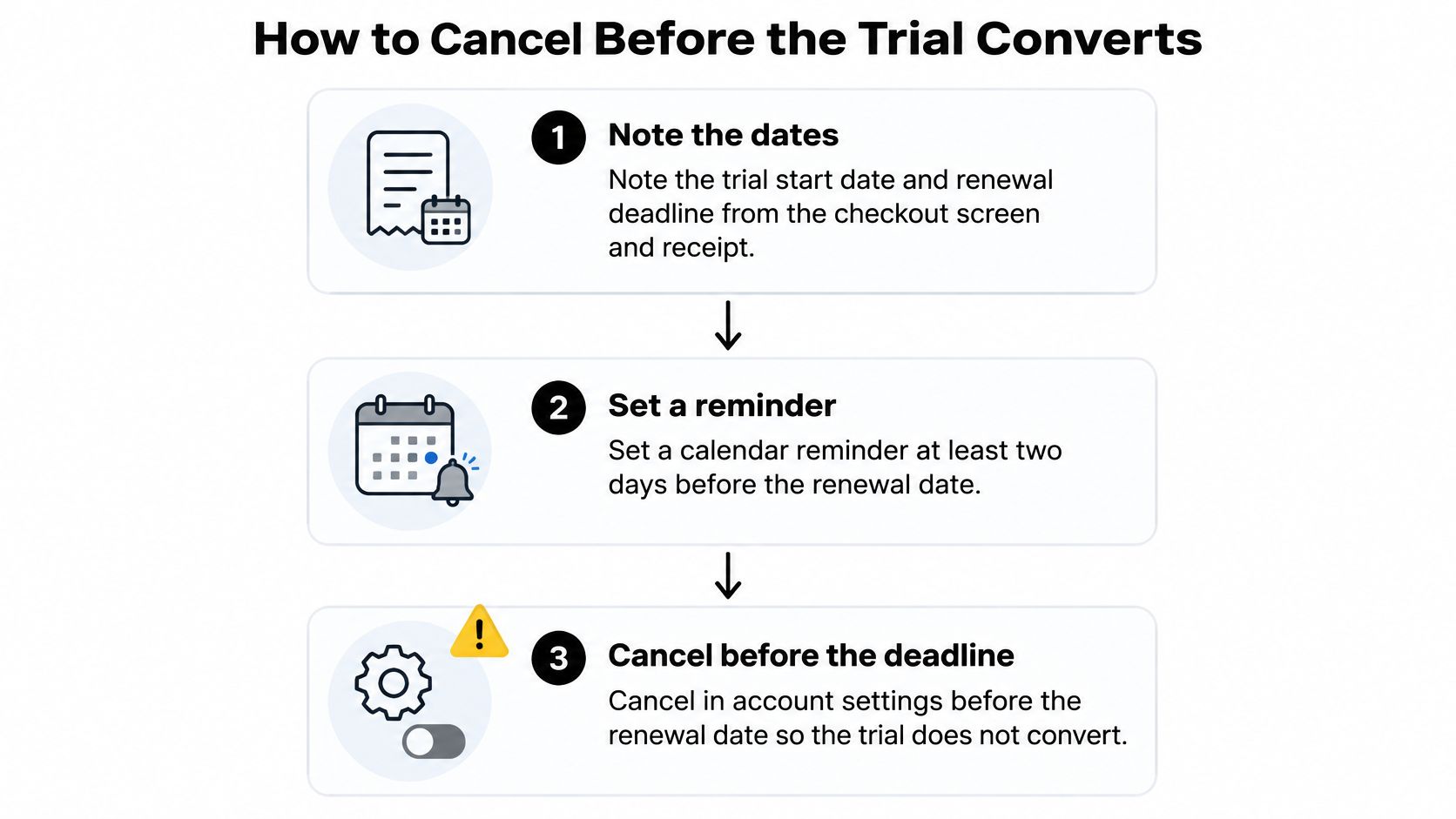
- Record two dates. The trial start date from your receipt and the renewal deadline from checkout. A deadline written down is one you can beat; a half-remembered date is how most charges happen.
- Set a reminder at least two days early. Two days covers a forgotten password, a verification email or a support queue, none of which cooperate on the final evening.
- Identify the purchase channel. Your receipt or payment history names the biller, and the biller decides where the request goes.
- Cancel through that channel. Account settings for a website purchase, the store's subscription screen for an app purchase. Do it during business hours if a support agent has to confirm.
- Save the confirmation. Keep the email or a screenshot of the confirmed status. The FTC states that sellers must not impede promised cancellation procedures and must honor requests made through them, which makes that record your proof if a charge appears anyway.
- Check the next statement. A few days after the renewal date, look at the card or store billing history for a new charge. An app screen with no active plan isn't proof. A statement without the charge is.
If you'd rather see the settings path once before you follow it, this walkthrough covers the same ground.
The common slip is waiting until renewal day. A cancellation submitted that afternoon can arrive after the billing run, and then you're requesting a refund instead of avoiding a charge.
Recovering an Unexpected POF Charge
When a charge has already landed, the useful question isn't whether it's fair. It's what the charge is. Three things produce a similar line on a statement: a trial that converted, a renewal on a plan you meant to keep one more month, and a duplicate charge from a failed payment attempt. Compare the receipt date with your trial start date and the terms you saw at checkout. A conversion lands on the renewal date the checkout screen named. A renewal lands one billing interval later. A duplicate lands close enough to a real charge to look like a pricing error.
What the evidence does for you
Say someone starts a trial on a Monday, forgets it, and finds a charge eight days later. The receipt and the checkout screenshot now do the arguing. The screenshot shows the renewal price and the billing interval; the receipt shows the amount and the date. If those match, the task is a refund request rather than a dispute about what was promised. If they don't match, you have a specific, checkable complaint, which carries far more weight than "I didn't expect this."
Gather the paperwork before you contact anyone: the receipt, the checkout screenshot with its date, any cancellation confirmation, the account email you used, and the exact amounts and dates. Requests move faster when the other side doesn't have to reconstruct your timeline.
The order to escalate in
Contact the biller named on the receipt first. If the charge came through a store rather than POF directly, request the refund from that store, because it holds the payment relationship. Then state what you were shown. If the renewal terms weren't clear at checkout, say so in plain terms and quote the wording that was visible. That turns a general complaint into a claim about disclosure. If the refund arrives as a pending credit, keep watching until it settles; our guide to how to track a refund shows what to check and when.
Save every reply. A conversation that ends with "we'll look into it" is not a resolution, and a follow-up is easier when the earlier message is in front of you.
Set Reminders Before the Notice Window
Check three things in one sitting today: the purchase channel on your receipt, the renewal date on your account page or receipt email, and whether a cancellation confirmation is already saved. If any of the three is missing, treat the trial as still open and close it while the fix takes minutes.
Treat a seller reminder as a backup. Some places require companies to warn you before a free trial converts to a paid plan, but the deadlines vary by location and by how long the trial runs, and a notice that reaches you after the charge has already failed its only job. Your own calendar alert is the one you control.
A two-alert calendar plan
Enter the renewal date as a calendar event with two notifications: one at least a week before, and a final one at least two days before the charge date. Two alerts matter because the first catches you at a calm moment, and the second catches you if the first got snoozed. Title the event like an instruction rather than an appointment: "Cancel POF trial, billed through the app store" tells you what to do and where to do it, since a trial bought through a store is cancelled in that store.
If this renewal sits alongside rent, utilities and insurance, give it the same treatment and set up a bill payment reminder so the warning lands before the charge instead of after it. And if POF is one of several subscriptions, a single alert is easy to lose, so keep one list of everything currently billing and review it monthly. Our guide to finding all your subscriptions shows where those records tend to hide.
Compass+ runs this check in the background. It surfaces findings like upcoming renewals and price increases, and answers questions about your own data in a chat.
One rule to close on: check the renewal date today, not when the charge shows up on a statement.
Compass+ watches the trials and renewals that turn into charges, flagging upcoming conversions and price increases and pairing each finding with a next step and an estimated amount. It reads your linked accounts in the background, so the alert reaches you before the deadline rather than on the statement afterward. Visit Compass+ to join the waitlist and see what it finds in your own accounts.