Personal Finance Automation: Build Your Financial Compass
Master personal finance automation with this guide to saving time, recovering funds, and managing subscriptions. Discover how proactive tools like Compass+
13 min read
You open your banking app after dinner and see a list that looks harmless, a subscription here, a card charge there, a refund you meant to follow up on but never did. None of it feels large enough to matter on its own. Together, though, those tiny leaks can shape how much money stays in your account at the end of the month, and that's why personal finance automation matters more now than ever.
For a long time, people managed money with memory, spreadsheets, and the occasional alert from their bank. That works until life gets busier, payments get faster, and the number of transactions grows beyond what a person can realistically scan one by one. The better question isn't whether you can keep up manually. It's whether you should still be trying to.
Table of Contents
- The Hidden Cost of Manual Money Management
- Understanding Personal Finance Automation
- How Modern Tools Differ from Simple Schedulers
- Addressing Privacy and Security Concerns
- Building a Safe Automation Architecture
- The Risks of Aggressive Optimization
- Your Next Steps Toward Automated Wealth
The Hidden Cost of Manual Money Management
A common pattern starts with good intentions. A busy professional checks a statement once a month, spots a charge that looks familiar, assumes it must be fine, and moves on. A week later, there's a duplicate purchase, a subscription renewal, and a refund that never got claimed because the confirmation email was buried in the inbox.
That's how small misses become a system. The Federal Reserve reports that U.S. consumers made an average of 48 payments per month in 2024 in its 2025 Diary of Consumer Payment Choice, which means manual review quickly becomes a game of catch-up. If you're only looking at your finances once in a while, you're not really reviewing the month. You're reviewing the aftermath.
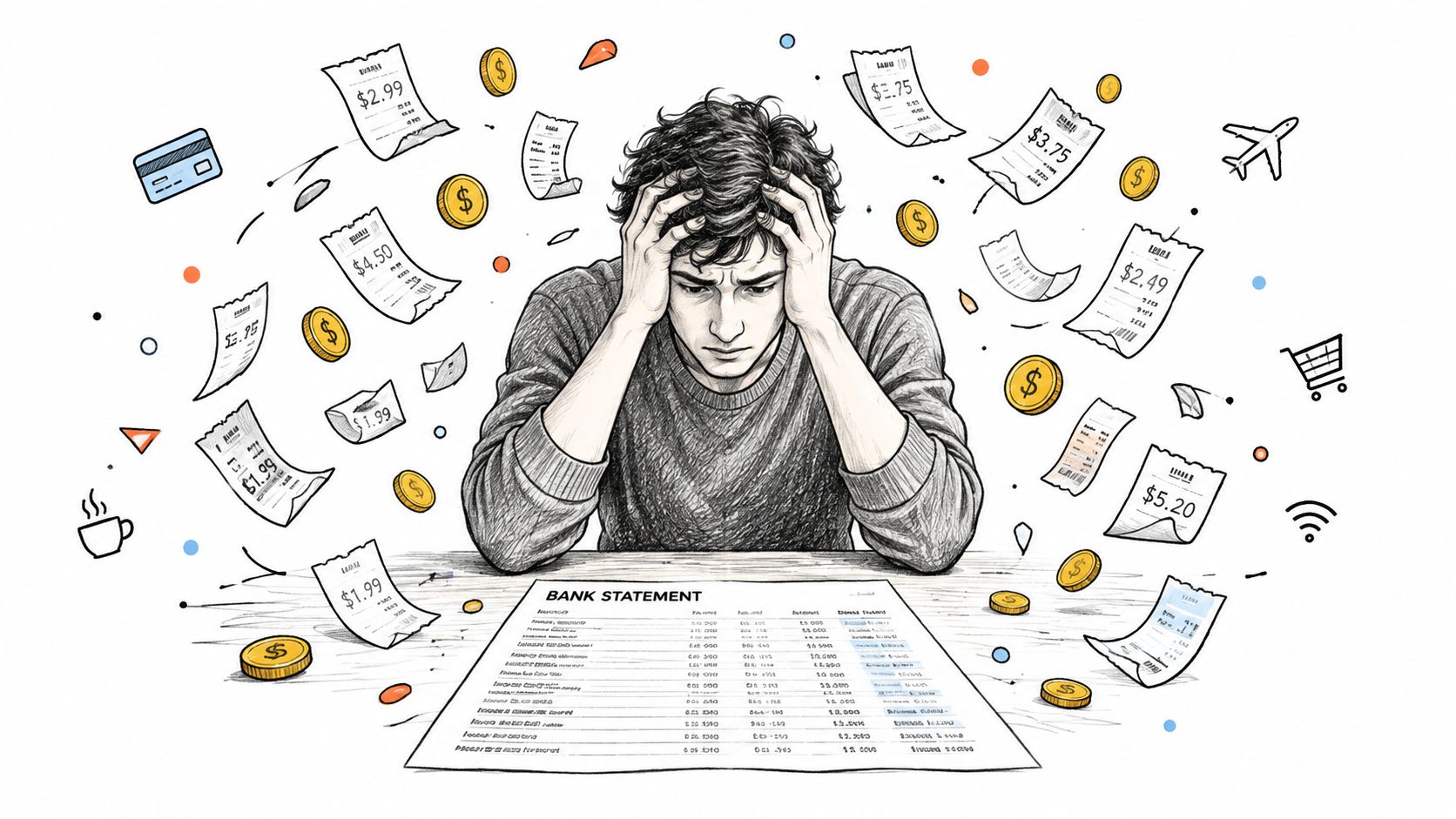
Why small leaks feel invisible
Manual money management fails because it asks the human brain to do a machine's job. A forgotten gym renewal, a delivery credit that wasn't claimed, or a bill that increased without notice doesn't look urgent in the moment. It's only after several of those moments that the pattern becomes visible.
Practical rule: if you only discover a financial problem after the charge has already posted, you're reacting too late.
That's the gap automation is meant to close. Not by replacing judgment, but by doing the repetitive scanning that many won't keep up with week after week.
If you want a simple way to think about those hidden losses, a tool like the money leak finder is useful because it mirrors the same logic people need at home, identify the quiet charges, then decide whether they still deserve a place in the budget.
Understanding Personal Finance Automation
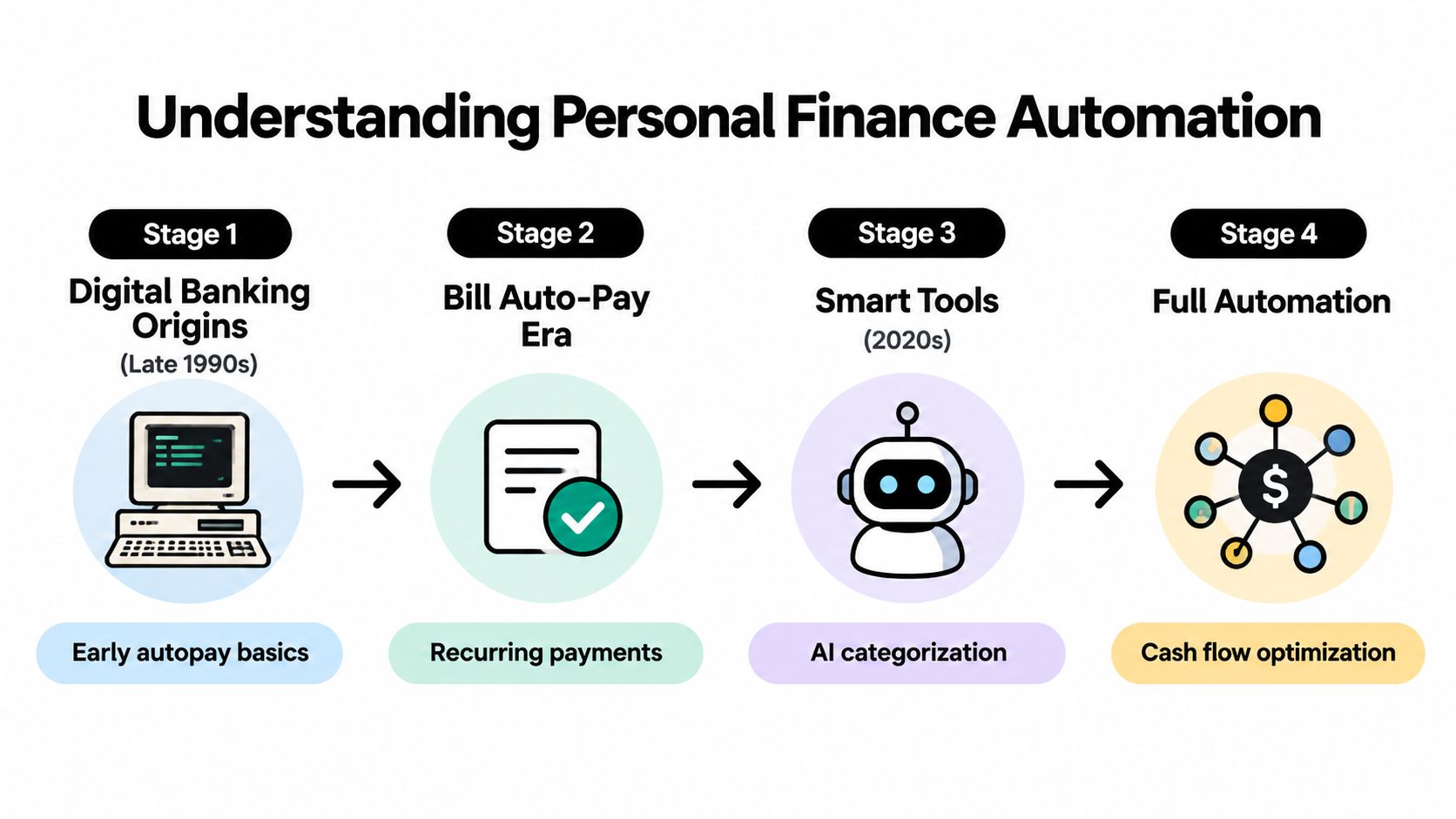
At its simplest, personal finance automation means using software to handle or monitor parts of money management without requiring constant manual input. That can mean autopay, but it can also mean smarter systems that watch transactions, compare patterns, and flag changes before they become expensive. The important shift is from isolated payment scheduling to ongoing financial awareness.
The history matters because it shows how consumer behavior changed before the tools became intelligent. Federal Reserve data show that fewer than 5% of consumers banked online in 1995, compared with 53% in 2007 Federal Reserve historical data. During the same period, preauthorized payments moved from roughly one-quarter of consumers in the mid-1990s to more than one-half by 2006.
That evolution created two layers of automation. First came recurring debits. Then came online visibility, where people could finally see what had been paid and manage it without visiting a branch or mailing a check.
Passive automation and active automation
Passive automation moves money. Think of rent, utilities, or a card payment that runs on schedule. Active automation analyzes money. It looks for recurring charges, missing credits, duplicate bills, and renewal risks, then tells you what changed.
The difference sounds small, but it changes the whole experience. A scheduling tool waits for the date you set. A monitoring tool watches for the event you didn't expect.
A helpful way to map the field is through a simple progression, from early online banking to full cross-account oversight. For a clear companion overview of that transition, the personal finance automation playbook from Fintrack is a useful reference point for readers who want to compare approaches.
If you're comparing systems, one useful lens is the one offered in the Compass+ versus Rocket Money comparison. It helps separate simple budgeting tools from tools that watch for opportunities across accounts.
How Modern Tools Differ from Simple Schedulers
A bill-pay calendar and a modern monitoring system can both be called automation, but they solve very different problems. One prevents a late payment. The other helps you notice that the bill itself changed, the merchant billed you twice, or the receipt in your inbox doesn't match the transaction in your account.
Here's the cleanest way to compare them.
| Simple scheduling | Modern monitoring |
|---|---|
| Pays on a date you choose | Watches for charge changes and patterns |
| Depends on you to notice problems | Flags recurring issues automatically |
| Works best for fixed obligations | Works best when charges, receipts, and renewals shift |
| Handles the payment | Helps interpret the payment |
That distinction matters because modern spending is messy. The Federal Reserve reported that 74% of consumers used faster or instant payments in 2023, while 25% said they were challenged by slow payment speed and wanted better money-management options Federal Reserve payment survey findings. Digital wallets also rose to 33% of consumers in 2023, up from 25%, and e-commerce exceeded 15% of U.S. retail commerce.
What monitoring tools look for
A good monitoring tool doesn't just track one account. It connects clues across places where financial friction hides. A renewal notice in email, a charge in a bank feed, and a delivery update in shopping history can all point to the same savings opportunity.
The value isn't in seeing more data. It's in connecting the right signals before the deadline passes.
That's why modern tools are built around identification and context, not just scheduling. They can surface low-use subscriptions before renewal, detect duplicate transactions, and catch price drops after purchase. A setup like Compass+, which monitors linked bank, email, calendar, and shopping accounts, fits that model because it's looking for actionable events rather than asking you to manually search for them.
Addressing Privacy and Security Concerns
People hesitate for a good reason. If a tool can see your transactions, read your receipts, and connect to your calendar, you want to know exactly what it can access, what it can't, and how you can shut it off. That's not paranoia. That's basic risk management.
The trust gap is real. Recent survey data showed that 65% of respondents were concerned about data-security or privacy breaches from AI in financial services, 49% were concerned about a lack of transparency in AI decision-making, and 56% were concerned about reduced human interaction Ipsos survey data. Consumer Reports also found that 57% of Americans believe current laws don't adequately protect them from AI risks in financial services, and 75% want the right to opt out of AI-based decision-making on major financial matters.
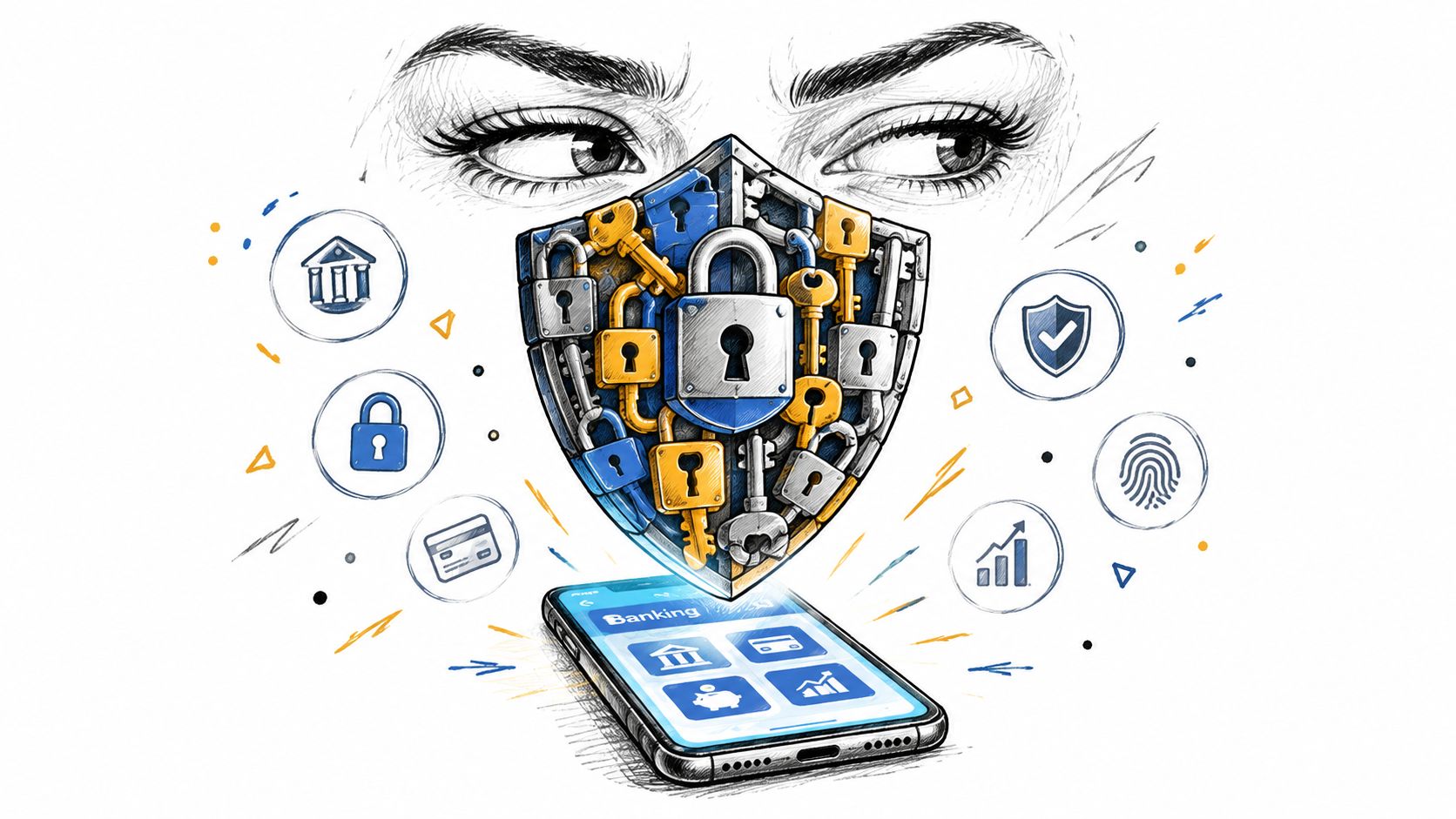
What safer access looks like
A safer automation setup uses read-only access where possible. That means the system can view permitted data, but it can't move money. It also uses scoped tokens, encrypted storage, revocation controls, and clear logs of what was accessed and when.
A good privacy policy should answer plain-English questions. How long is data stored? Can you disconnect one account without removing all of them? Can you see the history of actions the tool took on your behalf? If the answers are vague, the setup is too.
For a practical view on this issue, the privacy and trust guidance from Gini Help is a useful complement because it focuses on how financial tools should protect sensitive user information rather than treating privacy as a footnote.
Why transparency matters more with connected tools
The more systems a product touches, the more important boundaries become. That's especially true for tools that connect financial, email, calendar, and shopping data. The issue isn't just access. It's whether the user can understand the access.
A transparent tool should show why it flagged something, what confidence it has in the recommendation, and what happens if the suggestion is wrong. If the user can't inspect or reverse the workflow, the automation is too aggressive.
Compass+ privacy details matter here because the product sits at the intersection of monitoring and action. In a connected system, permission design is the product, not just a compliance page.
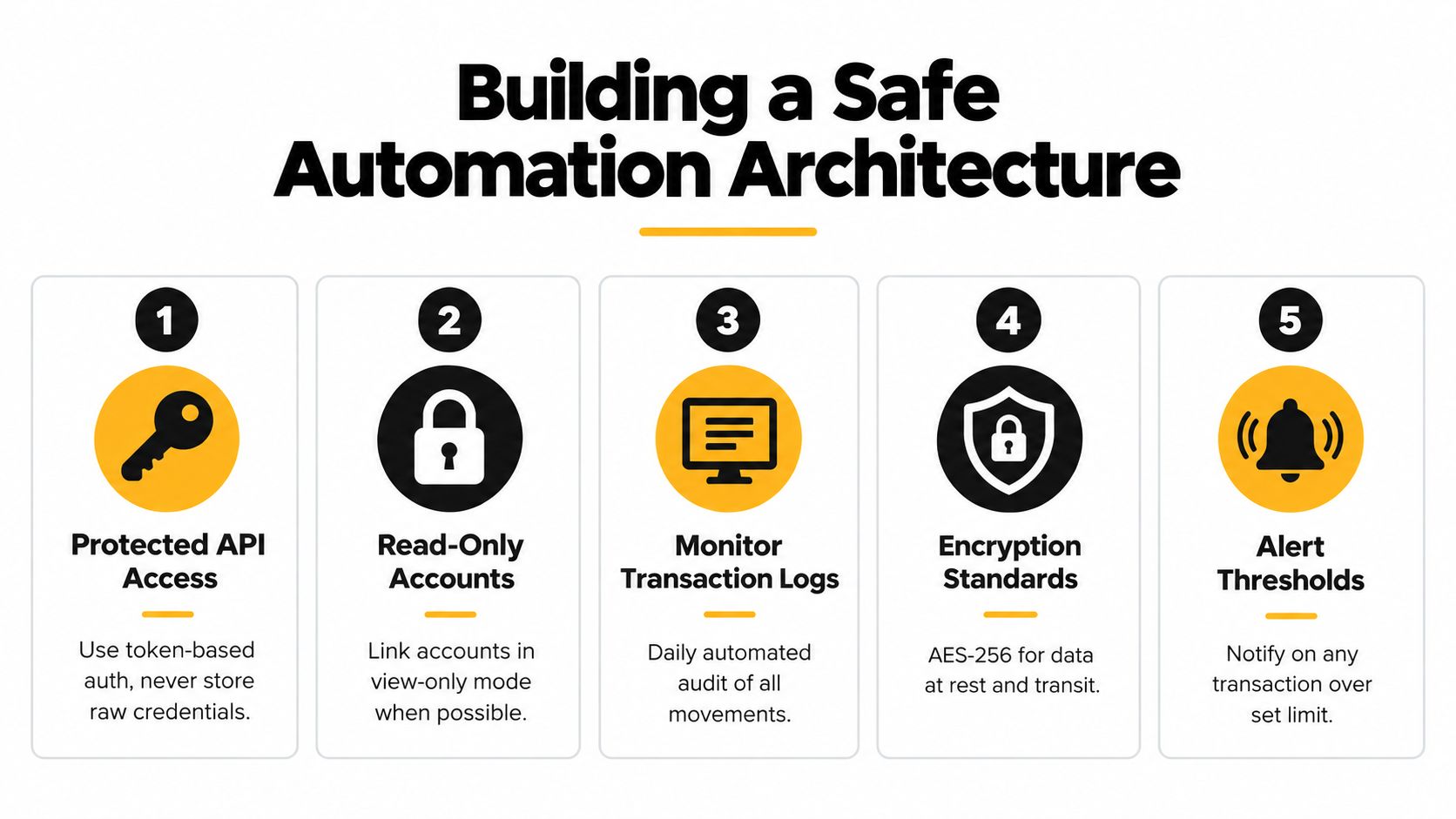
Building a Safe Automation Architecture
The safest systems separate seeing from spending. That principle lines up with NIST's API-oriented identity guidance, which treats protected API access as a distinct control. In plain English, a tool should be able to view the data it needs without collecting your banking credentials or gaining the ability to move funds.
A simple setup sequence
Start with the least powerful permission that still works. If a tool can monitor transactions in read-only mode, don't give it more.
- Use protected access first: Link accounts through token-based authorization instead of sharing raw login credentials.
- Prefer view-only connections: If your provider supports read-only data access, use it for monitoring and detection.
- Check retention rules: Ask how long transaction, receipt, or email data stays stored.
- Review revocation options: Make sure you can disconnect one account without breaking the rest of the setup.
- Look for audit trails: You should be able to see when data was accessed and what type of data was used.
Questions worth asking before you connect anything
Ask whether the tool stores passwords, whether sessions expire, and whether you can revoke individual permissions. Ask how it handles encrypted storage and whether it distinguishes between data it reads and actions it can take. Those answers tell you whether the tool is a helper or a liability.
If the vendor can't explain the difference between monitoring and movement, don't connect your accounts yet.
The goal isn't to make automation feel complicated. It's to make it predictable. When a system has narrow permissions, clear logs, and obvious revocation paths, you can use it with far more confidence.
The Risks of Aggressive Optimization
A lot of money-saving advice assumes that every recurring expense is waste. That's too simplistic. Sometimes a subscription protects a workflow you rely on, sometimes an annual plan locks in a better rate, and sometimes moving a bill at the wrong time can create an overdraft problem that costs more than the original charge.
The financial resilience trade-off shows up most clearly in households with limited buffers. Federal Reserve data for 2025 found that only 63% of U.S. adults could cover a hypothetical $400 emergency using cash, savings, or a credit card paid off at the next statement, and just 55% had set aside three months of expenses Federal Reserve household well-being report. FINRA's 2025 financial-capability release reported that the share saying they had three months of emergency expenses fell to 46%, from 53% in 2021.
Why the biggest saving isn't always the best saving
If a recommendation saves money but weakens the household's ability to absorb a shock, the recommendation may be too aggressive. That's especially true when a charge supports safety, work, health, or reliable access to something essential. Cutting it without checking the downstream effect can create a larger problem than the savings solves.
A safer approach ranks opportunities by net benefit. A low-use subscription with no real purpose is easy to cut. A service that protects communication, transport, or security deserves more scrutiny before it's canceled.
What good automation should protect
Good systems don't just ask, “Can I remove this charge?” They ask, “What happens if I do?”
- Preserve buffers: Don't optimize so hard that you weaken cash flow.
- Flag uncertainty: If a charge looks removable but serves an essential purpose, keep it under review.
- Separate reversible from irreversible actions: A refund request is not the same as a permanent cancellation.
- Weight disruptions accurately: Time saved, access preserved, and risk reduced all matter, not just dollar savings.
That's the part most guides skip. They talk about savings in isolation, but money management is really about keeping the household stable enough to handle what comes next.
Your Next Steps Toward Automated Wealth
Start small and make the rules visible. Connect the accounts that matter most, then review what the system can see and what it can't. If a tool only monitors, keep it in monitoring mode. If it recommends action, check that the action fits your budget, your privacy comfort level, and your need for liquidity.
A practical routine helps more than a perfect setup. Review alerts on a set schedule, confirm that recurring charges still make sense, and keep an eye on permissions whenever you add a new account or app. The point of automation is to reduce background work, not to disappear from your money entirely.
Choose the version of automation that makes your finances calmer and safer, not just more active. That usually means narrow access, clear explanations, and a system that catches mistakes before they turn into losses.
If you want a safer way to automate the boring parts of money management, Compass+ monitors linked financial, email, calendar, and shopping accounts to surface refunds, duplicate charges, price drops, credits, and low-use subscriptions. Visit Compass+ to see how a cross-account savings feed can support the same kind of careful, permission-aware automation discussed here.