How to Lower Your Internet Bill: 7 Tactics That Work
Learn how to lower your internet bill with proven tactics: negotiate, compare plans, drop rentals and cut unused services. Practical steps for real monthly
13 min read

The average U.S. internet bill rose from $77 at signup to $89 today, so a single correction can put $144 back in your pocket each year. Stop treating the bill like a fixed price, because it isn't.
Many people overpay for the same reason: the increase hides inside fees, expired promos, and add-ons instead of showing up as one obvious jump. If you want to lower your internet bill, you need to audit it, challenge it, and keep watching it after the first win.
Table of Contents
- Why Your Internet Bill Keeps Rising After Signup
- How to Audit Your Current Internet Bill Step by Step
- The Retention Department Script That Actually Works
- When Downgrading Speed Is Smarter Than Switching Providers
- Equipment Fees and Hidden Add-Ons That Inflated Your Bill
- Why Ongoing Monitoring Beats One-Time Negotiation
- Your Action Plan to Lower the Next Bill Cycle
Why Your Internet Bill Keeps Rising After Signup
The starting price is rarely the long-term price. A 2024 survey summarized by the Benton Institute found the average current U.S. internet bill was $89 per month, compared with $77 at signup, a difference of $12 a month or $144 a year. Benton Institute survey summary
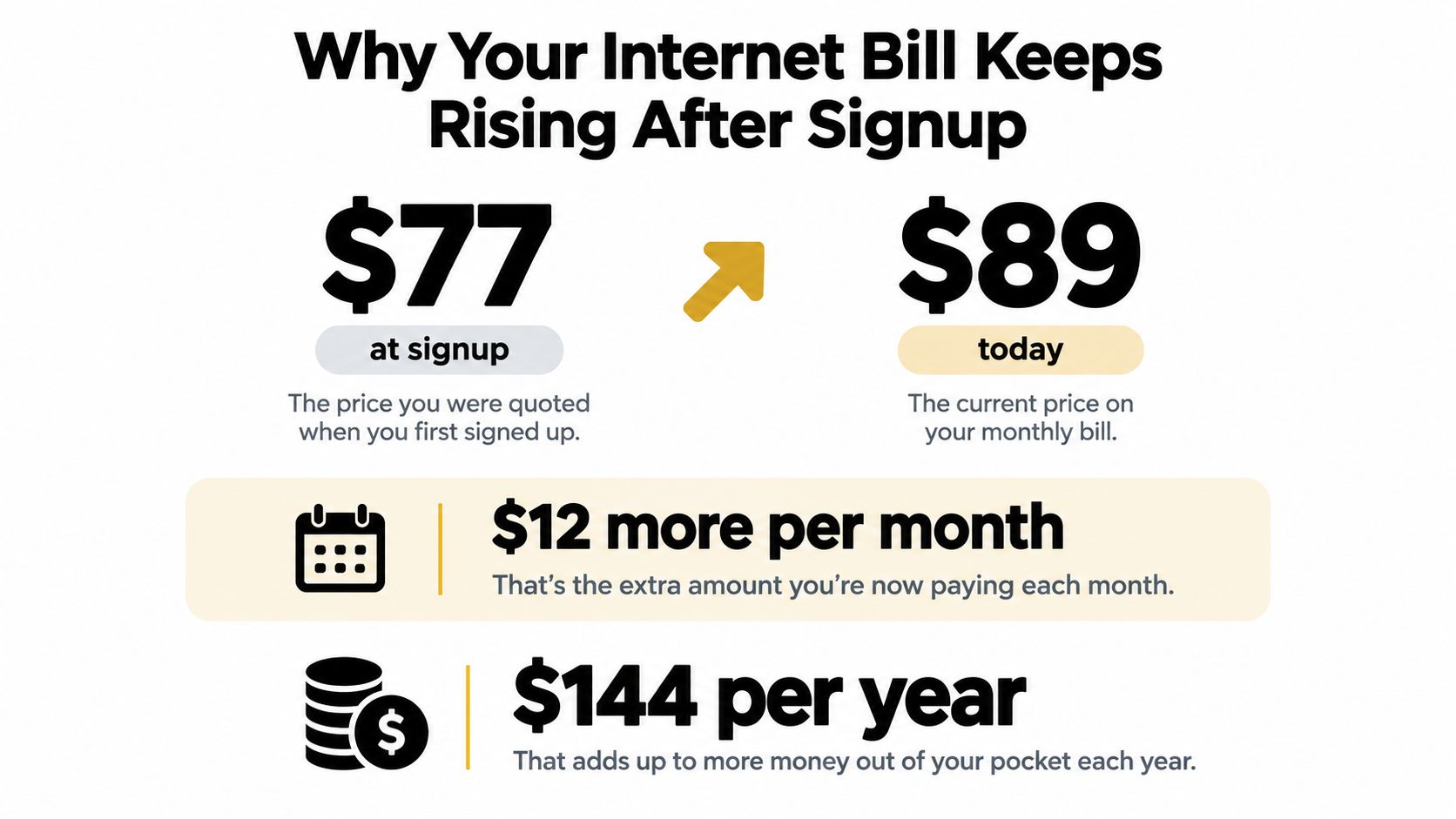
The rise is usually quiet, not dramatic
More than half of surveyed households, 53%, initially paid between $20 and $60 per month with their current provider. That gap between the introductory rate and the ongoing charge explains why families often keep paying an outdated price after a promotion ends. Average bills also ranged from $70 in Montana to $126 in the highest-cost state reported, showing how much location can affect the monthly charge. Benton Institute survey summary
The increase usually arrives through smaller line items rather than one obvious price jump. A modem rental appears, an autopay discount disappears, or a provider adds a service change you never requested. A familiar company name can make an inflated total look normal.
Treat the internet bill like rent on a car you never own. Stop checking it, and you may keep paying for features you do not use.
Your internet plan is a recurring expense, not a decision you make once. Set a reminder to review the rate after promotions expire, check equipment charges, and compare the current total with the price you accepted at signup. A successful call to the retention team helps once. Ongoing monitoring keeps the same increase from returning on the next cycle.
How to Audit Your Current Internet Bill Step by Step
Start with the paper trail, not the sales pitch. Pull three to six months of statements and line them up side by side. Then mark every charge that repeats, changes, or shows up only once. The point is to isolate the actual bill from the provider's packaging.
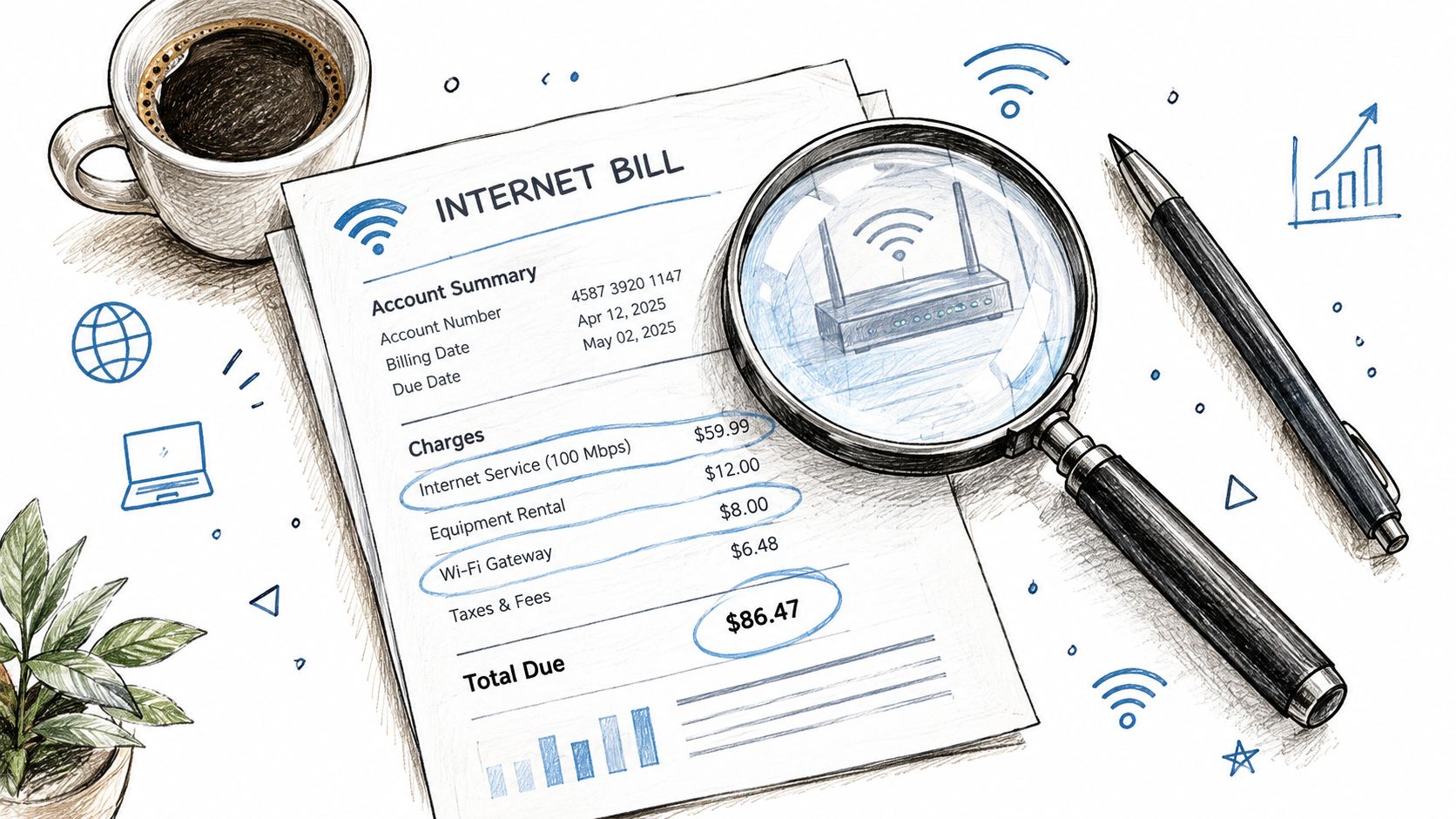
Separate the bill into five buckets
Use a highlighter and sort each line into one of these buckets:
- Internet access: the base monthly service, the part you want.
- Equipment rental: modem, gateway, or router fees.
- Optional add-ons: security tools, unlimited-data upgrades, or entertainment extras.
- Taxes and regulatory charges: usually not negotiable.
- One-time or penalty charges: installation, late fees, or contract exit costs.
Once you've separated the line items, find the month the price changed. That's usually where the clue sits. If the increase lines up with the end of a promo, a lost autopay discount, or a new device charge, you've found the pressure point.
A useful habit is to compare your current bill with the original order confirmation or welcome email. That gives you a clean before-and-after view. If your provider's billing language is confusing, a billing system for small ISPs can show how line items are typically organized, which makes hidden charges easier to spot.
When you're done, ask one question: what am I paying for that I can challenge, replace, or remove? That question is the whole game.
Make the audit actionable
Write down three numbers, the current total, the amount tied to internet access alone, and the amount tied to extras. Then note whether the extras are mandatory or optional. If you want a second pass, the money leak finder can help surface recurring charges that deserve a closer look.
The key is not perfection. The key is knowing exactly what you're paying for before you call the provider. If you skip this step, the rep controls the conversation.
The Retention Department Script That Actually Works
Retention agents can do things frontline support can't. They can change offers, match lower-priced plans, and sometimes remove charges that sound nonnegotiable. So don't waste time with small talk. Lead with a direct request.
Use this line first: “I've reviewed my bill, and I want to lower my monthly cost. What current retention options do you have on my account?”
That phrasing works because it tells the agent you're serious without sounding hostile. It also forces the conversation onto current pricing instead of service troubleshooting. If they ask why you're calling, say the bill no longer matches what you're willing to pay.
Push for the right kind of offer
If the agent says your price is standard, ask for a lower-priced plan that's publicly available in your area. If they mention loyalty, answer with a simple reset: you're willing to stay, but not at an inflated rate. That's when you ask them to check current offers again.
Use these lines in order:
- “Can you review any retention offers tied to my account?”
- “If there's a lower tier that still handles normal streaming and remote work, show me that too.”
- “I'd like the best current price before I decide whether to stay.”
A lot of providers have current promotional pricing available, even when the first rep doesn't volunteer it. USTelecom's Broadband Pricing Index shows real prices for the most popular residential plans fell 6.0% in 2025, which is a strong reason to ask for a better rate instead of accepting the first answer. USTelecom Broadband Pricing Index
If the rep says no, don't argue. Ask for a supervisor and repeat the same request calmly. Document the date, the agent name if you get it, and the offer you were given. If they promise a callback, set a reminder and treat that promise like a task, not a courtesy.
When Downgrading Speed Is Smarter Than Switching Providers
Switching sounds decisive, but it's not always the cheapest move. A lower advertised rate can get eaten by installation, equipment rental, a promo that expires fast, or early-termination penalties. If your household uses the connection for ordinary streaming, browsing, and remote work, a downgrade often gets you to savings faster.
Compare speed to real use, not marketing
The broadband market has changed enough that old assumptions are outdated. USTelecom reported that prices for the most popular residential services, adjusted for inflation, fell 43.6% between 2014 and 2025, while average download speeds increased 145% since 2014. It also found the inflation-adjusted price per megabit fell by more than 85% over that span. USTelecom Broadband Pricing Index
That means many households are paying for more speed than they'll ever notice. The smartest move is to check whether your current tier is oversized, then compare it against the lower plans your provider already sells. In many homes, the right answer is not a new company, it's a smaller plan.
| Bandwidth Tier Pricing Trends | 2025 Price Change | Speed Gain Since 2014 |
|---|---|---|
| 100 to 249 Mbps | Real prices fell 17.2% | Download speeds rose 145% overall |
| 100 to 940 Mbps, overall popular residential services | Real prices fell 6.0% | Download speeds rose 145% overall |
| Gigabit plans | Real prices fell 4.9% | Download speeds rose 145% overall |
Choose the least disruptive savings path
Use this rule: if your current plan feels overbuilt, downgrade first, then reassess after one billing cycle. If the house still runs smoothly, you've got your answer. If it doesn't, you can move back up.
A simple decision guide works better than endless comparison shopping.
- Stay put and downgrade: if the provider can move you to a lower tier without installation or contract pain.
- Switch only if needed: if the provider won't match a usable lower price and the total annual cost really drops.
- Do nothing: only when the current tier is already tight for your household and a downgrade would create friction.
The point is to optimize the plan you already have before you go shopping for a new one.
Equipment Fees and Hidden Add-Ons That Inflated Your Bill
A lot of families leak money without realizing it. The monthly bill looks stable, but the add-ons are doing the damage. If you're renting equipment, paying for duplicate protection tools, or carrying a bundle you don't use, you're buying convenience at retail.
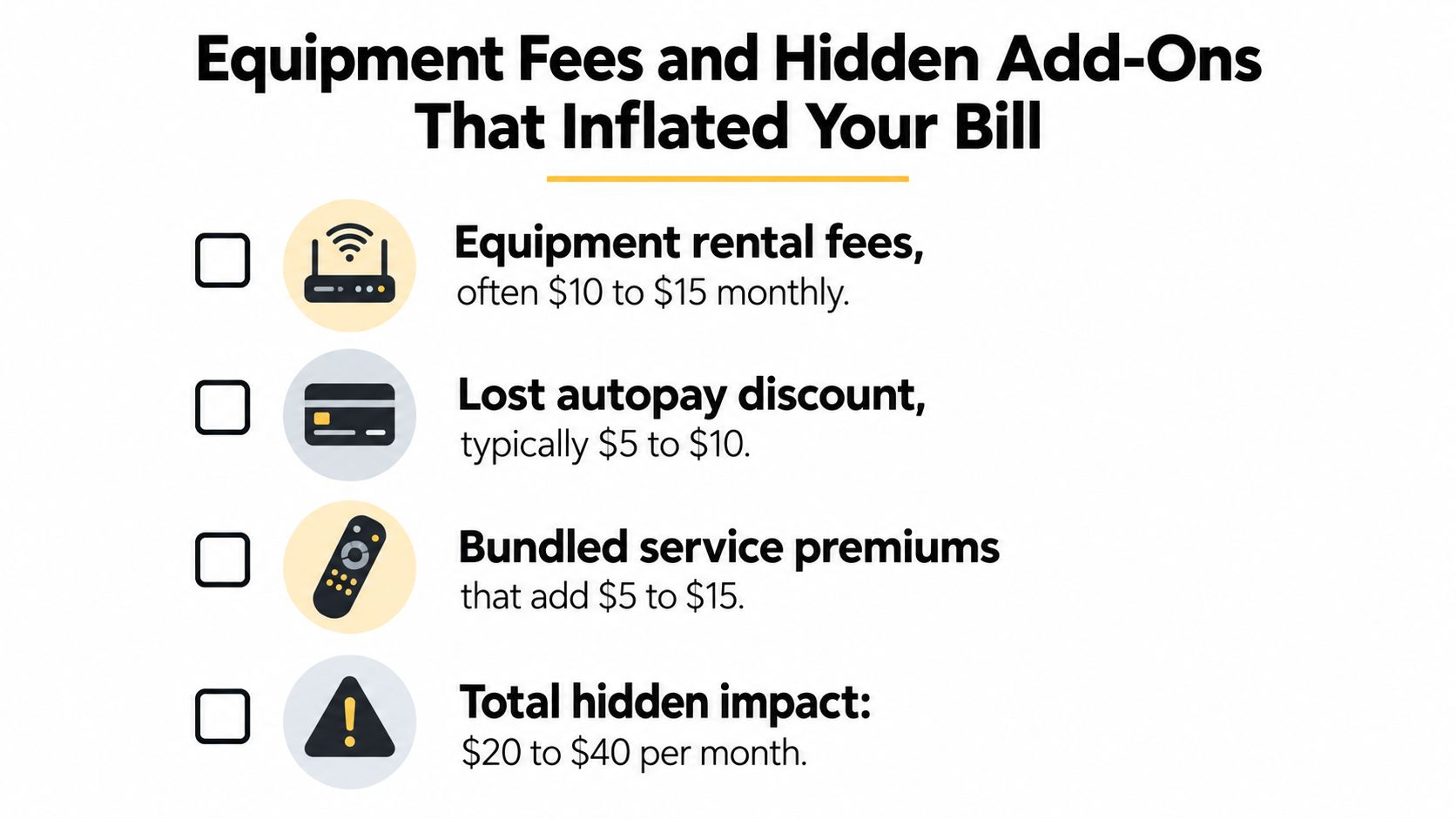
Strip out the charges you don't need
The first item to challenge is equipment rental. If you own a compatible modem or gateway, stop paying to rent one. Check the provider's approved-device list before you buy anything, then compare the one-time purchase against the recurring rental line. Don't guess.
Next, look at add-ons that duplicate something you already have. Many households pay for security suites, unlimited-data upgrades, or bundled services they barely use. If the charge isn't creating clear value, cancel it.
Practical rule: if you can't explain why a charge exists in one sentence, it probably doesn't deserve a permanent spot on your bill.
Bundling deserves a hard look too. Internet plus TV or phone can make sense only when you genuinely use those services. If not, the bundle is just a larger bill wearing a discount label.
If you need a checklist for the rest of your recurring spending, this subscription inventory guide helps you catch other monthly charges that slip past attention.
Buy once, stop renting forever
Personal equipment usually makes sense when the monthly rental has been dragging on for a while. The financial logic is straightforward, you pay once instead of forever. Just make sure the modem or router works with your provider before you order it.
The same logic applies to the rest of the bill. Remove one useless add-on, then look again. Remove a second, then look again. The savings often come from stacking small cuts, not chasing one dramatic fix.
Why Ongoing Monitoring Beats One-Time Negotiation
A one-time phone call is not a system. It's a patch. If your provider can raise a charge, end a discount, or reclassify a fee later, then your savings disappear unless you keep watching the account.
Make review part of the routine
A 2025 consumer-trust survey found that 71% of respondents said their home-internet price had risen during the previous year. Among those affected, 30% reported increases of $10 to $20 per month, and 30% canceled or downgraded because of cost. Benton Institute consumer-trust survey summary
That's the reason recurring monitoring matters. The price doesn't just drift once. It keeps drifting.
Set a quarterly review date and treat it like a bill-payment deadline. Then build three alerts into your system:
- Renewal alerts for promo end dates and contract changes.
- Statement alerts for new charges or fee increases.
- Usage alerts for plans that are clearly bigger than the household needs.
Tools like Compass+ can help by scanning linked accounts, receipts, and renewal dates to flag recurring charges, duplicate billing, and internet bills that increase over time. That's useful because the job is not only to negotiate once, it's to catch the next increase before it compounds.
Watch for the same trick twice
Providers often rely on customer inertia. They know a household that won a discount once may not notice when that discount disappears later. So the second win is usually harder than the first, unless you've built a habit of checking.
The simplest defense is a calendar reminder plus a statement review. If the bill changes, you want to know immediately, not six months later. That's how you stop a small increase from becoming a permanent cost.
Your Action Plan to Lower the Next Bill Cycle
Start with the fastest savings. Pull the last few bills, list every charge, and mark the one that looks easiest to remove. Then call retention and ask for current offers before you accept the next renewal or autopay cycle. If you want a clean cancellation workflow for anything you decide to drop, this cancellation guide keeps the process simple.
One family I'd expect to win with this approach would begin by removing equipment rental, then downgrade a plan that's bigger than they need, then challenge an expired promo. That sequence is boring, which is exactly why it works. You don't need a dramatic switch to make real progress.
Use this order
- Audit the bill first. Don't call until you know what changed.
- Ask retention for a current lower price. Keep the request direct.
- Remove equipment and add-ons. Kill charges that don't deliver value.
- Downgrade before switching. Simpler, faster, and often enough.
- Set a quarterly reminder. The next increase is already on the way.
The biggest mistake is treating the internet bill like a one-time negotiation. It's a recurring expense, so it needs recurring attention. If you check it once and walk away, the provider gets the last move.
Compass+ looks for recurring charges, bill increases, renewals, and duplicate transactions across linked accounts, then points you to the next action. If you want a practical way to monitor your internet bill and the other monthly costs around it, visit Compass+ and see how it surfaces savings opportunities before they fade into the background.