All My Subscriptions: How to Find and Cancel Them
Find all my subscriptions across banks, app stores, email and retailers, then decide which to keep, cancel or pause. A step-by-step audit for 2026.
16 min read
U.S. adults spent an average of $1,080 a year on subscriptions in 2025, according to CNET's survey conducted with YouGov. Finding all my subscriptions isn't just an exercise in deleting streaming apps. It's a way to decide which recurring payments still deserve a place in the budget, before another renewal turns an optional purchase into money already spent.
Table of Contents
- Where Your Subscriptions Actually Hide
- How to Audit Bank and Card Statements
- How to Check App Stores, Email and Retailer Accounts
- Decide Which Subscriptions to Keep, Pause or Cancel
- Recover Money and Check Refund Rights
- Monitor Renewals and Cancel Without Gaps
Where Your Subscriptions Actually Hide
Ask someone to total their subscriptions from memory and the number almost always comes in below what their statements later show. The gap comes from how the charges arrive. A fitness membership, cloud-storage plan and grocery delivery pass post under different merchant names on different dates. Some belong to another household member. Others show a payment processor's name instead of the service you recognize.
Where to look for each type of subscription
| Source | What it shows | What it misses | Where to check first |
|---|---|---|---|
| Bank and card statements | Posted charges on the accounts reviewed, with merchant descriptors | The underlying service when app stores or wallets use unclear names | Transaction history and statement downloads |
| Apple subscriptions on iPhone | App Store subscriptions on that Apple ID | Plans under another Apple ID or bought through a website | Settings, your name, then Subscriptions |
| Google Play subscriptions on Android | Play subscriptions on that Google account | Plans billed directly by a website | Play Store, profile icon, then Payments and subscriptions |
| Email search for receipts and renewals | Direct-billed services, trials and renewal notices | Accounts whose email you no longer read | Search for receipt, renewal and trial ends |
| Retailer and marketplace accounts | Shipping memberships and auto-delivery orders | Services unrelated to the retailer | Account membership and auto-delivery pages |
| Payment wallets such as PayPal | Charges routed through the wallet | Charges paid outside that wallet | Automatic payments section |
| Calendar and reminder apps | Renewal dates you previously recorded | Services without reminders | Search for renew, trial and expires |
Start with actual payments, then use account pages and messages to identify what those payments bought. App-store and wallet checks add billing detail; a charge visible in two places is still one subscription.
Cover a full annual statement cycle rather than the latest month alone, since annual renewals vanish from a short window. For organizing the list once it exists, AccountShare on trimming recurring spending lays out a complementary approach.
Practical rule: Don't cancel from a merchant name alone. Identify the service, the account owner and the next renewal first, then check whether a refund is still on the table for the current period.
Put every confirmed service in a shared sheet with its amount, billing frequency, renewal date and payment account, plus one column for the decision: keep, pause, downgrade or cancel. That decision belongs before the renewal date, while a pause or refund request is still possible, and refund rights vary by service and billing channel. Keep uncertain entries marked for investigation rather than deleting them or counting them twice.
How to Audit Bank and Card Statements
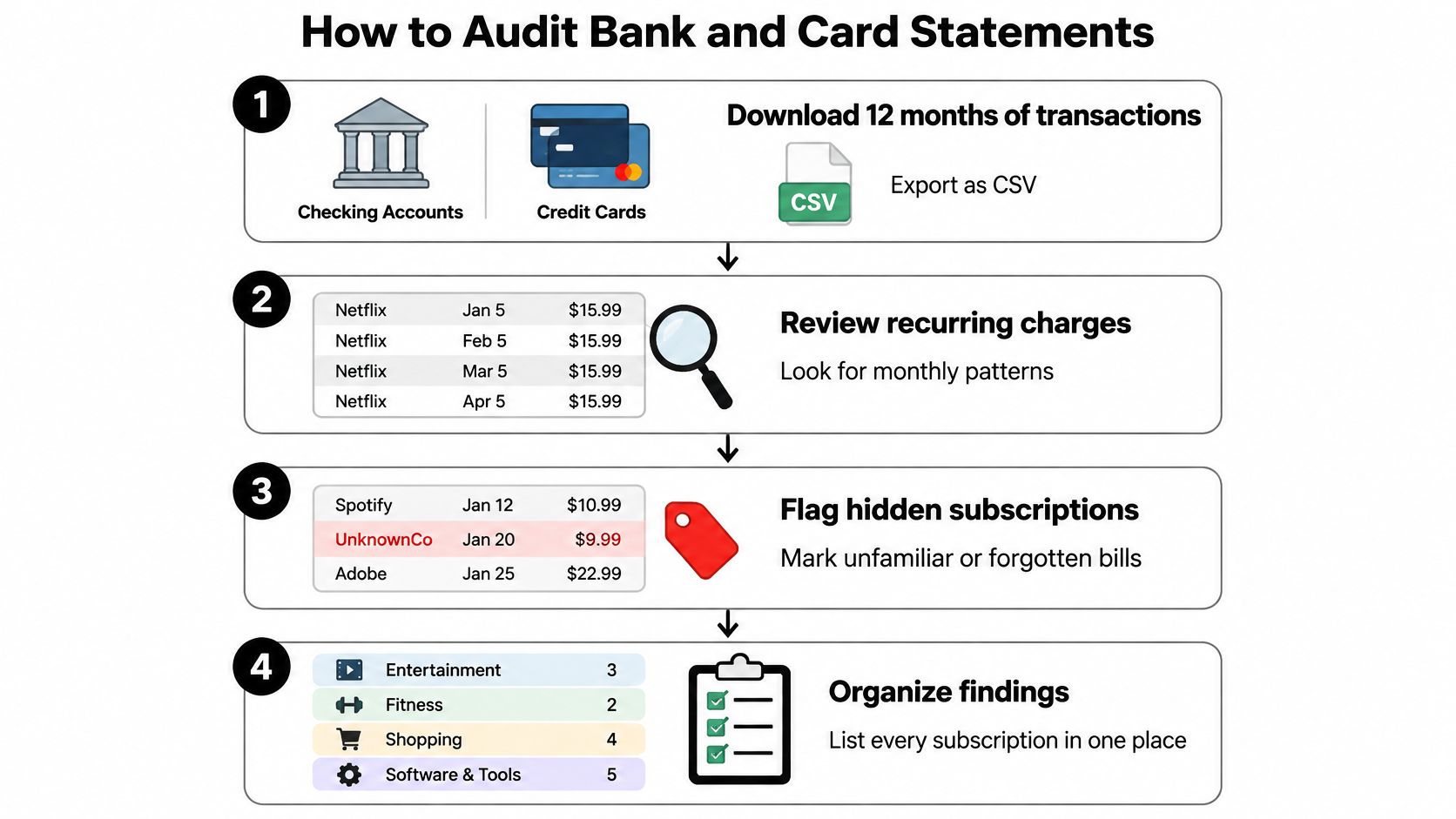
Download transaction records from every checking account and credit card that could fund a subscription. A spreadsheet in Excel or Google Sheets makes repeated amounts, changing descriptions and overlapping payments easier to compare than a banking app's transaction feed.
The workflow below keeps identification separate from action.
Build a transaction-level record
Export the available history. Use CSV when your bank offers it, or save PDFs and enter candidate charges manually. Include inactive cards that still receive charges, not just the card you currently carry.
Sort by merchant description. Look for repeated amounts, then inspect nearby variations in the merchant's name. Preserve the original statement description in its own column so you can find the transaction again.
Assign a billing cadence. Mark charges as monthly, annual or another recurring interval based on the transaction pattern and account terms. Don't label a lone payment annual until a receipt or billing page confirms it.
Resolve unfamiliar descriptors. Search the full description and compare it with receipts, wallet activity and purchase history. Processor prefixes such as PAYPAL can obscure the underlying merchant, so confirm the match before acting.
Flag trial conversions and increases. A new charge might be a trial becoming paid rather than a new purchase. Compare the amount with the enrollment message and current billing page, and record whether an increase affects the whole plan or an added feature.
Separate possible duplicates. Keep both transaction lines and check whether each has posted. The guide to a duplicate charge on a bank statement can help distinguish a duplicate from a pending authorization or separate purchase.
Add the decision fields. Record the service, amount, cadence, next charge date, payment account, account owner and last confirmed use. Add a link or reference to the receipt and cancellation instructions.
The FTC's published negative-option rule document provides useful background on disclosed terms, consent and cancellation mechanisms. Treat it as background for collecting evidence, not as proof that a particular refund or cancellation right currently applies.
Avoid false matches
Merchant names alone aren't enough. Say a software company bills separate storage and editing plans under the same descriptor. Combining them would hide the extra plan; treating every spelling variation as a separate service would inflate your list.
A missing receipt doesn't prove a charge was unauthorized. A household member might have enrolled using another email address. Check ownership and account history before making a fraud allegation, while promptly contacting your issuer if you suspect unauthorized activity.
Finish with a usable decision sheet, not merely highlighted statements. Sort unresolved entries by upcoming renewal, cost and confidence that they recur, so the most urgent investigations don't sit beneath familiar low-cost plans.
How to Check App Stores, Email and Retailer Accounts
A bank statement tells you who collected money. The account that manages the subscription tells you what plan you bought, when it renews and which controls can change it.
Work through devices and accounts in a consistent order. Keep the billing account's email address beside each finding, because recognizing a service won't help if you later sign into the wrong account.
Check the store account on each device
On iPhone, open Settings → your name → Subscriptions. Open each active entry and record its plan name, renewal information and available billing options. If you need help navigating the controls, follow the guide to how to cancel subscriptions on iPhone.
On Android, open Play Store → profile icon → Payments and subscriptions → Subscriptions. Check the selected Google account before assuming the list is complete. Switch accounts if you've used another address for purchases.
An empty store list doesn't establish that you have no subscriptions. A service bought through a browser may be managed on its website even when you mainly use its mobile app.
Search messages and merchant accounts
Use these checks to attach account evidence to the payment record:
- Email receipts. Search for receipt, renewal, trial ends, your plan and welcome. Inspect the sender, subscribed account and plan details rather than treating every promotional message as an active subscription.
- Retailer memberships. Open the retailer's account page and inspect membership settings, delivery benefits and paid upgrades. Separate the membership fee from ordinary shopping orders.
- Auto-delivery orders. Review subscribe-and-save settings, scheduled shipments and replenishment plans. These can create recurring spending without a conventional subscription fee.
- Payment wallets. In PayPal or another wallet, inspect automatic payments and open each merchant agreement. Distinguish an enabled payment permission from evidence of a currently billed plan.
Keep canceled and expired services separate from active ones. An old welcome email proves enrollment occurred, not that the service still bills you.
An account entry without a matching charge needs checking, not automatic cancellation. It may be prepaid, in a trial or billed through someone else's account.
Compare each finding with the transaction sheet. Mark entries found only in email, only in an app store or only on a statement, then investigate the mismatch.
Common explanations include an old inbox, another store account, a prepaid period or a family member's payment method. Resolve those gaps before you calculate your total, otherwise you'll either overlook a plan or count the same subscription under both its store name and service name.
Decide Which Subscriptions to Keep, Pause or Cancel
A subscription earns its place through realized value, not because you once wanted it. Calculate cost per use = monthly cost ÷ actual monthly uses, then compare that result with a realistic alternative.
Review usage alongside the payment record, not from memory alone.
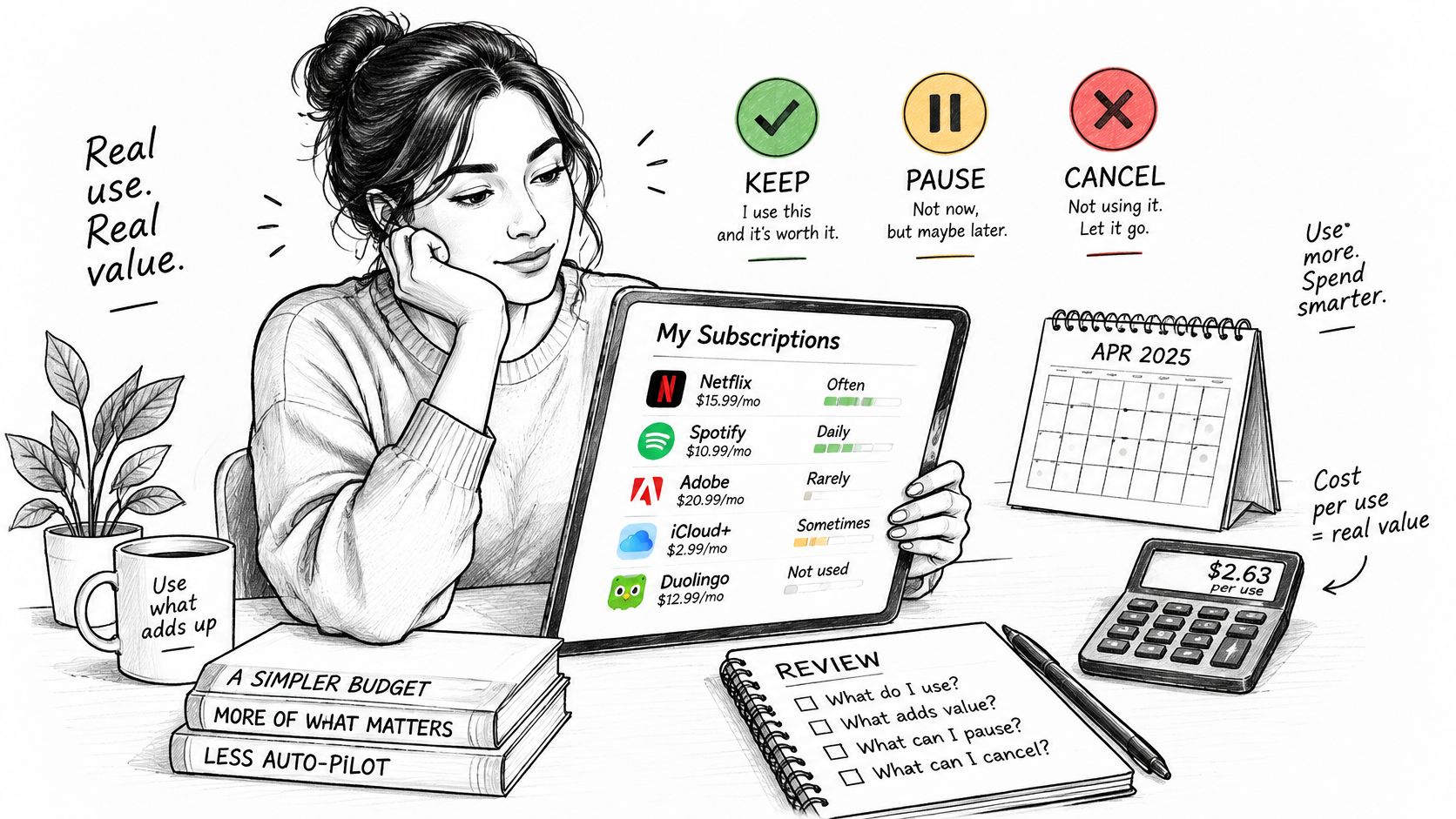
In a 2025 CNET/YouGov survey of 2,440 adults, 42% said they had stopped using a service while continuing to pay, according to CNET's survey announcement. That's a reason to examine use, not a rule that every occasional-use service should go.
Keep, pause, downgrade or cancel by usage case
| Situation | Cost check | Likely action | Watch for |
|---|---|---|---|
| Used most weeks at a cost per use you're comfortable paying | Monthly cost divided by actual uses | Keep | Price increases at renewal |
| Seasonal, used only during certain months | Total cost across the active season | Pause during the off-season if offered, otherwise cancel | Higher price when resubscribing |
| Shared with other household members | Cost divided by active users | Keep and split, or compare a family plan | Who pays and who actually uses it |
| Annual plan with low use | Annual total divided by actual uses | Stop renewal or consider monthly billing later | Merchant refund terms for unused time |
| Replaced by a free alternative | Paid features you still need versus the free option | Cancel | Exporting content before access ends |
| Useful service, oversized plan | Cost of the features or capacity actually needed | Downgrade | Storage limits, lost features and migration work |
Compare replacement costs, not advertised discounts
A seasonal sports service can be worthwhile during the season and wasteful afterward. A shared household plan can look expensive on a statement while providing good value across active users. Ask everyone before changing it.
An annual discount isn't automatically a saving. Compare the annual commitment with the months you realistically expect to use the service, and include any reactivation charges or lost grandfathered pricing in your judgment.
For overlapping work tools, Rankozo's guide to cutting software subscription costs offers a useful companion to checking redundant features and oversized plans.
Use this video as an additional prompt to review your own subscription choices.
Write keep, pause, downgrade or cancel beside every confirmed subscription. Add the date the action must happen and verify when the change takes effect, because a downgrade scheduled after renewal won't prevent the upcoming charge.
Recover Money and Check Refund Rights
Cancellation and a refund are different outcomes. Cancellation addresses future billing; recovering an existing payment depends on the charge, merchant terms and applicable law. A courtesy credit is something you can request, not something you should automatically count as money owed.
The federal Click-to-Cancel rule was vacated by the Eighth Circuit in July 2025, as reported by the Daily Commercial. Don't assume that rule guarantees an easy cancellation or an early-cancellation refund; relevant federal requirements, state automatic-renewal laws and contract terms still need to be considered.
Escalation path for each refund situation
| Situation | First step | Escalate to | Evidence to keep |
|---|---|---|---|
| Charged after you canceled | Request a refund with your cancellation confirmation | Card issuer dispute if unresolved and eligible | Confirmation, dates and support chat |
| Price increased without clear notice | Ask the merchant to honor the earlier price | Cancel before renewal; investigate applicable notice rights | Renewal notice and earlier receipt |
| Free trial became a paid plan | Cancel and request a refund | Card dispute where appropriate; FTC report for deceptive enrollment | Sign-up screen and trial-end email |
| Promised refund never arrived | Contact the merchant with the order ID | Card dispute if unresolved and eligible | Original order, refund promise and statement |
| Unused prepaid time after cancellation | Request a prorated refund in writing | Review state law and merchant terms | Applicable terms and cancellation date |
| Duplicate charge for one service | Request reversal of the duplicate | Card issuer dispute if unresolved | Both posted transaction lines |
Preserve proof before contacting support
Save the order or subscription ID, enrollment terms, purchase date, cancellation date and exact amount. Keep renewal notices, refund promises and support transcripts together, including any stated processing deadline.
Write a specific request: identify the transaction, explain why you're requesting repayment and state the remedy you want. If you're asking for goodwill rather than asserting a contractual right, say so plainly.
Refund safeguard: A support message promising repayment isn't the same as a credit posted to your account.
Contact the merchant first, but don't let prolonged correspondence carry you past your card issuer's dispute window. Check that window with the issuer promptly, and describe the actual issue accurately rather than labeling every unwanted renewal unauthorized.
If repayment is approved, use a refund-tracking process to compare the promise with your account activity. Check for partial credits and split repayments instead of looking only for a single matching amount.
Report deceptive trial enrollment to the FTC when appropriate. Keep every merchant response in writing, and leave the recovery marked pending until the money arrives.
Monitor Renewals and Cancel Without Gaps
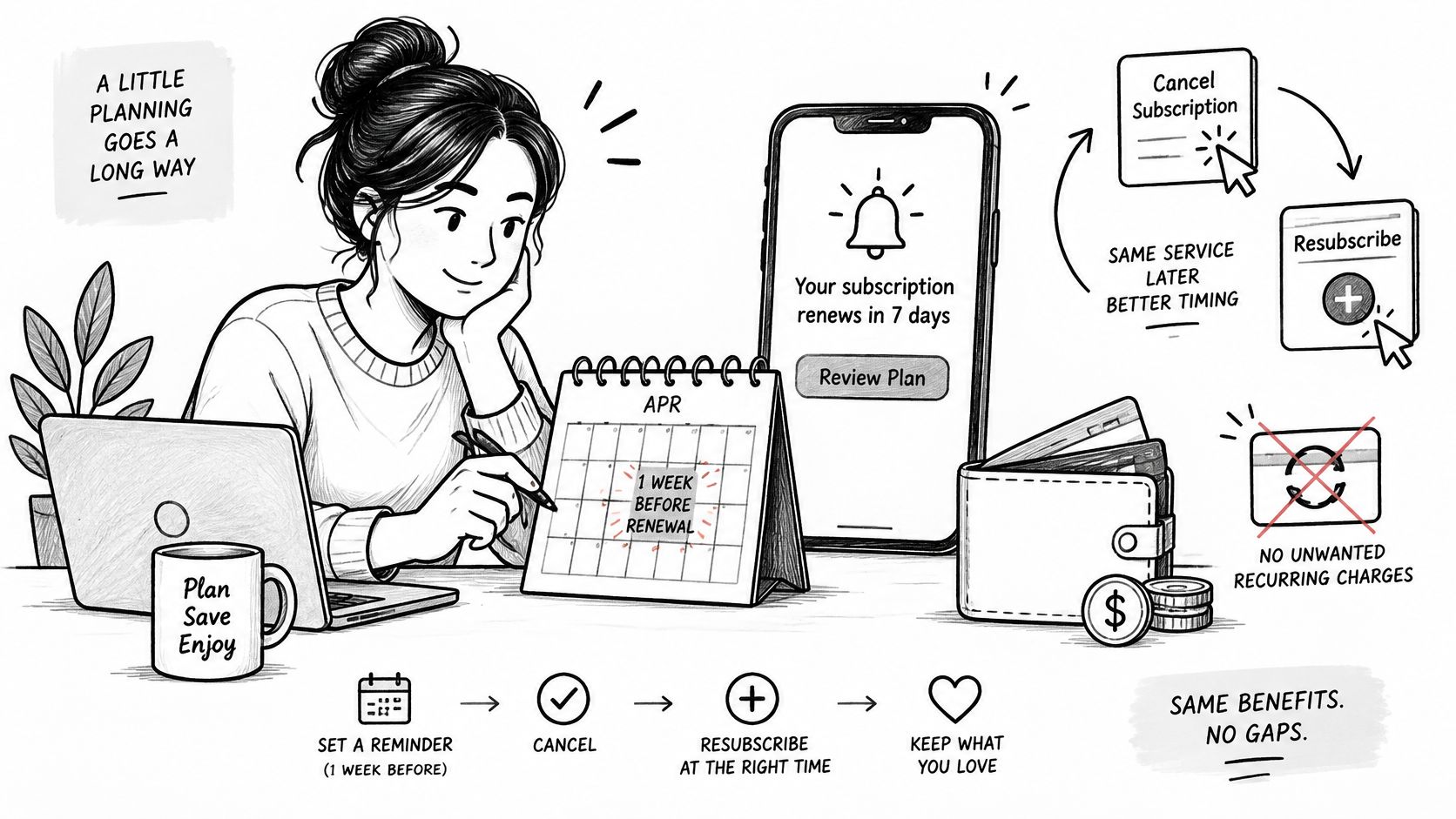
Subscription management isn't necessarily permanent separation from a service. 32% of U.S. consumers said they often or sometimes resubscribed after canceling, according to the 2025 Mastercard and FT Strategies subscription report. Make it easy to return when the service becomes useful, without paying continuously while it isn't.
Set an advance reminder in the calendar you already use. Include the service name, expected charge, billing account, decision and cancellation route, so the alert contains enough information to act.
Keep renewal work visible alongside other household planning.
Cancellation path and deadline by billing source
Use the billing source, not the device where you happen to use the service, to choose the cancellation route. The Apple and Google timing below also reflects how our store-billed subscriptions should be managed.
| Billing source | Where to cancel | Deadline |
|---|---|---|
| iPhone App Store subscription | Settings, your name, Subscriptions, then cancel | At least 24 hours before renewal |
| Android Google Play subscription | Play Store, profile icon, Payments and subscriptions, then Subscriptions | Before the renewal date |
| Web-billed service | Account or billing page on the company website | Before renewal, subject to the plan's stated cutoff; keep confirmation |
| Payment wallet autopay | Automatic payments section of the wallet, plus the merchant's cancellation process | Before the next billing date and any contractual cancellation cutoff |
Deleting an app doesn't cancel its subscription. Finish the cancellation process and save the confirmation showing the service, account and effective date.
For wallet payments, distinguish revoking payment permission from ending the underlying agreement. Use the merchant's cancellation process too, especially where the contract requires notice or a minimum commitment.
Protect access and records
Before closing a plan, export files, download receipts and check which household members will lose access. For a storage downgrade, get usage below the new limit before the change takes effect. For a bundled membership, check whether canceling removes a benefit you would otherwise pay to replace.
Record the service's access-end date separately from its renewal date. That prevents confusion between stopping automatic billing and losing access immediately.
After cancellation, check the account page for an expiration status rather than another scheduled renewal. Keep the final confirmation with the original receipt, and inspect subsequent account activity for an unexpected charge.
Keep the list current
Use a repeatable maintenance routine:
- Handle urgent renewals first. Act on unwanted plans approaching their cancellation cutoff before spending time optimizing services you intend to keep.
- Update decisions when circumstances change. A finished project, changed commute or completed television season can make a formerly useful plan unnecessary.
- Record new trials immediately. Add the conversion terms, payment method and action date when you enroll, not when the first paid charge appears.
- Reconcile periodically. Compare the sheet with new statements and renewal messages so price changes and newly added services don't go unnoticed.
For an alternative to ongoing manual checks, our Compass+ Recurring screen lists every repeating charge with its monthly cost, while Home shows what we found and what to do about it. Our free private audit estimates subscriptions, duplicate charges, missing refunds, fees, renewals and bill increases worth investigating; Compass+ Monthly costs $19.99 a month after a 7-day free trial for new subscribers and renews automatically at the then-current price until canceled. Put that subscription through the same value test as any other paid tool, comparing its cost with confirmed savings rather than estimated opportunities alone.
Keep the manual sheet even if you use monitoring software. It gives the household a clear record of ownership, decisions and completed actions, without requiring everyone to interpret transaction alerts.
Compass+ helps you identify recurring charges and other money-saving opportunities, with concrete next steps for investigation. Visit Compass+ to try the free private audit and use the findings to decide what to keep, pause, downgrade or cancel before your next renewal.