Refund Not Received? How to Track and Escalate It
Refund not received? Check the refund status, contact the merchant or payment provider, and escalate a missing refund with the right proof.
16 min read
The email arrived four days ago. Your refund has been processed, it says, and the money should be back on your card within a few business days. You've checked the app twice a day since, and the balance hasn't moved.
That gap between a store that says it paid and a statement that says it didn't is the ordinary shape of a refund not received. It's rarely a refusal. Most of the time the money is somewhere in the middle, sitting at a handoff between companies that don't share their timeline with you.
The way out isn't more patience. It's finding which handoff failed, holding the one document that proves it, and acting before a deadline most shoppers never notice.
Table of Contents
- Where Your Refund Is Stuck, Stage by Stage
- How to Check Your Refund Status Step by Step
- Contact the Merchant and Your Payment Provider
- Special Cases for App Stores, BNPL and Money Transfers
- When to Dispute the Charge With Your Bank
- Choose Your Next Step Before the Deadline
Where Your Refund Is Stuck, Stage by Stage
A merchant can approve a refund inside its own admin panel and still leave you without cash three weeks later. Approval is a decision. Payment is a movement, and the two happen in different systems run by different companies.
A refund is a chain of handoffs rather than one event. The FTC's consumer complaint records include cases where a shopper was told a refund had been made and could not find proof the money came back. CFPB complaint data shows the same pattern from the other side: unclear delay reasons, and two support agents giving conflicting explanations for the same order.
The path looks like this, in the order money usually travels. Collect the evidence named in the third column as you go, because each item is what the next company will ask for.
| Stage | What Happened | Evidence to Collect | Where to Check |
|---|---|---|---|
| Merchant approval | Store agreed to refund the purchase | Refund promise email or support reply, return receipt | Order page or support thread |
| Processor transmission | Store sent the refund to its payment processor | Merchant refund reference | Merchant confirmation or processor receipt |
| Card network posting | Refund moved to the card account, often as a credit with a different descriptor | The credit line on the card statement | Card statement, not only the available balance |
| Bank settlement | The credit posted as a transaction on the account | Transaction line with date and amount | Bank app transaction history |
| Buy-now-pay-later repayment | Refund reduced the installment plan balance | Installment plan record and refund reference | The BNPL provider account |
| Replacement card | Refund posted to a reissued card number | Statements from both the old and new card | Both card accounts |
A Credit Rarely Carries the Store's Name
Refunds often post as a credit under a descriptor you won't recognise: the payment processor, a trading name, or a city you've never associated with the brand. Searching your statement for the store's name can come back empty while the money has been sitting there for a week. Search the amount first, then search the processor.
Then there's the provisional credit, which isn't a refund. An issuer can apply a temporary credit while it investigates and reverse it later if the merchant's evidence prevails. If the credit came with a note or an email calling it temporary, the case is still open.
The useful question isn't where is my refund. It's which stage went quiet.
The rule that saves time: find the stage where the trail goes quiet. That stage, not the age of the order, decides who you contact next.
How to Check Your Refund Status Step by Step
Before you send a single message, spend fifteen minutes turning the refund into a record. The check below converts a vague worry into a dated fact you can quote in an email.
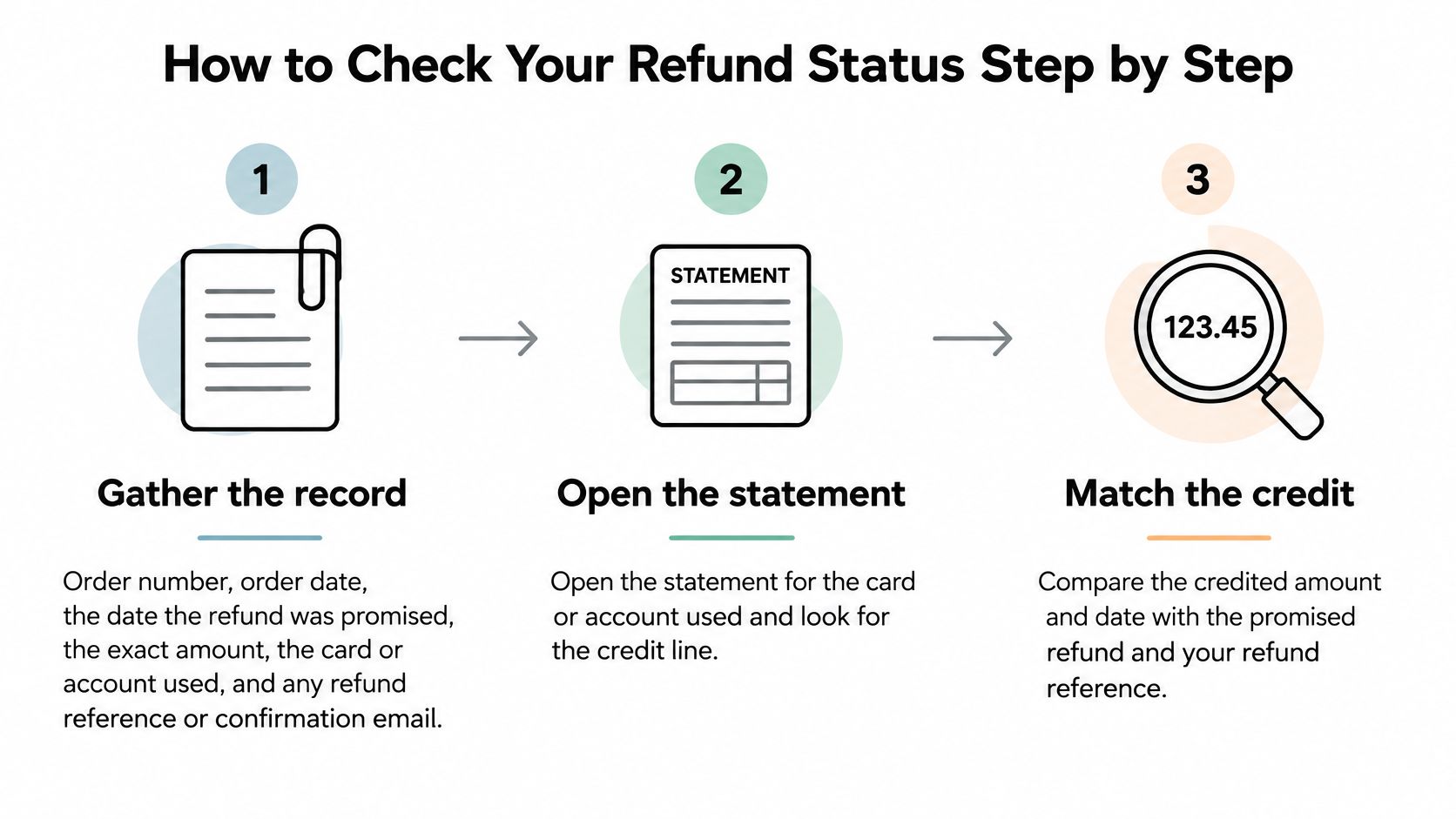
1. Gather the record. Order number, order date, the date the refund was promised, the exact amount owed, the card or account that paid, and any refund reference or confirmation email. Screenshot the order page and the support thread while you still have access to them.
2. Open the statement for the card that paid rather than the account summary. A pending credit often doesn't move the available balance, so the balance is a poor witness.
3. Search by amount first, then by name. Refunds frequently post under the payment processor's descriptor or a variation on the brand, and the exact figure is the more reliable search.
4. Compare old and new statements if the card was reissued. A new card number is a new account for posting purposes, and the credit can land on the closed one.
5. Check every funding source. An order split between a card and a wallet, or paid with a virtual card number, needs a check on each account before you conclude nothing arrived.
6. Compare the amount received with the amount promised. Partial refunds are normal when shipping, a restocking fee or a discounted item is involved, and a smaller credit isn't automatically a failed refund. It might be a wrong amount, which is a separate conversation.
7. Log each check with a date. What you searched, where you looked, what you found. Your next email then starts with facts rather than frustration.
What the Statement Shows That Support Cannot
A statement is a timeline. It shows the date a credit posted, the amount, the descriptor and whether that credit was later reversed. Support staff read a different screen, one that shows a refund was initiated, which is why an agent can be confident and wrong at the same time.
Read your own statement line by line before you accept an explanation. A single 80 refund can land as two credits of 40 posted a day apart, and the one credit you spot on Monday may not be the whole amount.
The test comes at the end. A credit matching your amount inside the window the merchant promised means the refund arrived. No matching credit once that window closes means the money is stuck, and your next move is a written request aimed at the stage where the trail went quiet.
Contact the Merchant and Your Payment Provider
A phone call can get a refund moving in ten minutes and leave you with nothing you can show for it. Writing works the other way. It's slower, and it produces a record with dates on it, which is the thing a dispute needs later.
Confirmation isn't completion. The FTC's 2024 report on refunds to consumers states that its refund programs generally receive claims from only 5% to 20% of potential claimants. Money that has been awarded, announced or promised still has to complete the last step, and some of it never does. Treat every "your refund has been processed" message as the start of the trail, not the end of it.
What to Ask Each Party
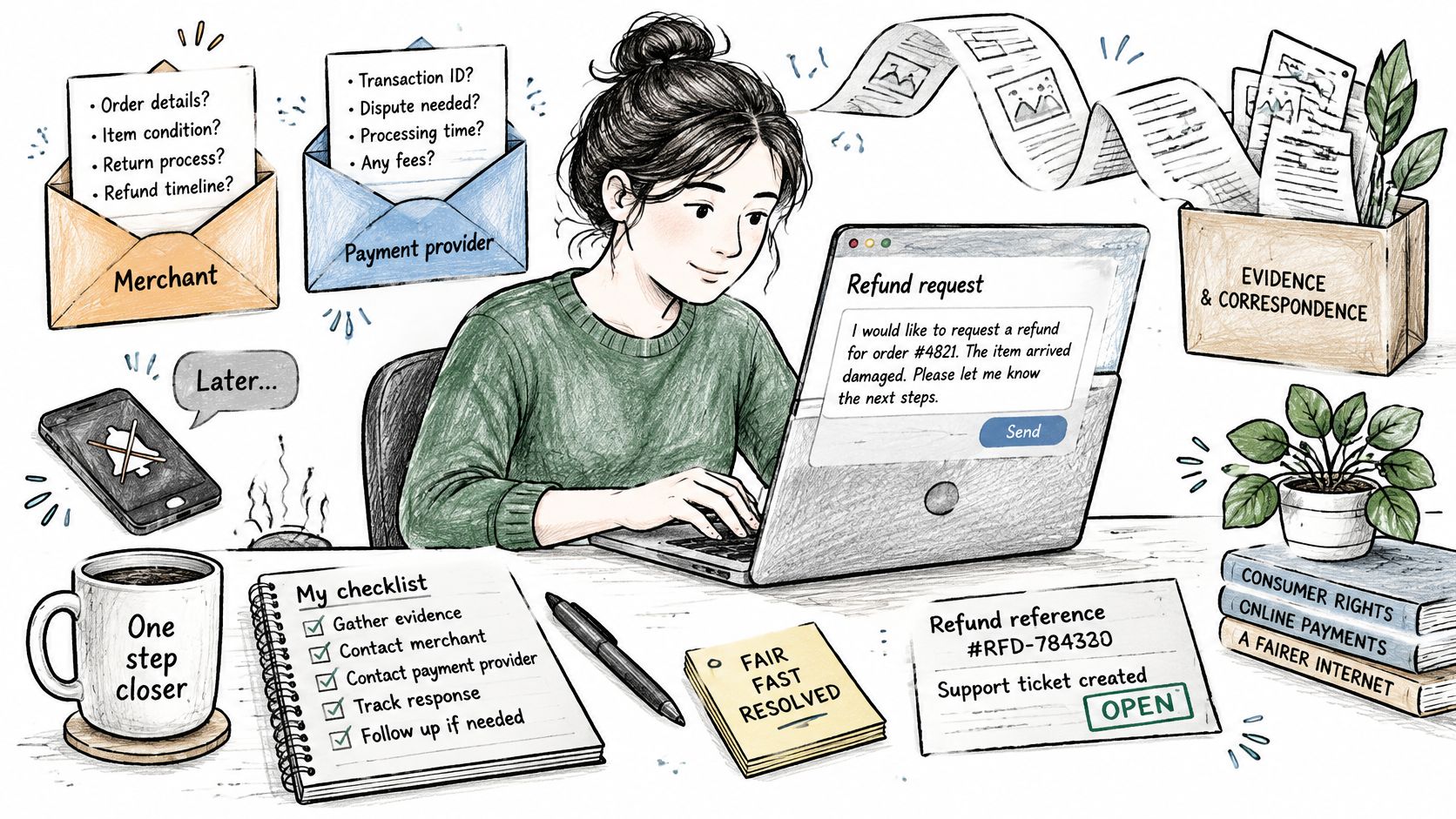
Ask the merchant for four things: the refund reference, the date it was processed, the amount, and the payment instrument it was sent to. Those four answers pin the refund to a moment and a destination, which is what makes it traceable.
Ask your card issuer or wallet provider for the posting status and the acquirer reference number (ARN) attached to the original transaction. The ARN is what the card networks use to trace a transaction between the merchant's acquirer and your bank, and it lets an issuer find a credit that posted under an unfamiliar descriptor.
- Lead with the order number. Put it in the subject line and the first sentence, so the agent can pull the record without asking.
- Ask for a refund reference, not reassurance. "It should show soon" has no date on it. A reference does.
- Ask whether the refund was reversed or rejected. A refund can fail after it's issued, and that failure stays invisible on your side.
- Set a reply deadline of about five business days. Polite, specific, and it gives you a date to cite later.
- Stay in the same thread. Replying inside one email chain keeps the whole history in one place.
A refund reference turns a conversation into a traceable object. Ask for it in every message until you have one.
Structure the message in four short sentences. What was promised, when, and for how much. What you've already checked, including the dates on your statement. What you've been told so far, and by whom. The specific answer you need: reference, processing date and destination.
Leave accusations out of it. A merchant who isn't being blamed is much more likely to reply with the detail you want, and the tone of your first message often decides how fast the thread moves.
Match each answer to the stage it covers. A processing date and a reference tell you the merchant approved and released the refund, so the trail has left the merchant's side. An ARN or posting status from your issuer tells you whether the credit reached the card network and your bank, which is the far end of the same trail. When both sides answer and their answers don't meet in the middle, the gap between those two answers is exactly where the money is stuck, and that gap is what you quote in your follow-up.
Read every reply for substance before you accept it. A useful reply has three parts: a reference number, a processing date and a destination. Anything less is an assurance, and assurances don't post to statements. If the reply deadline passes with no reference, that silence is itself a data point. It tells you the merchant step has run its course, which changes which escalation option makes sense next.
Special Cases for App Stores, BNPL and Money Transfers
A refund that runs through an intermediary follows that intermediary's rules rather than the card network's. Three routes account for most of the confusion.
App Store Purchases Go Their Own Way
We can't issue a refund for a store purchase ourselves. Apple and Google handle refund requests under their own policies, so the merchant step in the chain begins with the platform, and going to the bank first usually sends you back.
For an iPhone purchase, request the refund at reportaproblem.apple.com, signing in with your Apple Account, choosing the Compass+ charge and the reason. Apple decides the outcome and sends it by email, so keep that message. This guide to Apple refund requests covers what to do when the form won't load or the request is refused.
Google Play purchases and refunds are governed by the Google Play Terms of Service and Google's refund policy. Use the Play Store's own refund route before involving your bank, because a card dispute against a charge the platform never had a chance to review tends to end with the platform's evidence winning.
Buy-Now-Pay-Later and Money Transfers
With buy-now-pay-later, a refund should reduce the remaining balance on the plan instead of arriving as cash. Open the installment record and check whether the balance moved. If the merchant says it sent the money and the provider says it never arrived, ask both for the refund reference and the date it was sent, then compare the two dates.
For a money transfer that never landed, or a transfer refund that stalled, ask for the written reason for the delay and confirm the destination account or wallet. Keep the provider's complaint route in reserve. It's the step that gets attention when two departments keep quoting each other.
Every one of these routes ends the same way. Reference and dates in hand before you escalate.
When to Dispute the Charge With Your Bank
Waiting is the standard advice, and it has a shelf life. That shelf life ends at a date set in card network rules you'll never see, and once it passes, your strongest option disappears with it.
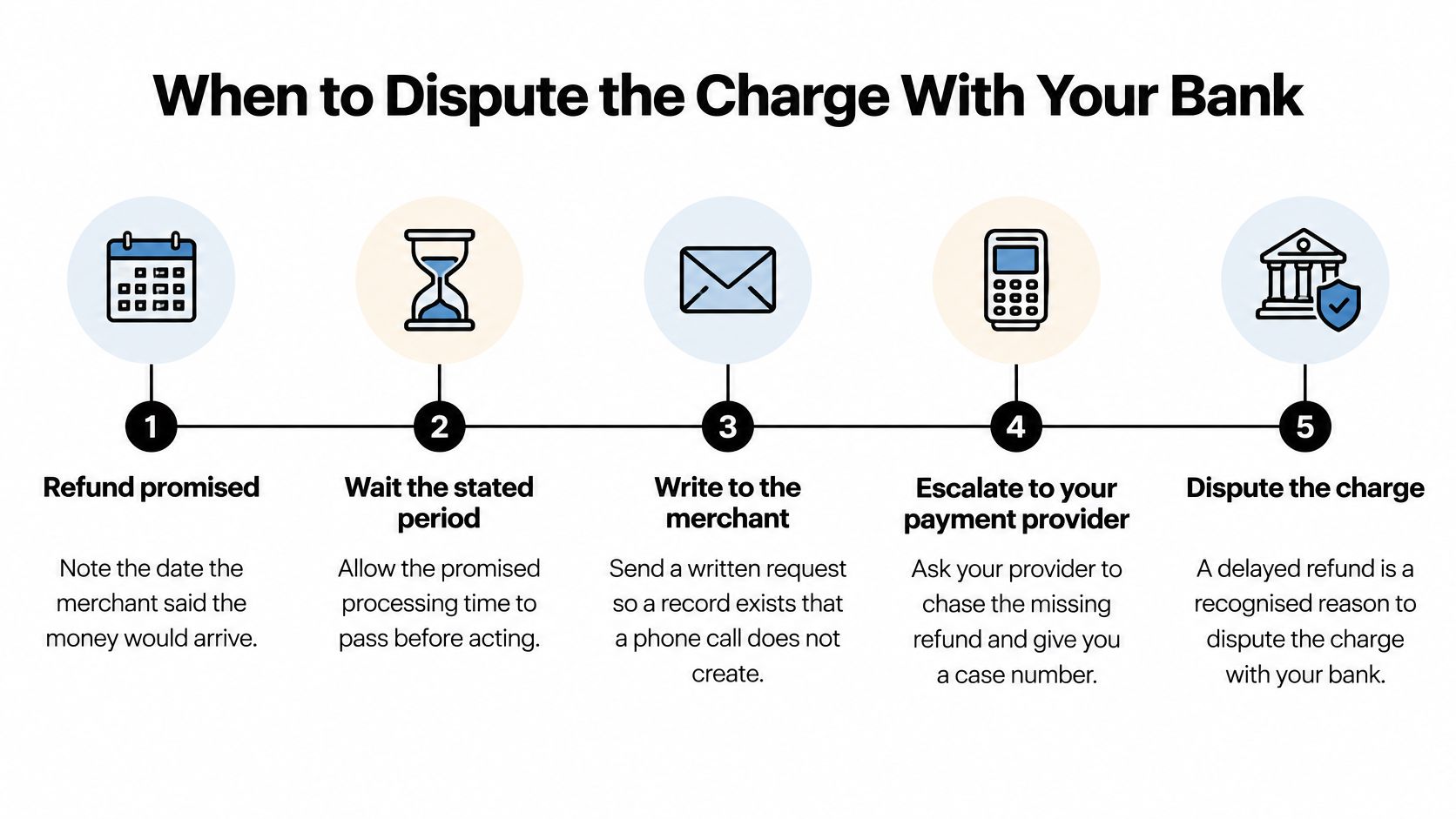
The sequence below keeps that option open while still giving the merchant a fair chance.
Plenty of people skip the waiting. 48.2% of surveyed U.S. and U.K. cardholders said they had disputed a transaction with their bank without first contacting the merchant, and 41.2% cited failure to reach the merchant as a reason, according to Digital Transactions' report on chargeback trends. Delayed refunds now stand as a reason in their own right: 18% of U.S. consumers in a 2025 survey cited delayed refunds as why they filed a dispute.
A Promised Refund Is Not a Fraud Claim
Two claims look alike and get handled very differently. A promised refund that never arrived is a non-receipt or billing dispute: you authorized the charge, the goods went back or the order was cancelled, and the remedy failed. An unauthorized charge is a fraud claim.
File the claim that matches the facts. A fraud claim about a purchase you made can run into a merchant rebuttal and leave you with neither a refund nor a chargeback, while a non-receipt dispute with the promise attached is the claim the evidence supports.
1. The merchant promised a refund and hasn't paid after a written request. File a non-receipt dispute with the promise email, the order record and the statements showing nothing posted.
2. The merchant says it processed the refund. Ask for the ARN and the posting date first. If that date passes with no credit, dispute with the reference in hand.
3. The merchant never answered. Dispute with the message trail. Silence after a written request is itself evidence.
4. You never authorized the charge. Treat it as fraud and contact your issuer the same day instead of waiting on a merchant.
Visa's chargeback and purchase dispute guidance states that a claim should generally be initiated within 120 days, and that invoices, receipts, card statements and correspondence materially strengthen the case. The same page cites CFPB data showing that in 2024 consumers disputed approximately $9.8 billion in credit-card charges and received $5.9 billion in chargebacks, about $1.63 returned for every $1.00 disputed on the report's normalized measure.
Count your 120 days from the date the refund was promised, or from the day you first chased it if that came earlier, and confirm the exact cutoff with your issuer, since a bank's own handling time can be tighter than the network rule. A missing refund and a charge that appears twice are different claims with different evidence, and handling a duplicate charge on your bank statement is its own process. Keep the two separate in your dispute, because mixing them weakens both.
Choose Your Next Step Before the Deadline
You know by now which stage went quiet. Turning that into a decision takes one table and about an hour, and the hour matters more than the table.
Missing refunds are common enough to treat as a real problem rather than a delay to wait out. Some end with no refund at all, others stall after a promise the merchant never honors. Waiting past the dispute window is the one outcome you control completely, so the decision below is about which clock you're on and which piece of evidence you already hold.
| What you're looking at | What to do this week |
|---|---|
| A credit matching the refund on your statement | Close the case. Save the reference and the statement page. |
| Merchant confirmed processing, nothing posted | Request the ARN and open a non-receipt dispute before the window closes. |
| Merchant silent after a written request | Dispute with the full file: promise, return proof, correspondence, statements. |
| Store declined a refund you still believe is wrong | Email us the date and amount and we'll look at it with you. |
| Dispute rejected, or the merchant still won't answer | Complain to a consumer regulator such as the CFPB and attach the trail and references. |
Read the table against your own dates, not against how reasonable the merchant sounds. A polite reply that produces no ARN and no posting date is the second row, however friendly the tone. A dispute already rejected once is the last row even if the merchant keeps writing back, because the bank's route has already run its course.
The Regulator Route Comes Last
A bank dispute that's rejected, or a merchant that stays silent through everything above, leaves one route that isn't a chargeback. Complain to a consumer regulator, the CFPB in the U.S. or the equivalent body where you live, and attach the message trail, the references and the statement pages. A complaint won't move money on its own, but it puts a dated record in front of an institution that has to answer it.
Ask for a complaint reference and file it with the rest of the documents. If the merchant responds to a regulator after ignoring you, that reply is often the first written confirmation of what happened to the refund.
Missing refunds rarely travel alone. If you're already pulling statements and email threads, finding money you're owed or wasting covers the other places money tends to sit: unclaimed credits, quiet price rises on plans you still pay for, and charges that repeat without a reason.
Before you act on anything: check it against your bank statement. A finding is a lead. The statement is the record.
Hold the documents until two clocks have run out, the dispute window and the refund confirmation. Then close the file and keep the reference where you'll find it if the same merchant tries the same move next year. Nothing here improves with another week of refreshing the balance, so pick the row that fits and act on it this week.
Compass+ watches the accounts you already use for money you're owed, including refunds a merchant confirmed but never sent, and shows each find with its amount and the next step to take. Access is read-only, so it can flag a missing credit without moving a cent. Start at Compass+ and see what your own statements have been trying to tell you.