Recurring Payments Shopify Setup for 2026
Launch recurring payments Shopify stores can trust in 2026, covering native tools, apps, consent records, and renewal failure recovery.
16 min read
Installing a subscription app isn't enough to make recurring payments on Shopify reliable. A clean checkout proves that a customer could buy today. It doesn't prove that the next charge has the right terms, a usable payment method, or a cancellation path the customer can find.
Start with the contract, not the app listing. Before launch, prove that the offer survives a successful renewal, a decline, and a skip. Before later renewals, verify that the next charge still matches what the customer agreed to.
Table of Contents
- Which Recurring Payments Path Fits Your Store
- How to Create and Prove a Subscription Contract
- Consent Records and Cancellation Proof to Keep
- Renewal Failures by Method and Billing Time
- Habits That Keep Live Renewals Healthy
- Verify One Contract Before the Next Charge
Which Recurring Payments Path Fits Your Store
Choose the simplest subscription setup that can deliver your actual offer. Don't commission a custom app because you might eventually need unusual billing rules, and don't force a prepaid gift subscription into a replenishment tool that can't represent it clearly.
Shopify recurring payments paths compared
| Path | Best for | What gets billed | Cadence you control | Hard constraint |
|---|---|---|---|---|
| Native Shopify Subscriptions | Simple replenishment on Shopify Payments | Customer product subscription contracts | Weekly, monthly, or yearly | Consent-label customization is limited to Shopify Plus; billing happens after the due date |
| Subscriptions app | Bundles, swaps, skips, or prepaid offers | Shopify subscription contracts with app-owned selling plans | The app's supported schedules on top of Shopify cycles | Choose a clear contract owner; don't assume apps can share control |
| Custom subscription app | Headless storefronts or unusual policies | Contracts, billing attempts, and orders through APIs | Your implemented billing and delivery policies | Requires event-driven reconciliation, not just order polling |
Separate merchant app bills from customer subscriptions
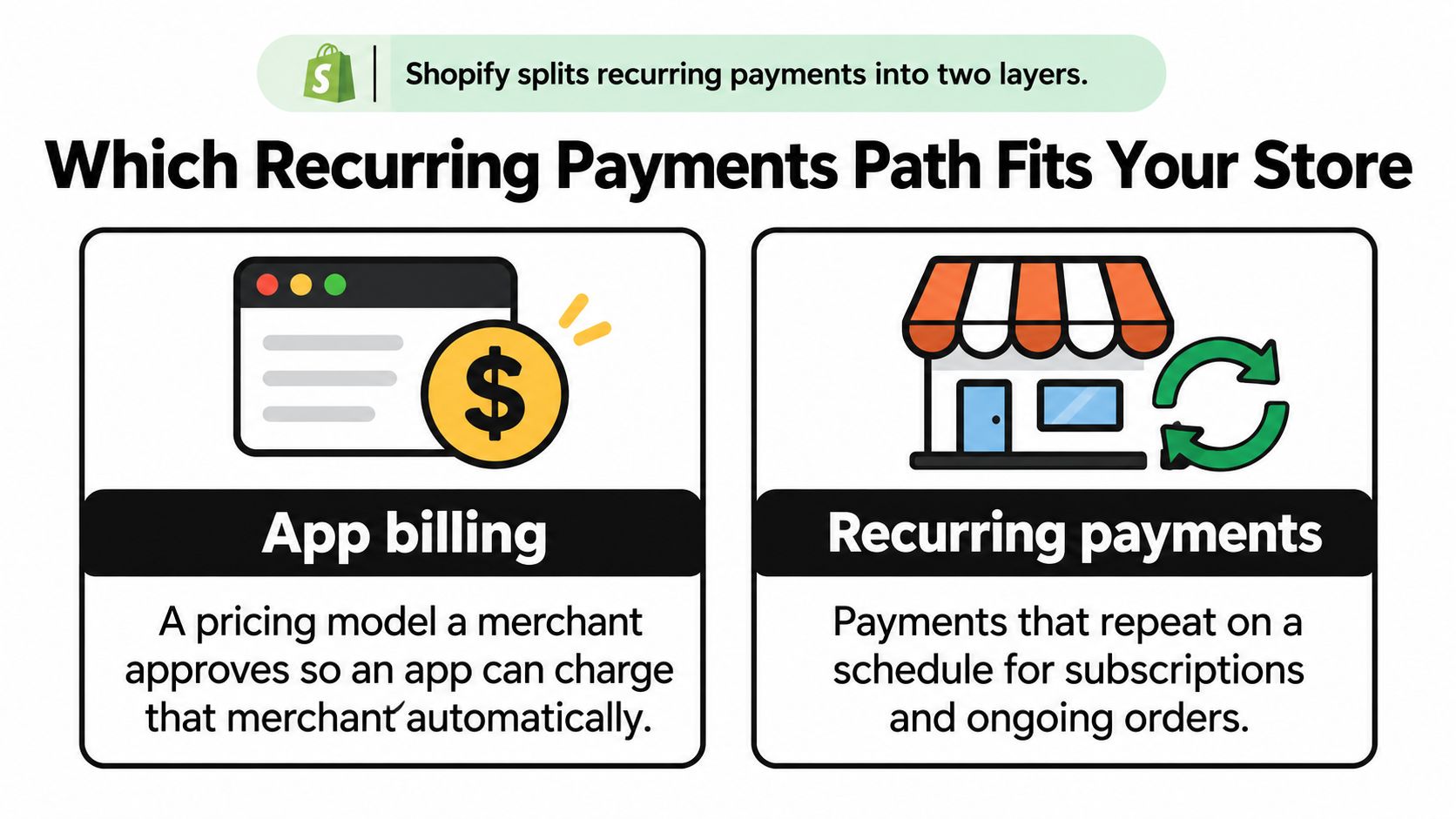
Shopify uses subscription language for different relationships. Under Shopify's subscription documentation, merchants approve recurring app charges, each app can have only one active subscription per merchant, and customer subscription tools support weekly, monthly, and yearly schedules.
An app subscription pays for software your store uses. A customer subscription authorizes future purchases from your store. Installing a paid subscription app may create both relationships, but canceling your software bill isn't the same operation as canceling a customer's deliveries.
For customer subscriptions, the subscription contract connects the products, quantities, price, billing frequency, and delivery schedule. Payment references, billing attempts, generated orders, and lifecycle status belong to that continuing relationship.
That distinction matters when you sell prepaid subscriptions. Billing and delivery aren't necessarily the same event. The customer might pay before several deliveries are due, so your app needs to represent the remaining fulfillment obligation without charging again prematurely.
Buy features that change the offer
Native Shopify Subscriptions is the sensible starting point for straightforward replenishment. A specialist app earns its place when customers need meaningful product swaps, configurable bundles, prepaid terms, or a more capable customer portal. Test those features against your products rather than accepting a feature-list checkbox.
A custom app buys control, but it also makes your team responsible for billing orchestration, event processing, recovery, and customer controls. Headless presentation alone isn't a reason to rebuild the subscription lifecycle if an existing integration can support the storefront.
Before choosing software, use MD TECH TEAM's guide to compare recurring billing models and separate recurring collection from prepaid delivery or access-based billing. Then write down the behavior your offer requires.
Selection rule: Stay native unless swaps, prepaid billing, or customer-portal requirements make it unsuitable. Ask a prospective app provider to demonstrate the missing behavior before you migrate.
Keep Shopify's own subscription revenue out of your estimate of customer subscription demand. Merchant software subscriptions and consumer product subscriptions aren't interchangeable measures.
How to Create and Prove a Subscription Contract
Say you're building a coffee club offering a bag every 30 days. Before configuring anything, decide whether that promise means a fixed interval or calendar-month replenishment. Those aren't interchangeable, and your storefront wording must match the schedule your chosen app supports.
For this test, use monthly replenishment and describe it that way everywhere. Keep the same coffee variant throughout so product substitutions don't obscure a billing problem.
Build a traceable purchase
Confirm the payment route. For the native setup, confirm Shopify Payments and an eligible recurring payment method before building the offer. Activate Shopify Subscriptions or choose the app that will own the coffee contracts. Don't leave competing widgets offering different subscription terms on the same product page.
Create the selling plan and attach it to the coffee product. Set the recurring price or discount, billing policy, and delivery policy explicitly. Read the product page as a buyer would: it should distinguish the initial purchase from the continuing commitment without requiring an FAQ visit.
Complete a test checkout and locate the contract. Shopify's subscription-contract implementation guide describes an event-driven lifecycle in which checkout leads to a contract notification and the owning app initiates renewal billing attempts. An order is not the durable subscription record, and the contract may not be available at the instant the order appears; polling orders can create race conditions, duplicate records, or missed renewals.
Save the contract identifier, customer reference, currency, line items, billing and delivery policies, and payment-method reference. Retain references, not raw card details. With a managed app, verify that its contract view or export gives your operator enough information to investigate a renewal.
Grant the required subscription-contract permissions if you're building an integration. Consume contract, billing-attempt, order, payment-method, and failure webhooks idempotently, meaning a repeated delivery doesn't repeat the business action. Persist event-processing results and reconcile the payload against the current contract and attempt status before changing fulfillment state.
Prove renewal behavior before publishing
Trigger a supported test billing attempt. In a development store, use the app's test tools or your integration to initiate renewal against the saved coffee contract. Match the resulting attempt and order back to that contract. A fresh order with the right coffee SKU isn't sufficient evidence if you can't establish which scheduled renewal produced it.
Enter the customer account through the same route a buyer receives. Check that pause, skip, product changes, and cancellation work as promised by the offer. After a change, inspect the upcoming delivery rather than trusting the success banner alone.
Pass the release checks on the same contract. Run a successful renewal, a forced decline, and a skipped cycle using supported test mechanisms. The successful renewal should produce its intended order; the declined attempt should leave a traceable failure without a paid fulfillment; the skip should move the schedule without an unwanted charge or order.
Your app provider may operate the webhook infrastructure, but you still own acceptance testing. Ask for evidence from the test contract, not a generic assurance that renewals work.
Stop the launch if replaying an event creates an extra shipment, a decline still releases coffee to fulfillment, or a skip leaves the billing attempt queued. Publish only after the contract history makes each test outcome unambiguous.
Consent Records and Cancellation Proof to Keep
A subscription widget can improve signup conversion while making the renewal commitment harder to notice. If the discount dominates the page and the automatic-charge sentence disappears into low-contrast text, you're creating a foreseeable dispute, even when the payment technically succeeds.
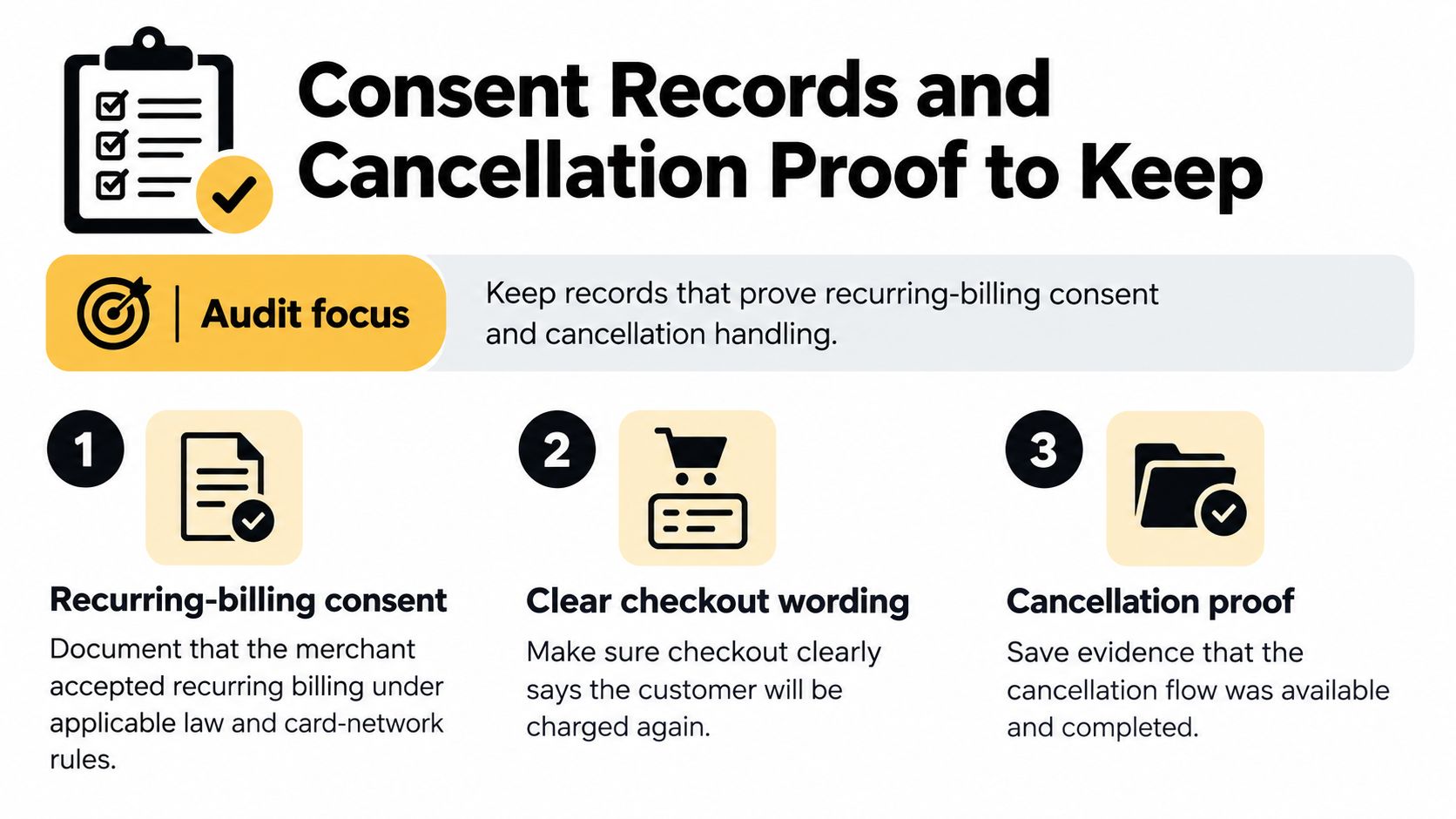
The Shopify Payments Terms put responsibility for recurring-billing consent on the merchant under applicable law and card-network rules; Shopify's subscription guidance requires clear automatic-charge disclosure and restricts subscription-consent-label customization to Shopify Plus. A non-Plus merchant shouldn't plan a checkout redesign around editing a label the platform controls.
Keep evidence attached to the contract
Treat consent as a record you need to retrieve, not a checkbox you assume existed. Preserve the version of the offer that applied when the buyer subscribed, and connect it to the contract rather than leaving screenshots in an unrelated folder.
- Checkout disclosure: Keep the recurring-charge wording and the associated terms version. Record the checkout timestamp and the customer's affirmative subscription selection.
- Commercial promise: Save the plan name, product, quantity, price, cadence, delivery promise, and any introductory discount conditions.
- Confirmation: Retain the message that restates those terms and gives the customer a working management route.
- Later changes: Store notices, their delivery records, and any acceptance required for changed pricing, products, cadence, or terms.
- Cancellation history: Record who requested the cancellation, when it took effect, and what happened to already-paid orders.
Don't treat a later successful charge as proof that the customer accepted a material change. Notify the customer before implementation, retain the notice, and obtain fresh agreement where required. Counsel should review your wording and change process for the markets you serve.
For introductory offers, the consumer-facing explanation of how to avoid free-trial charges is a useful clarity test. A buyer should be able to identify the conversion point, continuing cost, and cancellation route without calculating them from scattered terms.
Separate configurable controls from platform limits
A visible renewal term beats a clever upsell. Don't make the customer discover the commitment after the payment notification arrives.
Your team controls product-page explanations, confirmation content, reminder workflows, portal instructions, support handling, and evidence retention. The platform controls parts of checkout, payment eligibility, and plan-dependent customization access. An app can improve the surrounding experience without removing those boundaries.
- Merchant-controlled check: Make cancellation, pause, and skip easy to locate wherever you promise them. Test the actual customer route and retain completion evidence.
- Platform-constraint check: Confirm whether a requested checkout change is supported before paying for design or development.
- Dispute-response check: Assign someone to retrieve the consent packet and respond to alerts. If you're evaluating Shopify alerts from Disputely, assess where they fit in that workflow rather than treating alerts as a substitute for understandable terms.
Restrict staff access to retained customer records and establish a retention policy. Keeping useful proof doesn't require copying every piece of personal information into a support ticket.
Renewal Failures by Method and Billing Time
A paid first order proves an on-session payment, made while the customer was present. A renewal is an off-session attempt against the continuing agreement. Payment eligibility, card changes, and the billing schedule can interrupt that later attempt even though signup looked clean.
The Shopify Subscriptions considerations guide states that native renewals bill the day after the due date at 10:00 a.m. in the store's local time, and that Shop Cash can be used for the initial subscription payment but not subsequent recurring payments. Those are operating constraints, not problems a more insistent recovery email can solve.
Match the recovery action to the cause
Why a Shopify renewal fails and the matching fix
| Cause | What the buyer sees | Matching fix |
|---|---|---|
| Payment method cannot recur | An initial purchase doesn't translate into an eligible renewal authorization | Collect a supported recurring-capable card or wallet before activating the plan |
| Shop Cash used at signup | The initial benefit doesn't cover the later recurring charge | Verify an eligible underlying payment method before renewal |
| Card expired or replaced | Renewal fails after previously successful deliveries | Use supported automatic card updates and send a secure update request if needed |
| Store billing clock | The charge appears after the due date rather than when the buyer expected | Explain the native billing schedule in the confirmation |
| Contract not active | No order appears, or the contract shows a paused, failed, canceled, or expired state | Resolve or end the existing contract instead of creating another subscription |
Shop Cash's exclusion from renewals doesn't mean every customer who used it will decline. The operational risk is assuming the initial payment benefit establishes a usable method for future charges. Inspect the recurring payment reference rather than labeling every such buyer a payment failure.
Likewise, don't assume every local payment option or manual method available elsewhere in your store can support subscriptions. Validate eligibility for the actual provider, app, and customer market. If a method can't recur, retries won't make it eligible.
Retry only when another attempt makes sense
Automatic card updates can help when an issuer replaces eligible card details. They won't repair an unsupported method, reverse a customer cancellation, or establish consent for a different offer. Don't promise that a customer will never need to update payment details.
For a temporary decline, use a bounded recovery sequence with a clear explanation and secure payment-update route. For an ineligible method, request a compatible alternative. If the customer doesn't want to provide one, end the subscription cleanly instead of leaving it in an indefinite retry loop.
Billing messages also need to distinguish the due date, expected processing time, and bank posting behavior. Customers who manage balances closely may read an unexpected charge as an error; practical guidance on avoiding overdrafts through bill timing shows why clear scheduling matters beyond convenience.
Don't describe a paused contract as a bank decline or tell a customer to update a card when your system never attempted collection. Put the failure category, latest attempt reference, recovery owner, and next action on the contract or its linked operational record. Support should investigate the cause before choosing a dunning email.
Habits That Keep Live Renewals Healthy
Once the coffee club is selling, the operational question changes from whether billing works to whether you can honor the next batch of commitments. Use a weekly review to join subscription data with inventory, customer requests, and fulfillment readiness.
Give that review a named owner. The person running it should be able to stop an incorrect billing run or escalate to someone who can, rather than merely exporting a report.
Run a Monday exception review
Start with contract counts by active, paused, failed, and canceled status. Compare the current counts with the previous review and investigate unexplained movements. A sudden increase in failures needs a different response from a planned pause campaign.
Next, compare upcoming quantities by variant with stock you can ship. Exclude damaged units, committed wholesale inventory, and stock that hasn't arrived. Keep a replenishment buffer for subscribed SKUs if your stock policy supports it, and decide how you'll handle shortages before collecting payment.
- Upcoming commitments: Identify subscriptions scheduled to bill and the corresponding delivery obligations.
- Customer changes: List unprocessed skips, swaps, address edits, and cancellations received since the previous review.
- Fulfillment exceptions: Flag paid subscription orders that haven't progressed and record the reason.
- Recovery queue: Separate customers awaiting a payment update from contracts blocked by an internal configuration problem.
The useful output isn't a dashboard screenshot. It's a short action list with an owner and a completion condition for each exception. If a cancellation request remains unresolved, someone should know whether the next attempt must be held.
Give support a policy before the inbox fills
I would set a next-business-day response target for skip, swap, and cancellation requests, with coverage assigned when the usual owner is absent. That's an operating recommendation, not a promise Shopify makes for you.
Write down when a grace delivery is permitted, who can authorize it, and whether it creates any later payment obligation. A courtesy shipment can preserve goodwill, but informal decisions make reconciliation and customer explanations harder. Don't let staff invent deferred-payment terms in individual tickets.
Price maintenance needs similar discipline. Review expiring discounts, scheduled promotions, and variant edits before they affect live contracts. Confirm what your app propagates to existing subscriptions instead of assuming a catalog edit either changes everything or changes nothing.
Operating standard: If you can't explain the next charge date, amount, and cancellation path in a sentence, don't open the plan to another cohort.
For the monthly review, track renewal success rate, voluntary cancellation rate, and failed contracts past your recovery deadline. Define each measure consistently: separate initial checkouts from renewals, distinguish customer-requested cancellations from payment failures, and choose a documented aging threshold for unresolved contracts.
Assign each metric a response. Investigate payment eligibility when renewal success deteriorates, examine customer reasons when voluntary cancellations rise, and clear ownership gaps when failed contracts remain unresolved.
Verify One Contract Before the Next Charge
Open a live or test contract this week and write its customer-facing promise in a sentence: next charge date, amount, product, cadence, and cancellation route. Use the actual values, not a template you assume the system follows.
- Read the contract. Check the upcoming billing entry, line items, quantity, price, discounts, and delivery policy in the owning app or available Shopify contract view.
- Match the scheduled processing behavior to the store's time zone and the billing engine you're using. Don't apply the native app's schedule to a different app without checking.
- Compare the confirmation. The customer's message must describe the same purchase and continuing terms.
- Walk through cancellation and skipping as a buyer. Note unnecessary steps, broken access routes, and changes that don't reach the upcoming cycle.
- Fix mismatches before adding buyers or releasing the affected renewal. Save the verified sentence with the consent record.
Keep merchant platform bills separate from customer subscription orders. Shopify's fiscal-year annual report treats its own subscription business separately from merchant commerce; your reconciliation should preserve that distinction too.
When investigating a duplicate charge on a bank statement, match contract, attempt, and order references before deciding what happened. Repeat the verification after price, cadence, product, or live-cycle plan edits.
Compass+ monitors connected accounts for recurring charges, duplicate transactions, bill increases, and overlooked savings opportunities, then pairs findings with concrete next steps. Visit Compass+ to join the standalone experience's waitlist and bring that visibility to the subscriptions and purchases you pay for.