Recurring Billing Definition: How Automatic Charges Work
Recurring billing definition explained: how automatic renewals work, the main billing models, and how to spot and stop charges you no longer want.
15 min read
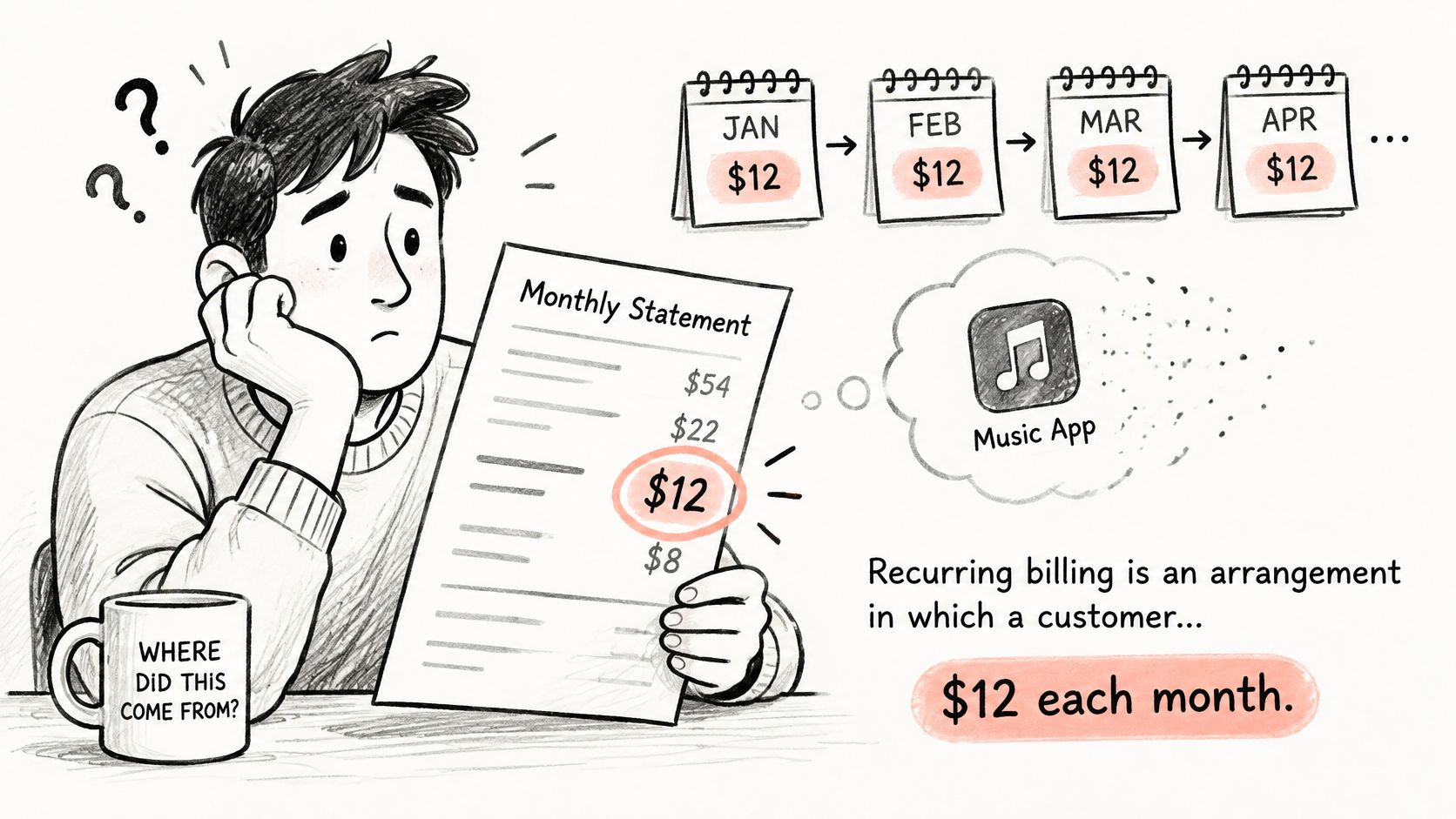
Recurring billing is an arrangement in which a customer authorizes automatic charges at regular intervals until they cancel, the contract ends or a payment fails. A failed payment can interrupt collection without ending the underlying subscription, so it isn't a reliable way to cancel.
You might be looking at a statement right now, trying to remember why a music app is still charging you. The useful question isn't just whether that debit is a subscription. It's what you've agreed to pay next, when the charge can happen, and how to stop it.
Table of Contents
- What Recurring Billing Means in Plain Terms
- Recurring Billing Models Side by Side
- How Each Automatic Charge Is Generated
- Price Changes, Proration and Trial Conversions
- Why Recurring Charges Add Up Unnoticed
- Check Your Recurring Charges Before the Next Renewal
- What to Do When a Recurring Charge Will Not Stop
What Recurring Billing Means in Plain Terms
A familiar merchant name appears on your statement again, but you can't remember the last time you used the service. That charge reflects an ongoing agreement, not necessarily a fresh purchase you made that day.
The Federal Trade Commission's negative-option rule document describes arrangements in which sellers continue charging or shipping unless consumers take action to reject the offer. Negative-option billing describes that continuation feature. It doesn't, by itself, mean a charge is fraudulent.
The agreement behind the debit
A practical recurring billing definition has three parts:
- Authorization: You give the business permission to collect future payments under stated terms. You don't approve each renewal separately.
- Billing cadence: The agreement identifies how often charges occur and how the amount is determined. A repeating schedule doesn't necessarily mean an unchanging price.
- Termination conditions: The terms explain the cancellation route, any deadline, and when cancellation takes effect.
Operationally, the business needs a stored payment credential, a stated billing interval, disclosed price and renewal terms, automatic collection, and a cancellation mechanism. Your statement shows the collection result. It usually doesn't show the whole agreement.
That distinction matters when you stop using a service. Not using it isn't the same as ending permission to bill. Deleting an app, ignoring renewal emails, or deciding a membership no longer fits your budget doesn't necessarily close the subscription.
Treat every recurring agreement as a future payment obligation with a date, an expected amount, and an exit route.
More than a monthly subscription
Recurring billing describes a payment mechanism, not a particular product. Software, insurance, telecommunications, memberships, recurring deliveries, and trials that become paid plans can all use it.
For businesses, automatic collection supports predictable revenue. For consumers, it removes the need to remember every payment, but creates a continuing responsibility to notice renewal terms, price changes, and whether the service still serves a purpose. The convenience works best when you understand what continues automatically and what requires your action.
Recurring Billing Models Side by Side
Recurring billing models, how they repeat and when they stop
| Model | How the charge repeats | When it stops | Typical example |
|---|---|---|---|
| Subscription | Fixed amount on a set cycle, such as monthly or annually | Customer cancels or the contract ends | Streaming, software, memberships |
| Autopay bill | Amount may change with usage each cycle | Account closed or service ended | Utilities, phone plan, insurance premium |
| Installment plan | Equal scheduled payments | After the final scheduled payment | Financed purchase, buy-now-pay-later plan |
| Usage-based recurring | Amount changes with consumption each period | Account closed or service ended | Cloud hosting, mobile data overage |
| Free trial conversion | No trial charge, then a paid cycle starts | Cancel before the trial ends to prevent conversion | Trial that converts to a paid plan |
| Replenishment | Product shipped on a set interval | Customer pauses or cancels under the shipment terms | Pet food, razor refills |
The most important column is when it stops. Similar-looking debits can represent very different commitments.
A streaming subscription typically renews access. A utility autopayment collects a bill for an ongoing service. A replenishment arrangement authorizes another shipment, so you may need to act before the order enters fulfillment rather than waiting for the debit to appear.
The borderline cases
Installments repeat, but they usually have a built-in finish. You're paying off an agreed purchase rather than continually renewing access. Once the final scheduled payment is made, that payment plan normally ends without a cancellation request.
Usage-based billing presents the opposite confusion. The schedule repeats, but the amount can change because you consumed more or less. A cloud-hosting account might include a standing service charge plus consumption charges, so an amount difference alone doesn't establish a billing error.
Autopay and usage-based recurring billing can also overlap. Autopay describes how payment is collected; usage-based pricing describes how the bill is calculated. A phone bill can use both.
Practical rule: Identify what the agreement renews or pays for before deciding what action will stop the charge.
A trial conversion needs special attention because its stop condition changes after paid service begins. Cancelling before conversion prevents the first paid cycle under the trial terms; cancelling afterward addresses future renewals and doesn't automatically promise a refund.
Use the table to classify an unfamiliar charge, then open the corresponding agreement. Look for the account status, remaining obligation, and stop condition. Don't assume every repeating debit will continue forever, or that every payment plan will finish on its own.
How Each Automatic Charge Is Generated
A recurring debit is the end result of several billing events. Understanding those events helps you distinguish a genuine extra charge from an invoice, a pending transaction, or an unsuccessful collection attempt.
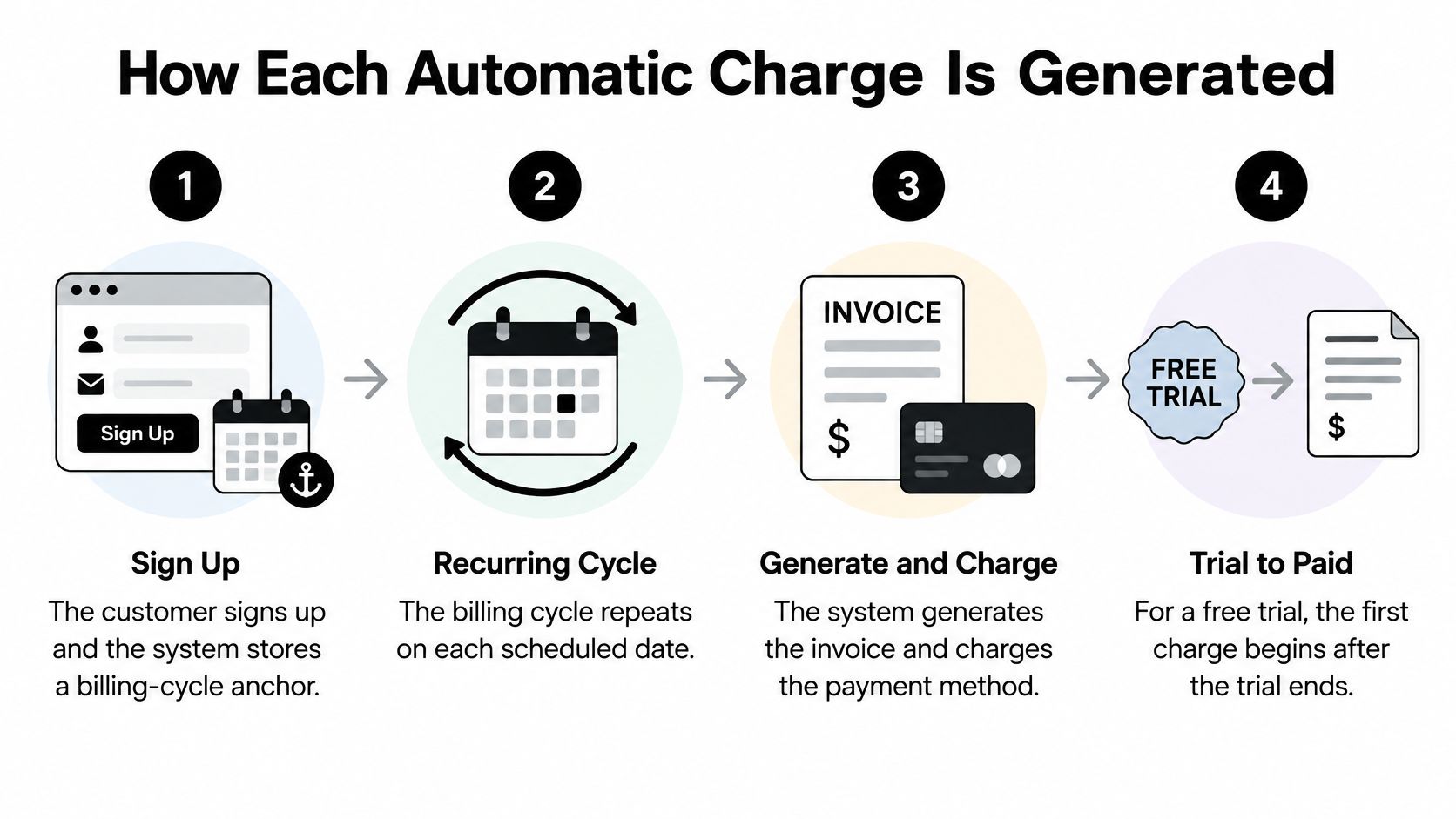
This visual summarizes the scheduled billing flow.
From signup to settlement
The system establishes the schedule. When you enroll, the billing system stores a billing-cycle anchor, the reference point for future invoice dates. This can be the signup date or the end of a free trial.
The business calculates the invoice. At the scheduled time, the system checks the active plan and subscription status. It applies relevant taxes, discounts, credits, and adjustments to determine what's due.
The system attempts collection. It submits payment against the stored payment method. An invoice marked due isn't necessarily proof that money has successfully left your account.
Failed collection may trigger retries. Stripe's recurring-payments documentation describes configurable retry policies, including windows spanning one week to two months. An unsuccessful attempt can therefore be followed by another attempt while the account remains unresolved.
Successful payment settles. The payment completes and the invoice's payment status updates. The merchant's invoice history and your bank's transaction history can display these stages differently.
Why the same payment can look duplicated
Authorization, invoice, payment attempt, and settlement are different events. They don't have to happen at the same moment, and they aren't interchangeable evidence of a completed charge.
For example, a merchant may generate an invoice, your bank may then show a pending payment, and the completed debit may appear later. Before treating those records as separate purchases, check whether they share a payment reference and whether the pending entry disappears.
A genuine duplicate requires closer inspection of completed payments. Compare the merchant account's invoices with the bank's settled transactions, rather than counting every notification or pending entry as money paid.
The accompanying video offers another way to follow the process.
When something looks wrong, build a baseline from merchant identity, amount, currency, expected interval, and renewal status. A different merchant descriptor may need explanation, while an extra settled debit within the expected billing period deserves investigation. Neither should be judged from the transaction label alone.
Price Changes, Proration and Trial Conversions
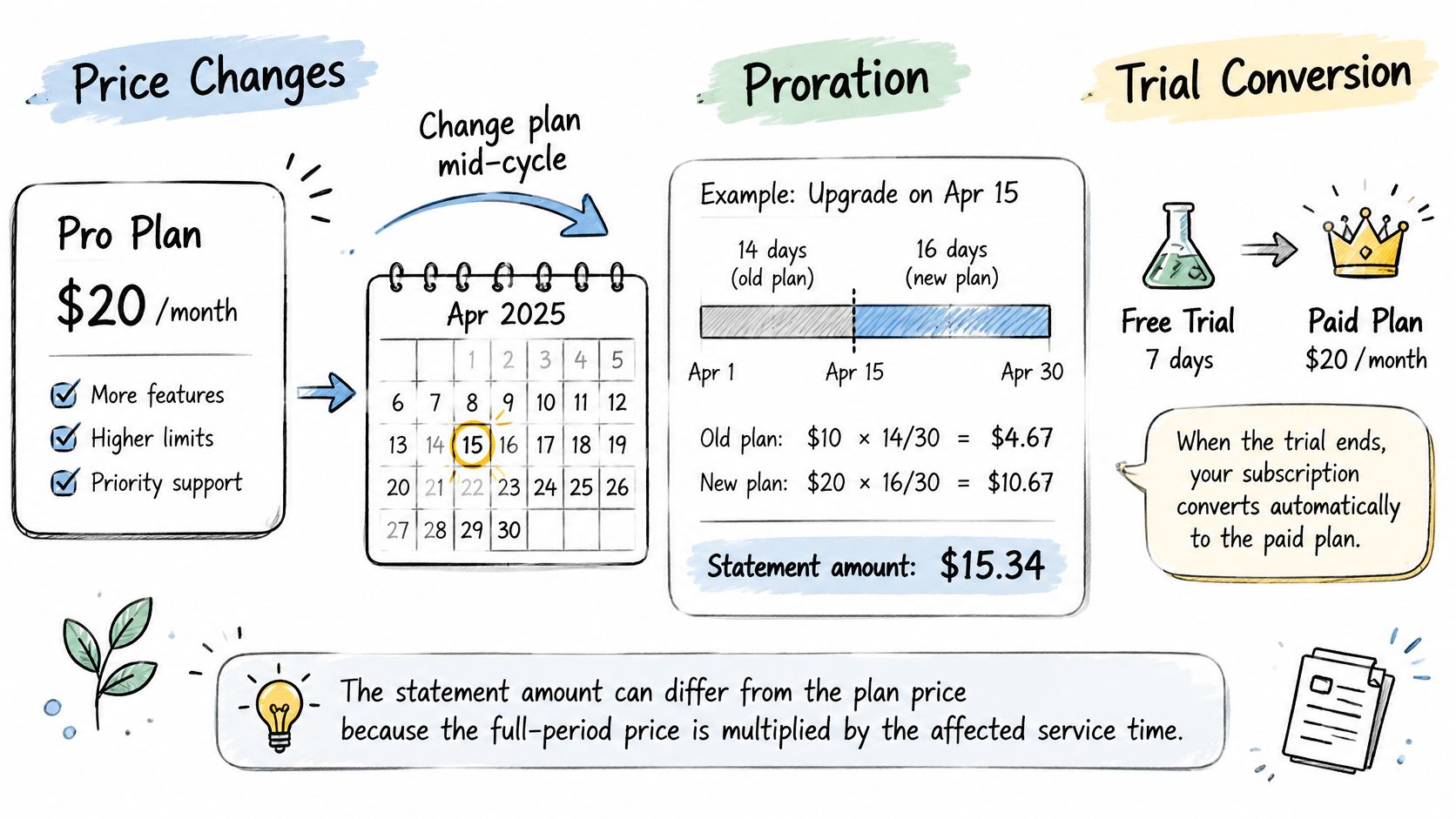
Moving from a $30 monthly plan to a $50 plan halfway through a 30-day cycle can create an additional charge of approximately $10 for the remaining 15 days, subject to timestamps, tax, credits, and invoice settings, as illustrated by Stripe's proration documentation. That transition charge isn't necessarily a duplicate or the amount you'll pay at every renewal.
Proration allocates a price to the portion of the service period affected by a change:
Prorated amount = full-period price × affected service duration ÷ total billing-period duration.
For an upgrade, the invoice may credit unused service from the old plan and charge for the remaining service under the new one. The useful comparison is the net adjustment after credits, not just the largest debit.
Identify what changed
Upgrades, downgrades, quantity changes, billing-interval changes, trial conversions, and resetting the billing anchor can all affect an invoice. The business may collect an adjustment immediately or include it on the next bill.
Proration outcomes and how to confirm each
| Outcome | What it is | How to confirm |
|---|---|---|
| Recurring price change | New monthly amount applies from the next cycle | Plan price on the invoice matches the new terms |
| One-time prorated adjustment | Single transition charge for the remaining part of the period | Invoice line shows the affected dates and prorated amount |
| Unexpected duplicate | Second debit with no matching invoice line | No invoice or subscription event explains it, so raise a dispute |
Start with the detailed invoice or receipt. Find the service dates, old-plan credit, new-plan charge, taxes, and any discount that expired. Those lines help distinguish a legitimate transition from an unexplained additional payment.
Trial conversions create another kind of surprise: the paid period begins when the stated trial ends. Confirm the first paid amount and conversion date, rather than assuming the trial remains free until you actively choose a plan.
If you're still deciding whether to keep a trial, use this guide to avoiding free-trial charges to organize the cancellation decision before conversion. Don't treat a trial-ending charge as proration unless the invoice shows a partial-period calculation.
Why Recurring Charges Add Up Unnoticed
Consumers underestimated subscription spending by an average of $133 per month, equivalent to $1,596 per year, according to survey findings cited in the Federal Register's negative-option rule discussion. The regulatory record also cited the following findings from surveys and studies, not a single estimate covering every consumer.
Survey figures on unnoticed recurring charges
| Statistic | Figure | What it shows |
|---|---|---|
| Average monthly underestimate of subscription spending | $133 | Surveyed consumers misjudged their monthly spending |
| Annual equivalent of that underestimate | $1,596 | The same monthly gap expressed annually |
| Consumers who forgot at least one paid subscription | 42% | Paying and remembering aren't the same |
| Individuals losing more than $50 a month on unwanted subscriptions | 71% in one study | Unwanted payments can represent meaningful spending |
| Time taken to cancel unwanted recurring payments | More than half of respondents took an average of three months | Cancellation can lag behind the decision to stop |
These findings describe an attention problem as much as a budgeting problem. At checkout, you evaluate the service and price. Later, the merchant collects payment without requiring another decision, even if your needs have changed.
Why an unwanted payment persists
A renewal email may arrive while you're busy. A household member may assume someone else still uses the service. You might open the cancellation page, encounter an unfamiliar login, and leave the task unfinished.
Small charges also compete poorly for attention. A debit that doesn't threaten your account balance may feel too minor to investigate, even when the service provides no current value. The issue isn't whether the original signup made sense, but whether continuing still does.
Cancellation friction adds another delay. Finding the right account, understanding an offer to pause instead, or completing a required contact can turn a clear decision into an unfinished task.
Regulators have focused on clear material terms, affirmative consent, renewal reminders, and cancellation processes no harder than enrollment. However, the FTC's Click-to-Cancel rule was vacated in July 2025, as recorded on the FTC's negative-option rule page, so consumers shouldn't assume a uniform federal cancellation standard now applies.
Check Your Recurring Charges Before the Next Renewal
The decision is whether each charge is still intentional, not merely whether you once authorized it. Legal analysis from Dorsey on negative-option arrangements highlights why consent and practical cancellation access both matter.
Use this routine to connect the charge with its current purpose and next actionable deadline.
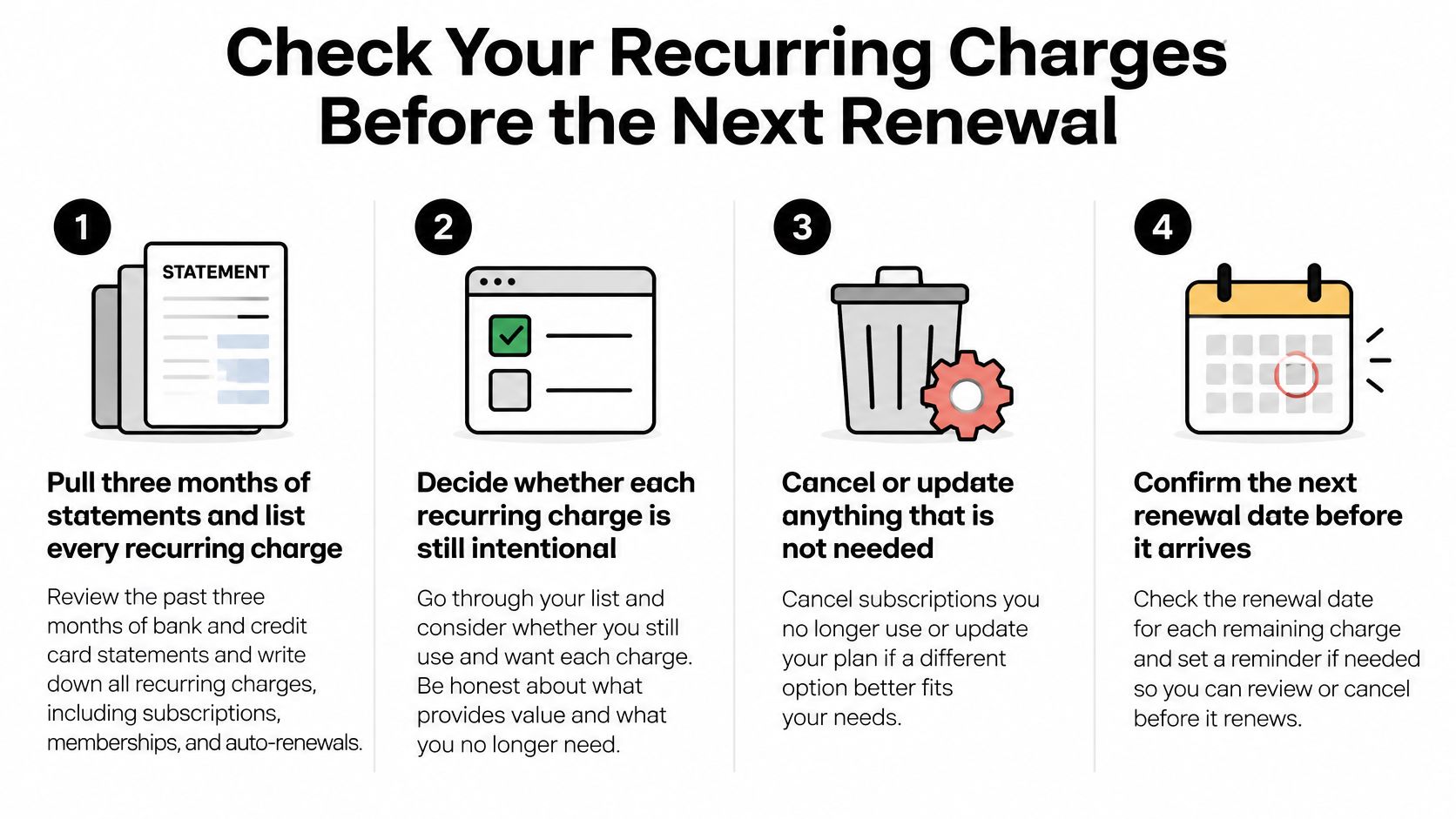
A statement-to-decision routine
Build your list. Pull recent bank and card statements and record each repeating merchant, amount, and interval. Include older statements when looking for annual renewals; our guide to finding all your subscriptions can help organize the search.
Mark used, unused, or unsure. Check household usage before cancelling shared services. At Compass+, we connect to bank and card accounts, read transaction history, and find recurring charges and subscriptions, which can speed up identifying what needs review.
Record the actionable deadline. Find both the renewal date and the cancellation cutoff in the agreement. For our store-billed subscriptions, the store can charge up to 24 hours before the current period ends, so cancel at least 24 hours before renewal to avoid the next charge.
Use the correct cancellation channel. For App Store or Google Play purchases, open the store's subscription settings and save the confirmation. Our app's Profile → Subscription screen takes you to those settings; other merchants may specify a different route.
Verify the result. Check the next statement for further settled charges and confirm the account shows the intended end status. Keep any unexplained payment separate from a pending entry while you investigate.
Match the expense to an actual habit
Usage context makes the review more meaningful than sorting merchants by price. If you're evaluating a language-learning expense, for example, compare your practice routine with the purpose of Gaeilgeoir AI's subscription plans for regular speaking practice. The relevant question is whether you're using what you're paying to access.
Keep a compact record containing transaction history, usage context, renewal timing, price changes, and proof of cancellation. Save the cancellation confirmation alongside the date you'll check again, so finishing the cancellation process doesn't depend on memory.
What to Do When a Recurring Charge Will Not Stop
An unexplained charge after cancellation needs a documented response. Start with the merchant, then escalate with evidence rather than repeatedly submitting cancellation requests without keeping a record.
Escalate in order
Put the request in writing. State when you cancelled, include the confirmation reference, and ask the merchant to confirm that future renewals are stopped. Request an explanation and refund review for any payment collected afterward.
Check the channel and effective date. Make sure you cancelled the actual billing agreement, not just a related app account. Read the relevant provider's terms, such as the Cradlo terms of use when reviewing a Cradlo account; for phone cancellation, note the call date, time, and representative's name rather than making an audio recording without checking applicable rules.
Contact your bank or card issuer promptly. If you didn't authorize the charge, or the merchant collected it despite an effective cancellation, ask about disputing it. Supply the merchant name, amount, transaction date, and cancellation evidence, and ask what filing deadline applies.
Preserve the full record. Keep statements, invoices, emails, confirmation screens, and call notes. Include unsuccessful retry notices too, since they can help explain the merchant's account history.
Seek external help if needed. If the merchant and payment provider don't resolve the issue, submit a complaint to the relevant consumer-protection agency in your country or state. Describe the outcome you want and attach the supporting documents.
For help locating the right route before escalating, consult our subscription cancellation guide. Keep your dispute file until you've verified the final account status and any promised refund, not merely until someone says the problem is fixed.
Compass+ reads connected bank and card transaction histories to identify recurring charges and subscriptions, helping you turn an unfamiliar debit into something you can review. Visit Compass+ to explore how connected-account monitoring can help you spot repeating expenses and decide what to keep before the next renewal.