Order Tracking with Order Number: A Simple Guide
Learn order tracking with order number: where to find it, how carrier and retailer lookups differ, fixes for common issues, and how to automate delivery alerts.
14 min read
You placed an order yesterday. The confirmation email gave you a delivery date, but you've already opened the order page twice before lunch. The retailer shows “processing,” while the carrier's website says the number doesn't exist. Which number should you enter, and does the silence mean your package is lost?
The answer usually starts with one distinction: an order number and a tracking number serve different systems. Once you know which identifier you have, most tracking problems become easier to diagnose. You'll also know what to do when a shipment stalls, arrives late, or says “delivered” even though you can't find it.
Table of Contents
- Why Everyone Checks Their Order Status So Often
- Order Numbers and Tracking Numbers Are Not the Same Thing
- How to Find Your Order Number and Track Your Package
- Troubleshooting When Tracking Fails or Stalls
- What to Do When a Package Is Late or Marked Delivered
- Automating Order Monitoring and Delivery Alerts
Why Everyone Checks Their Order Status So Often
Refreshing a tracking page can feel excessive, especially when you ordered only yesterday. In practice, checking shipment progress has become a normal part of buying online. A 2013 survey of 1,005 U.S. adults found that 81% of consumers who had made a shipment-requiring purchase during the previous year had tracked a package. Among those shoppers, 30% checked once or twice, 21% checked three to five times, and 30% checked six or more times. The survey results reported by EcommerceBytes show that package visibility was already an expected part of e-commerce well before today's live delivery maps.
That habit has become even more important. In a 2023 Forrester Consumer Pulse Survey, 81% of U.S. online adults said delivery-status tracking was important for retailers or brands to provide on their websites. Shoppers wanted information before and after checkout, including delivery dates on product pages, estimates in the cart, and updates in post-purchase messages. Pitney Bowes' summary of the research describes tracking as an ongoing service rather than a one-time lookup.
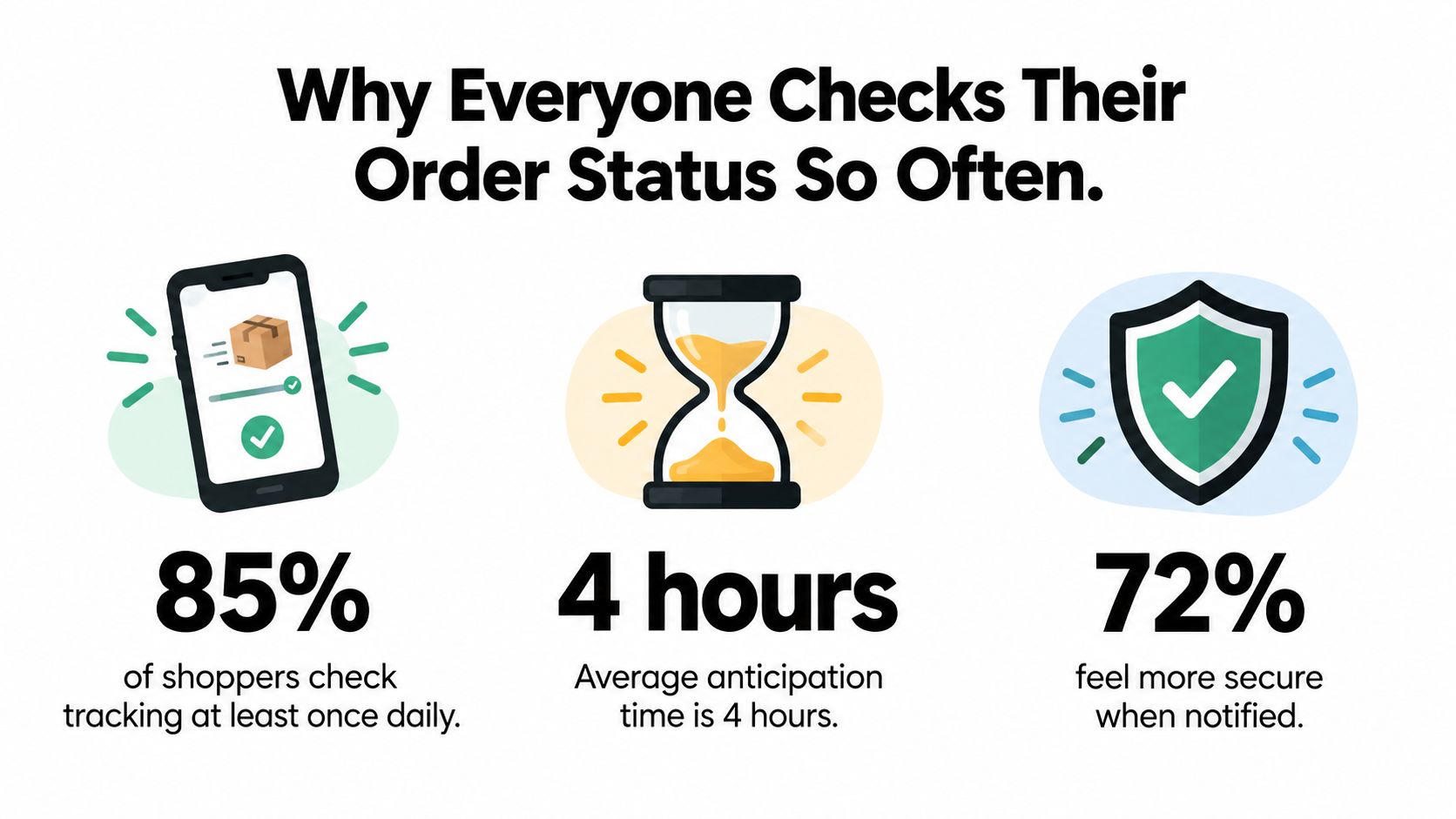
The reason is simple. A tracking page answers small but important questions: Has the retailer accepted the order? Has the parcel left the warehouse? Is a delay developing? Should you be home for delivery, or can you make other plans?
Shipping speed isn't always the main priority. The earlier survey found that 77% valued free shipping, compared with 19% who prioritized faster shipping. Tracking helped fill that gap by reducing uncertainty, even when shoppers chose a slower or less expensive delivery option.
Practical rule: A status page is useful only when you know which system produced the status and what the identifier actually represents.
Clear tracking can also help you notice a missed refund, a return deadline, or another money issue connected to a purchase. If an order problem is part of a wider household-finance check, you can use this guide to finding money you're owed or wasting as a separate reference.
Order Numbers and Tracking Numbers Are Not the Same Thing
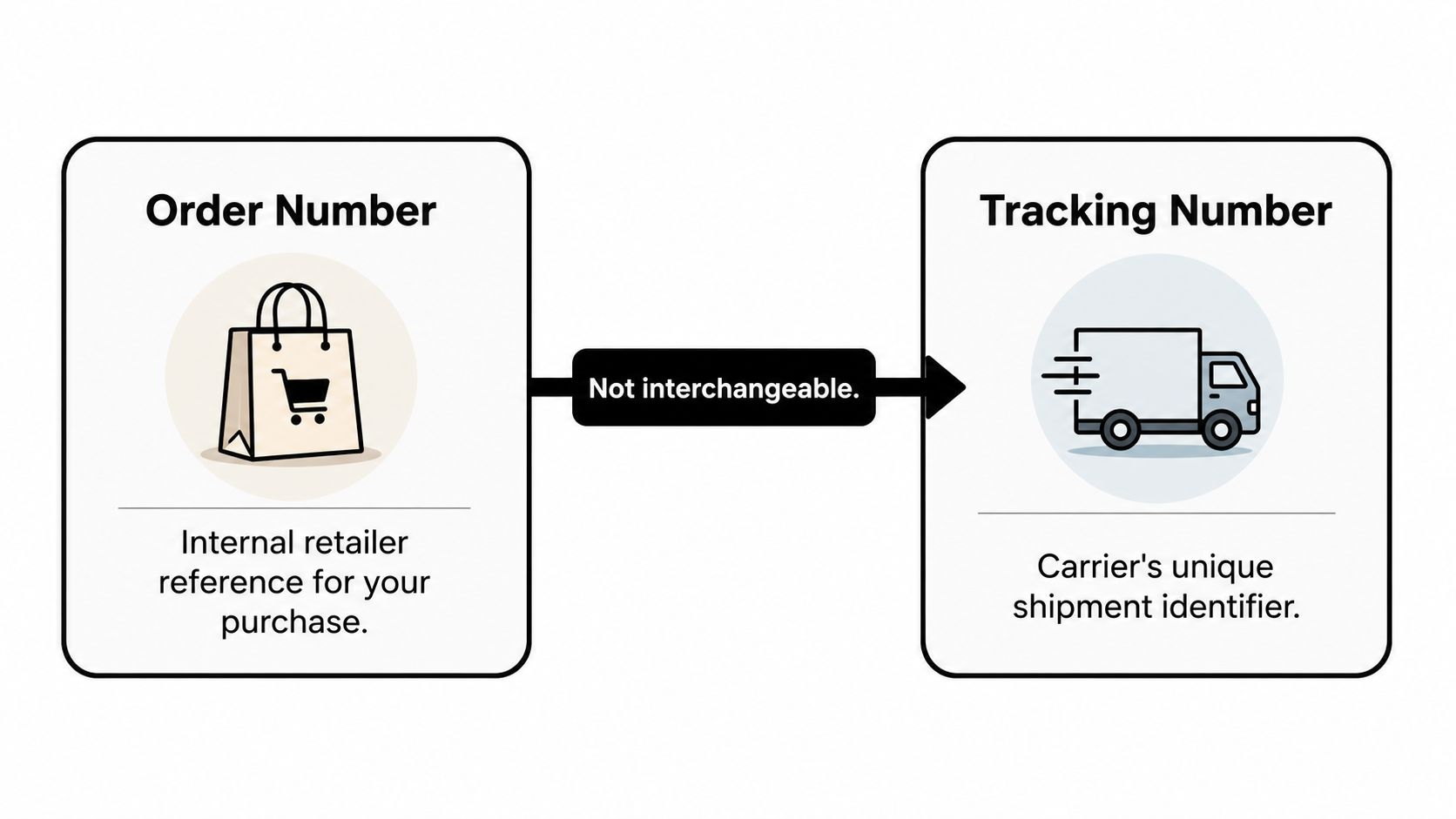
An order number identifies your purchase inside the retailer's system. It may connect to your items, payment, shipping address, fulfillment status, and promised delivery date. An order number might look like A-10482, #58391, or a marketplace reference with letters and numbers.
A tracking number identifies a shipment inside a carrier's system. It belongs to a parcel or consignment, and it connects to scan events such as acceptance, transit, an attempted delivery, or final delivery. The format depends on the carrier and service.
Use the retailer number for the retailer
You'll usually find the order number in the confirmation email, the order-history page in your shopping account, or a packing slip. Enter it on the retailer's order-status page, especially if you want to know whether the purchase is processing, split into shipments, or waiting for an action.
The order number may not work on UPS, FedEx, USPS, DHL, or another carrier website. That doesn't necessarily mean anything is wrong. The retailer may have accepted your purchase but not created a shipment yet, or it may have created a label without handing over the parcel.
Use the carrier number for movement
The tracking number usually appears in a shipping-confirmation email or in the retailer's order page after fulfillment begins. It's the number you should copy into the carrier's official tracking tool. If the retailer gives you both identifiers, treat the order number as the key to the purchase and the tracking number as the key to the parcel.
One order can also produce multiple tracking numbers. A retailer may ship items from different warehouses, or a marketplace seller may fulfill part of an order separately. Submitting the order number to a carrier can therefore create a misleading “invalid” result because the carrier is expecting a shipment identifier.
The simplest decision tree: If you're checking whether the retailer has processed the purchase, use the order number. If you're checking where a handed-over parcel has physically traveled, use the tracking number.
The timing gap causes many failed searches. An order confirmation can arrive immediately, while the tracking number may appear later. Even after a label exists, the carrier may not have recorded its first acceptance scan. A carrier can support reference searches in some situations, but capabilities vary by service, so the retailer's shipping notice remains the safest place to locate the correct parcel identifier.
How to Find Your Order Number and Track Your Package
Start with the confirmation message. Search your inbox for the retailer's name, “order confirmed,” or “shipping confirmation.” Look for labels such as order number, order ID, purchase number, shipment number, and tracking number. Don't assume that every long string of characters is a carrier reference.
If you have an account with the retailer, open the order-history page and select the purchase. This view usually gives you the retailer-side status, item details, delivery estimate, and any available shipment links. A packing slip can also show the order number, but it may not include a carrier tracking number.
Read the retailer's status first
The retailer's page tells you what has happened inside the seller's process. “Processing” often means the order is accepted but not yet shipped. “Shipped” means the retailer has associated the purchase with a shipment, although the carrier's first physical scan may still be missing.
For a carrier update, copy the tracking number exactly and visit the carrier's official website by typing the address yourself or using a saved bookmark. Avoid entering details through an unexpected delivery text or email. Fake delivery notices often use urgency to push shoppers toward a fraudulent page.
If you're coordinating several shipments, a practical overview of carrier portals for Kickstarter can help explain how shipment information is commonly organized across fulfillment workflows.
| Status Label | What It Really Means | What You Should Do |
|---|---|---|
| Ordered | The retailer recorded the purchase. | Check the order page for the promised date and any required action. |
| Processing | The seller is preparing or verifying the order. | Wait for a shipping notice unless the promised date is approaching. |
| Label created | A shipping label exists, but the parcel may not have entered carrier custody. | Don't treat this as proof of movement. Look for a later acceptance or transit scan. |
| In transit | The carrier has recorded movement between facilities or locations. | Follow the estimated date and watch for exceptions. |
| Out for delivery | The parcel has entered the delivery route. | Check access instructions and make arrangements if needed. |
| Delivered | The carrier recorded a delivery event. | Check the stated location and nearby safe places before escalating. |
| Exception | A problem is affecting normal movement or delivery. | Read the carrier's explanation and contact the seller if the issue persists. |
| Returned | The parcel is moving back to the retailer or sender. | Contact the seller promptly to discuss replacement, refund, or reshipment. |
A useful tracking page should connect the retailer's order record to the carrier's events. It shouldn't force you to guess whether a retailer reference is also a parcel reference.
Troubleshooting When Tracking Fails or Stalls
A failed lookup usually has a mundane cause. Start by copying the number again from the original message, removing spaces, and checking characters that are easy to confuse, such as 0 and O or 1 and I. Don't add punctuation unless the website displays it that way.
The number says invalid
You may be entering an order number on a carrier website. Return to the retailer's account page and look for a separate tracking field. If the order came through a marketplace, check which seller fulfilled it, because the marketplace order reference may not be the number used by the actual carrier.
A number can also be valid but inactive. The retailer may have created the record without handing the parcel to the carrier, or the carrier may not have completed its first scan. In that situation, the retailer's page can show progress before the carrier's system does.
The status says label created
“Label created” doesn't prove that the parcel has physically moved. It means the shipment record exists and a label was generated. Wait for an acceptance or transit event before treating the parcel as being in the carrier network.
If the promised shipping window has passed and no acceptance scan appears, contact the seller. The seller can confirm whether the parcel left the warehouse, correct an incorrect carrier assignment, or issue a replacement.
Nothing changes for several days
Some shipments move without producing a new public scan at every stage. International orders can have tracking gaps of 7 to 10 business days, particularly during long transit legs or customs processing, according to 17TRACK's tracking guidance. That gap can be normal, but it shouldn't make you ignore a missed promised date.
Use the promised date as your checkpoint, not the number of times you refresh the page.
If a domestic shipment remains unchanged after the seller's stated dispatch window, ask the retailer for a concrete explanation and a next action. Keep the order number, tracking number, confirmation email, and any messages together. For help with a broader support question, you can contact Compass+ support.
What to Do When a Package Is Late or Marked Delivered
A delivery estimate and a guaranteed delivery date aren't automatically the same. An estimate describes when the retailer or carrier expects the parcel to arrive. A guarantee is a specific promise tied to stated terms, and those terms determine whether a credit, refund, or other remedy may be available.
Save evidence before the order page changes. Take screenshots of the promised date, the order status, the tracking timeline, and any message that uses words such as “guaranteed.” Keep the confirmation email and your conversation with the seller. These records make it easier to show what was promised and what happened.
Escalate to the right party
In many consumer transactions, the retailer remains responsible until you physically receive the goods. Ireland's Competition and Consumer Protection Commission states that the retailer, rather than the courier, remains responsible until delivery to the buyer, and that specified non-delivery situations may allow cancellation and a refund that includes delivery fees. Its consumer guidance also illustrates why the exact terms and jurisdiction matter.
Start with the seller, even when the carrier caused the visible delay. Ask the retailer to investigate, replace the order, refund it, or explain the applicable remedy. A carrier claim may be useful afterward, but the buyer's purchase contract is generally with the retailer.
If tracking says delivered but the parcel is missing, check the delivery photo, safe-place instructions, building reception, household members, and nearby neighbors. Verify the address on the order, then contact the seller quickly if the package still can't be found. Ask for the carrier's delivery details and preserve the case number.
A U.S. Amazon delivery dispute shows why you shouldn't assume that every late estimate creates an automatic payment. Advertised dates may be treated as estimates unless they're explicitly marked “guaranteed,” and the court found insufficient evidence of a consistent deceptive pattern. The practical question is not just “Was it late?” It's “What did the seller promise, and what remedy did those terms provide?”
You can also review how to track a refund when the seller agrees to return your money but the refund hasn't appeared.
Never follow an unexpected delivery link asking for payment, identity details, or account credentials. Open the retailer or carrier website independently and enter your information there.
Automating Order Monitoring and Delivery Alerts
Manual refreshing is a poor monitoring system. It makes you remember every shipment, notice every change, and recognize when a delay becomes serious. Automated alerts move that work into the background.
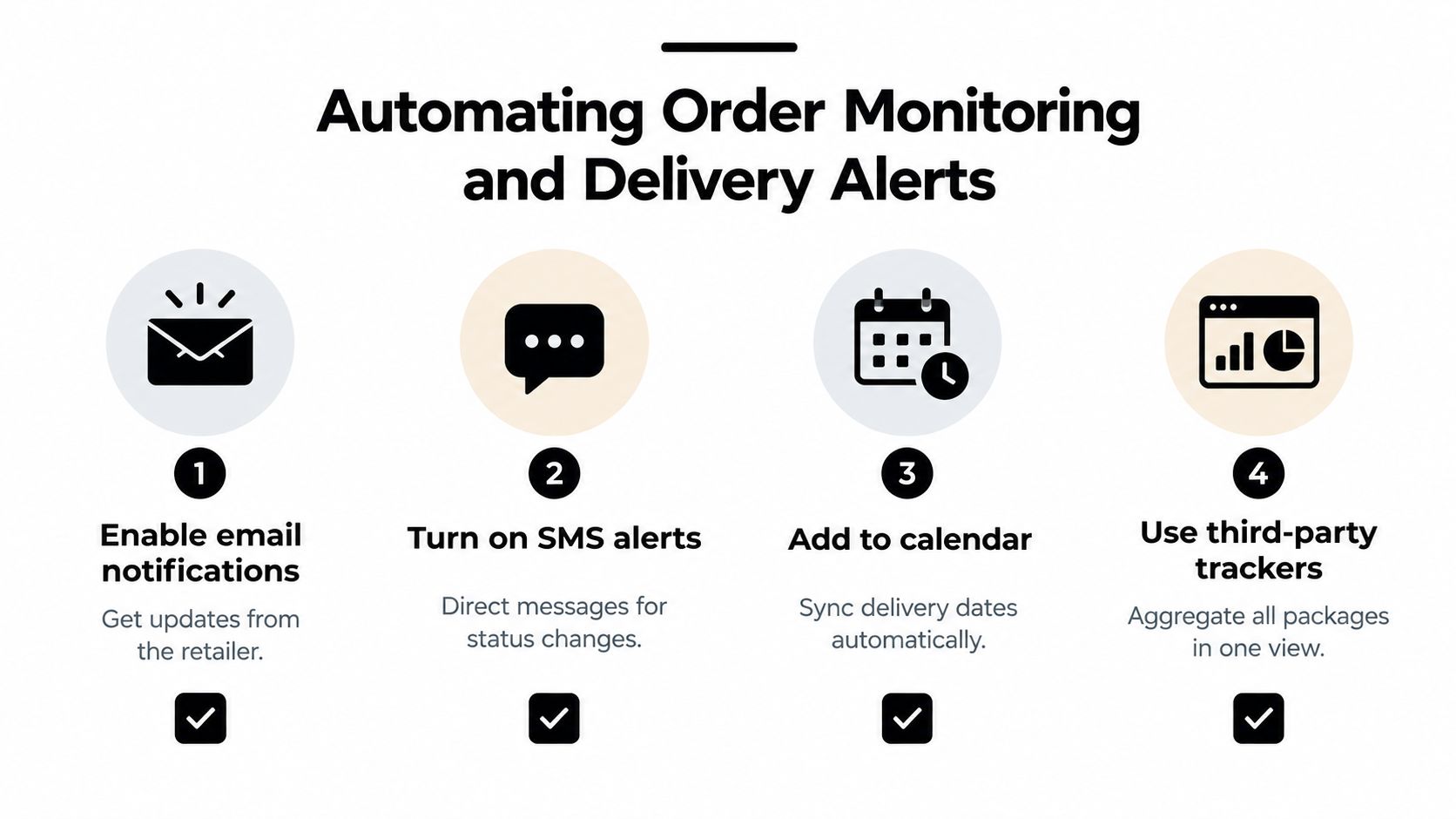
Start with the retailer's notification settings, then enable carrier email or text updates when available. Add important delivery dates to your calendar, particularly when someone needs to be home or when a return window matters. For teams managing customer orders, a reliable workflow should also preserve carrier events, remove duplicates, and escalate exceptions instead of displaying a single vague status.
Build alerts around useful events
A notification should tell you what changed and what action makes sense. “In transit” may not require attention. “Exception,” “delivered but not confirmed,” or “promised date passed” does.
For automated systems, the order number should first resolve to the retailer's shipment records. The workflow can then retrieve the carrier name, tracking number, fulfillment state, and promised date before querying the carrier. It should distinguish the merchant-promised date from the carrier estimate and the actual delivery timestamp.
Polling should stop after delivery or return, while active shipments can use less frequent checks when no new scan appears. Repeated carrier events should be deduplicated using details such as the event code, timestamp, and location. These practices prevent noisy alerts and make late-delivery analysis easier to verify.
For businesses sending text updates, proven SMS triggers and compliance tips provide useful context on event selection and message permissions.
Compass+ is one option for shoppers who want background monitoring across connected shopping and email accounts. It can identify orders, track delivery information, and surface opportunities such as a missed delivery credit or a post-purchase price drop with a recommended next action and estimated amount. Availability and connected-account coverage may change, so check the current product details before setting it up.
Before you close the tracking tab today:
- Confirm the identifier: Use the order number with the retailer and the tracking number with the carrier.
- Save the promise: Keep the confirmation email and promised delivery date.
- Watch the right event: Treat “label created” as preparation, not physical movement.
- Escalate with evidence: Contact the seller when the date passes, an exception persists, or a delivery is missing.
- Automate repetition: Enable retailer and carrier alerts so you don't have to refresh manually.
Compass+ monitors connected shopping, email, calendar, and financial information to surface delivery credits, post-purchase price drops, refunds, and other savings opportunities with concrete next steps. Visit Compass+ to join the waitlist or learn how automated order monitoring can help you recover money that manual tracking misses.