Month to Month Subscription: Pros, Cons and Hidden Costs
Learn how a month to month subscription works, how it compares with annual plans, and how to cancel without paying for another billing cycle.
19 min read
A month-to-month subscription renews automatically for one billing period at a time, giving you the option to stop before the next renewal. That flexibility can cost more than committing to a longer plan, so check both the price and the cancellation deadline.
Managing renewals means tracking more than the charge amount. A reading app, meal service, or fitness membership may bill on a different date and through a different merchant. Bank of America's analysis of consumer subscription spending patterns examines spending on non-utility subscriptions, a useful reminder to review recurring charges across your accounts.
Cancelling is only half the job. Confirm that the service has stopped future billing, then compare the savings with any cost of rejoining later. If you might return, that break-even check can help you decide whether to cancel now or keep paying.
Table of Contents
- What a Month to Month Subscription Actually Means
- Monthly, Annual and Multi-Year Plans Side by Side
- Pros and Cons of Paying Month to Month
- How Small Monthly Charges Add Up Unnoticed
- Cancel, Pause or Downgrade Using a Break-Even Check
- Cancel and Confirm Billing Stopped
- How Compass+ Catches Renewals Before They Bill
What a Month to Month Subscription Actually Means
A month to month subscription bills you once per billing period, renews automatically, and lets you stop before the next charge without a penalty for leaving early.
Say you pay $15 on the 9th. You cancel on the 12th, which is day 3 of that paid period. You usually don't get those first days refunded, but your access continues until the 9th of next month and no new $15 charge should follow. That's the core bargain. You've bought one period at a time.
The Three Moving Parts
Three parts decide whether that bargain works for you.
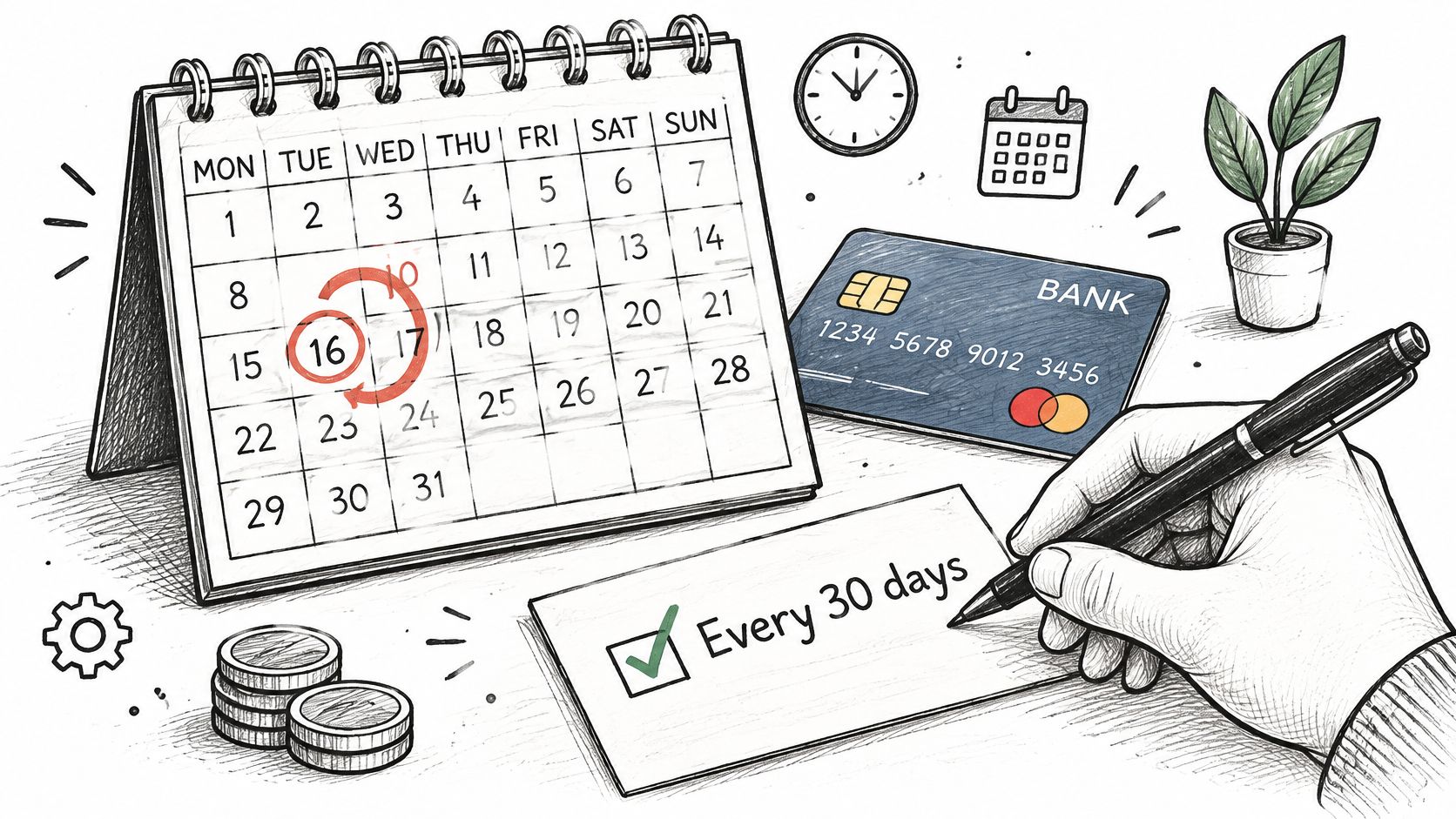
- The billing cycle: This is when money leaves your account, often every 30 days or on the same calendar date each month.
- The renewal: This is what happens if you do nothing. The plan continues and charges you again.
- The notice window: This is your deadline to act. Some merchants need you to cancel a day or two before renewal, not on renewal day itself.
Picture it as renting. A monthly tenancy lets you leave with notice. A twelve-month lease keeps your money committed whether you stay or go. Monthly billing is the tenancy version. It's easier to leave, but you still have to give notice on time.
Edge Cases People Miss
The details can move. A plan billed on the 31st may shift in shorter months. Some monthly plans add setup fees, require a first term before you can leave, or start with an introductory price that later returns to a higher standard rate. The month you've already paid for is also often non-refundable once it has started.
Monthly plans are now ordinary, so understanding how they work is worth the effort. In 2025, the average US online adult had more than four monthly subscriptions, according to Forrester's 2025 report on US consumers and their subscriptions. With that many renewal dates, guessing isn't a system.
The same test applies beyond apps and streaming. If you're weighing a contract-free service for your home, for example, you can compare contract-free internet coverage and costs and still ask the same two questions before you sign up.
Can I stop before the next charge, and do I know the exact date?
If you can't answer both parts, you don't yet control the plan. The plan controls the timing.
Monthly, Annual and Multi-Year Plans Side by Side
| Feature | Month to month | Annual | Multi-year (2-3 years) |
|---|---|---|---|
| Billing frequency | Every billing period, often 30 days or the same calendar date | Once a year, $150 in the example | Once per 2-3 year term |
| Cancel before renewal | Allowed at any time, access ends at period end | Usually locked until the term ends | Locked until the term ends, early exit often triggers remaining payments |
| Refund for unused time | Rarely, service continues to period end | Sometimes prorated, often not | Varies by provider and terms |
| Price changes | Can be repriced at each renewal | Fixed until the term ends | Fixed until the term ends, then repriced |
| Best fit | Uncertain, seasonal or short-term use | Steady use across a year | Core tools used for years with proven value |
Read that table from left to right as a trade. You give up commitment, and you usually pay more per month. You gain commitment, and the seller can afford to charge less per month because your money is locked in for longer.
Work the $15 Example
Use a simple example before you use your own numbers. A service costs $15 per month or $150 per year. The annual price works out to about $12.50 per month, so it looks like a saving of about 17% compared with paying monthly for twelve months.
If you use it all year, the annual plan does win. You pay $150 instead of $180. That's $30 saved for a service you wanted anyway.
Now change one fact. You cancel after four months because a project ends, you move, or you stop opening the app. On monthly billing, you've paid $60. On the annual plan, you've still paid $150 for four months of use if there's no refund. The discount has turned into a loss because you bought months you didn't need.
Multi-year plans push that same logic further. The per-month price is often the lowest on the page, but the exit cost is the highest because more unused time can be trapped inside the term, and remaining payments may still be owed or only partly refunded depending on the terms.
Three Questions Before You Choose a Length
- How long will I need this: Weeks, a season, or years?
- How sure am I that I'll use it: Is this a habit already, or a hope?
- What does leaving early cost me: Do I lose prepaid months, owe the rest, or just stop at the next renewal?
Timing matters for cash flow too, not just total cost. A large annual charge landing in a tight week can create a problem a smaller monthly charge wouldn't, which is why it's worth thinking about how bill timing affects overdraft risk before you prepay.
Rule of thumb: Pay the premium for flexibility when use is uncertain or seasonal. Take the discount only for a service you'd renew anyway.
Replace the example prices with the actual figures on your plan page. The math only helps when it's your math.
Pros and Cons of Paying Month to Month
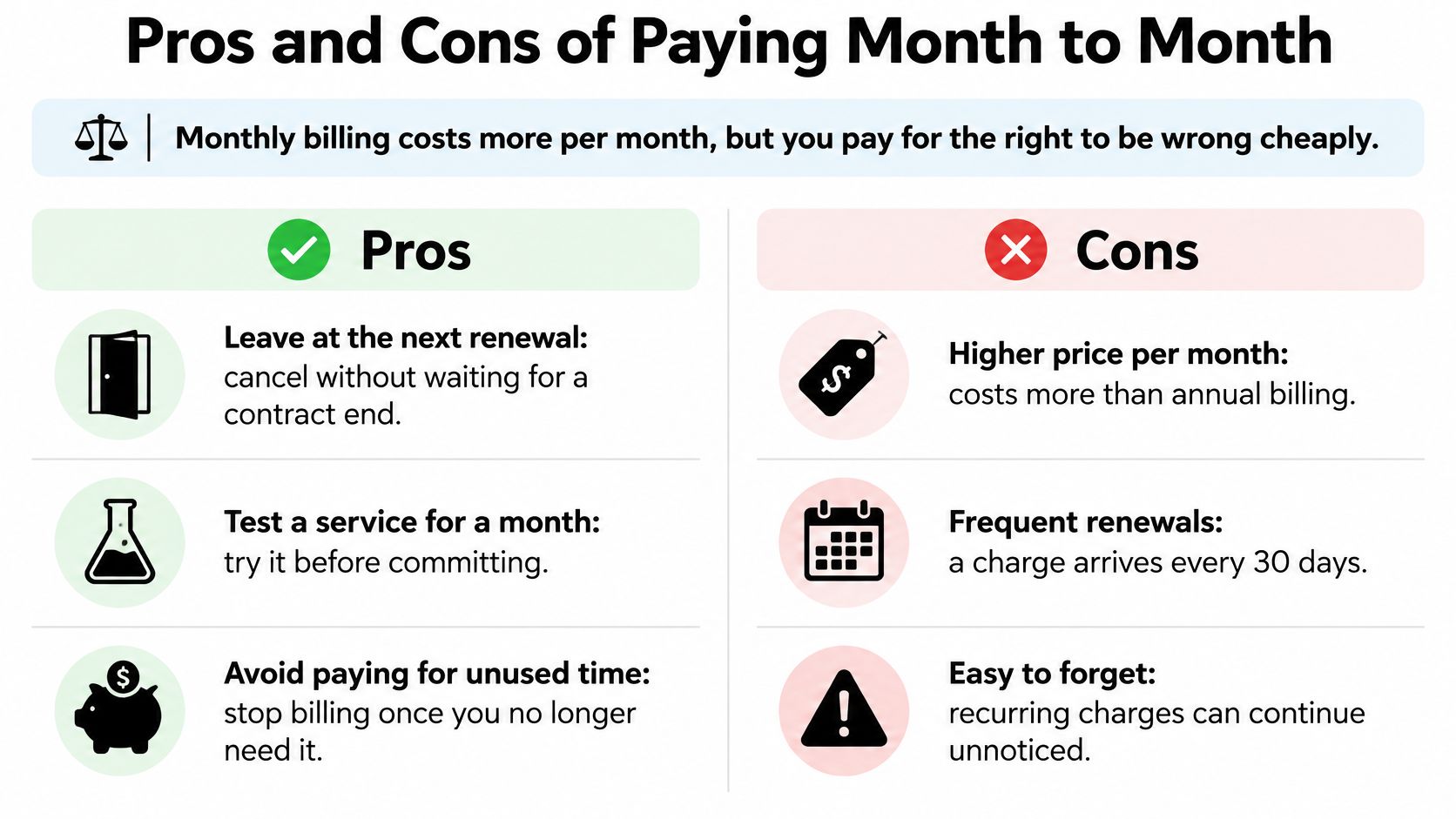
Monthly billing costs more per month, but it buys the right to be wrong cheaply. You can test a service for one cycle, leave when your routine or budget changes, and avoid paying for unused months. That flexibility works like a short trial you can keep renewing, though each renewal comes at the monthly rate.
The option to leave matters to streaming households: in 2025, 38% of households paying for streaming services had either canceled or planned to cancel a service, up from 35% in 2024, according to EY's Decoding the Digital Home study on cost-conscious streaming subscribers. When prices rise or viewing drops, a monthly plan lets you respond at the next renewal instead of waiting for a longer term to end.
Where Monthly Billing Lets You Down
The trade-off shows up in several ways:
- Higher unit price: You'll usually pay more each month than an annual customer pays for the same service.
- More chances to forget: Each renewal gives you a chance to reconsider, but if you take no action, payment continues.
- Earlier price rises: A merchant may raise the price at a monthly renewal rather than wait for a longer term to end.
- Unused flexibility: The option to leave has little value if you miss the renewal date or never review the charge.
Contract length alone also doesn't tell you whether customers will stay. A machine-learning study of online newspaper subscriptions found that monthly subscriptions were associated with a lower predicted likelihood of churn than one-year subscriptions, according to research on using machine learning to understand newspaper subscriber churn. That is a prediction from one study, not proof that monthly plans are better or worse for buyers. It does show why a longer commitment shouldn't automatically be treated as evidence of greater loyalty.
Choose an annual plan because you expect to keep using the service, not because commitment feels disciplined. Choose monthly billing when the freedom to leave is worth the higher price, and you'll act when your needs change.
There's a catch: cancelling is only half the job. Check that billing has stopped. A cancellation request and a stopped payment are not the same thing, so confirm the account status and watch for another charge.
Monthly billing makes more sense if you review renewals and respond to price changes or months of low use. If you're unlikely to check, the annual discount may suit you better, provided you're confident you'll keep using the service.
How Small Monthly Charges Add Up Unnoticed
A C+R Research survey found a gap between what people expected to spend on subscriptions and what they reported paying. Among 1,000 US consumers, respondents estimated an average of $86 per month and reported an average of $219, a difference of $133 monthly, according to coverage of how much Americans spend on subscriptions. These were self-reported estimates, not a measured total from account records.
Recurring charges are easy to lose track of. Autopay means a payment can continue without a fresh decision, while subscriptions may appear on different dates and under billing names you do not recognize. Together, those habits make the total hard to recall.
Two Forces Hide the Total
Autopay removes the repeated choice to pay. You approve a charge once, then the money leaves each billing cycle unless you take action.
Scattered billing adds another layer. Charges arrive on different days, and the merchant name on a statement may not match the app or service name you remember.
Five services at $12 each make the effect clear. Each charge may seem minor on its own, but together they cost $60 a month, or $720 a year. It is like a slow leak: one drip is easy to ignore, while the full meter shows what is being lost.
Subscriptions can also be difficult to count from memory. Forrester reported that 50% of US online adults had four or more monthly subscriptions, based on 2024 data published in 2025, in Forrester's summary of what US consumers want subscription companies to improve. With several renewal dates and prices to remember, estimates can miss charges.
The practical problem is visibility and memory. Make one dated list of each merchant, amount, next renewal and whether you still use the service. To start, use this guide to find every subscription currently billing you. Then compare the list with your statements: cancelling a service is only half the job, so check that its billing actually stops.
Cancel, Pause or Downgrade Using a Break-Even Check
A subscription you use for only part of the year can cost less if you cancel between active periods. Compare a full year of payments with the cost of the months you need, then include any price increase, reactivation fee, or lost promotion.
Keep for a year: monthly fee × 12.
Cancel and rejoin: monthly fee × months needed, plus any extra return costs.
The prices below are examples. Replace them with the fee, taxes, and terms on your account before deciding.
| Scenario | Monthly fee | Months needed per year | Keep all year | Cancel and rejoin |
|---|---|---|---|---|
| Streaming, watched 4 months a year | $15 | 4 | $180 | $60 plus any higher rejoin price |
| Streaming, watched all year | $15 | 12 | $180 | $180 |
| Design tool for one 3-month project | $25 | 3 | $300 | $75 plus any reactivation fee |
| Fitness app used 2 months a year | $30 | 2 | $360 | $60 plus any lost promotion |
Compare the Choices
For the streaming service used four months a year, staying subscribed costs $180. Canceling during the other months costs $60 at the same monthly rate, leaving $120 to cover a higher return price before the full-year option becomes cheaper.
If you use the service throughout the year, both choices cost $180 before extra fees. Canceling then saves nothing and may mean losing an older rate.
A design tool needed for a three-month project costs $75 for those months, compared with $300 for a full year. Export your files before canceling, and check whether returning later requires a fee.
For the fitness app, two months at $30 costs $60. Paying for all twelve months costs $360, so a pause or downgrade may be worth comparing if you expect to use the app again soon.
Work Out Pause and Downgrade Costs
A pause is worthwhile only if its total cost is lower than canceling and returning. For example, if the $30 fitness app offers a one-month pause fee of $5 and you need it for two months, the pause costs $65 for the year: $60 for active months plus $5 for the paused month. That is $5 more than canceling and rejoining at the same price. If reactivation costs more than $5, the pause could instead be cheaper.
A downgrade uses the same comparison. Suppose the $15 streaming plan can be reduced to a $5 tier for eight months, with no fee to switch back. Keeping the lower tier during those months costs $40, compared with $120 for eight months at the full price. The downgrade saves $80, as long as it retains the features you need and the price to switch back does not erase that saving.
Check the Cost of Coming Back
Canceling and rejoining is common, according to Mastercard research on the subscription economy. Still, don't assume you'll return at today's price. Prices can rise, promotions may not return, and a free trial can turn into a charge if you forget to cancel. Check the current price and return terms before leaving.
- Cancel when you will skip enough months to cover any higher return cost.
- Pause when its fee is lower than canceling and rejoining, and the restart terms are clear.
- Downgrade when the lower tier keeps the features you need and saves more than switching back costs.
- Keep the plan when you use it most months or would lose a valuable rate.
The break-even question is simple: how many months must you stay away for the savings to exceed the cost of returning? If one month away saves $15 but returning means paying a higher monthly rate, a pause may cost less overall. If eight months away saves $120 and you give up nothing valuable, canceling may be the better choice.
Cancel and Confirm Billing Stopped
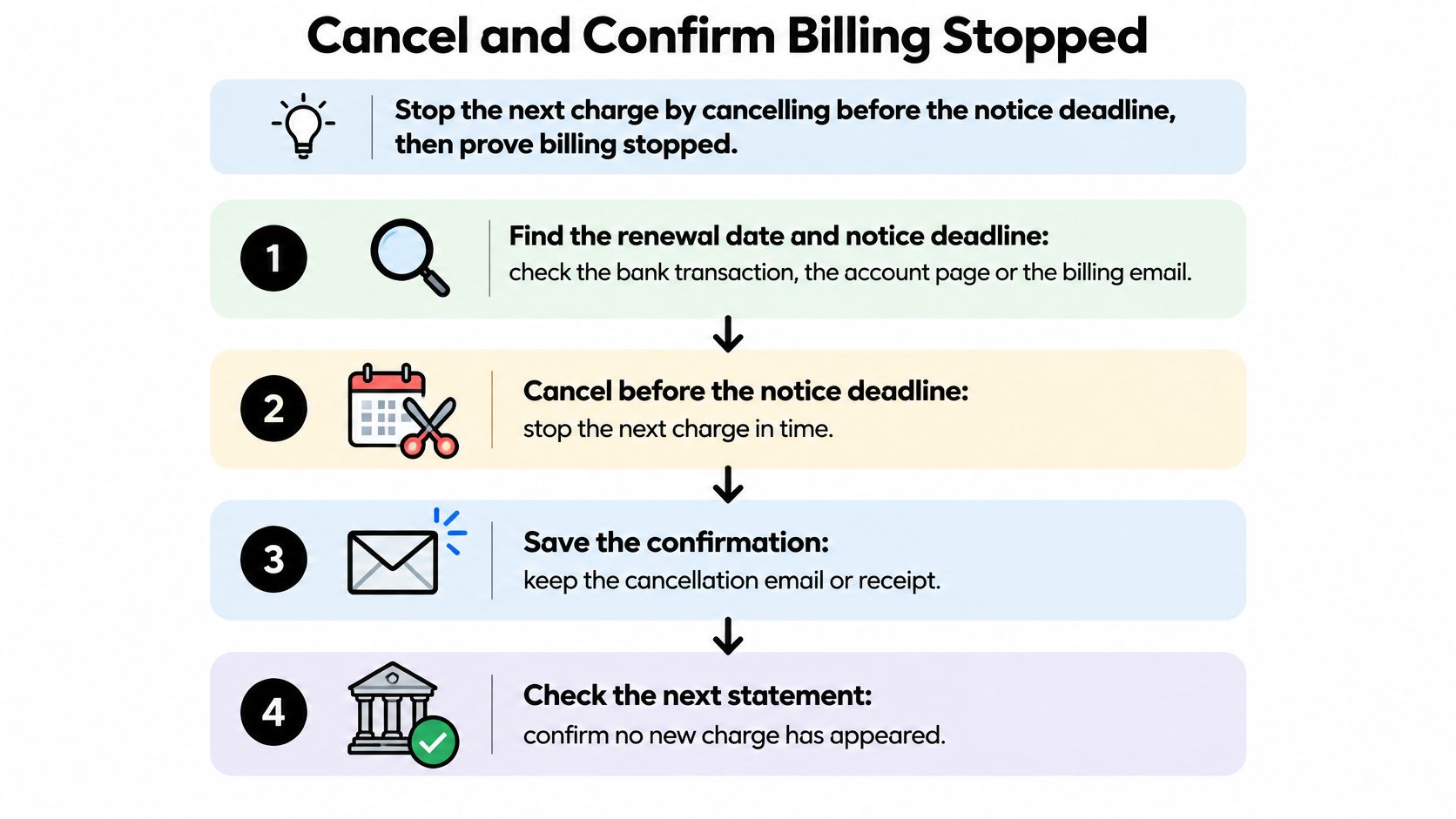
Canceling is only half the job. The other half is confirming that the merchant has stopped charging you. A saved confirmation and a quick review of later statements can catch a billing error before it repeats.
The Cancellation Audit
Use this checklist to close the loop:
- Find the renewal date and notice deadline. Check the bank transaction, account page, and receipt email. The deadline may fall before the renewal date, so acting on the day a payment is due could be too late.
- Cancel through the channel where you signed up. A website plan may keep billing if you only delete the app or cancel through an app store. Match the cancellation route to the merchant shown on the actual charge.
- Choose cancel over pause unless the pause terms are clear. Some pauses restart billing automatically. If the page does not state the cost and restart date plainly, cancellation is easier to verify.
- Save the confirmation. Keep a screenshot or email, plus the reference number, date and time, plan name, and final price. These details give you evidence if a charge appears later.
- Get the access end date in writing. This tells you how long you have paid access and helps distinguish a legitimate final charge from a new renewal.
- Check your next two statements. Review the account after the old renewal date, then again during the following cycle. A monthly plan gives you a prompt chance to catch a repeat charge, provided you look.
- Tell final charges from new renewals. A prorated final amount you agreed to during cancellation differs from a full new month billed after the promised end of access.
- Dispute a post-cancellation charge with evidence. Contact your bank or card issuer and provide the cancellation confirmation, access end date, and later transaction.
For step-by-step instructions on how to cancel subscriptions through the right channel, start with the merchant that processes the charge. The confirmation and statement checks matter just as much as completing the cancellation form.
Why Verification Is Not Paranoia
Cancellation protections have changed. The FTC's 2024 negative-option rule, which addressed recurring-charge disclosures, consent, and cancellation, was vacated by a federal appeals court in 2025. It should not be treated as a currently binding nationwide rule. Consumer protections now mainly come from state laws, card-issuer dispute rights, and the merchant's terms. The FTC negative-option rule on recurring charges and cancellation remains a source about the rule, not proof that it is in force.
The rule's materials cite survey evidence that more than half of respondents took an average of three months to cancel unwanted recurring payments, while 71% reported losing more than $50 per month. Complaint reports also describe charges continuing after cancellation and difficulty reaching support. The reporting on rising subscription and autopay complaints covers those consumer concerns.
The common mistakes are ordinary: canceling on renewal day after the notice window has closed, trying to stop website billing from inside an app, or forgetting to cancel before a free trial converts to a paid plan. Each mistake can leave the account active even when you thought you had ended it.
Monthly billing can make the risk easy to dismiss. One extra charge may seem small, but if it repeats, you keep paying for a service you no longer use. Checking the statement is the simple test that tells you whether cancellation worked.
Easier cancellation does not guarantee billing stopped. The key question is whether the next charge actually disappears.
Save your proof and mark the next two statement dates. If another charge appears, compare it with your confirmation and access end date, then investigate it promptly rather than absorbing it as an unexplained cost.
How Compass+ Catches Renewals Before They Bill
A renewal can be easy to miss even when you know how to cancel. The harder question is whether billing really stopped. Compass+ is designed to help track recurring charges and identify when a subscription may need attention, so you do not have to remember every merchant, renewal date and notice deadline yourself.
It monitors activity at the billing-cycle level. In plain English, it looks for repeat charges from the same merchant rather than treating each payment as unrelated. It can track expected transactions, renewal frequency, how long a subscription has been active and price changes. Those patterns can help flag a low-use monthly plan before another payment is due.
What It Watches
- Bank transactions: With read-only transaction access, recurring charges can be identified without setting up payments through Compass+.
- Receipt and renewal emails: Receipt, renewal and refund messages can help explain a changed charge or show when a trial is due to convert.
- Calendar dates: Renewal dates and return windows can be compared with deadlines, giving you a chance to act before a notice window closes.
Each source fills in a different part of the picture. A bank transaction shows that money left your account. An email may explain that a promotional price ended. A calendar date reminds you when action is due. Any one source can leave out context, much like checking only one page of a bill.
What You Get Back
The goal is to turn recurring-charge patterns into decisions, not another spending report. Compass+ can flag low-use subscriptions, free-trial conversions, duplicate charges and bill creep. Bill creep means the same merchant keeps charging on its usual schedule while the amount rises. Each finding is paired with an estimated amount and a suggested next step.
There is also a post-cancellation check. If a charge appears from a merchant you thought you had left, the later transaction can be connected with the cancellation context. A cancellation confirmation is only one part of the job. Checking the account afterward helps establish whether billing really stopped.
The standalone Compass+ experience is available by waitlist. Whichever tools you use, start with one list: write down each monthly plan, its amount, renewal date, notice deadline and whether you used it this month. Set reminders before the deadlines. Flexibility has a cost, and it is useful only when you can act before the next charge.
Compass+ monitors recurring charges and can flag low-use plans and price increases before they bill, with a suggested next step for each finding. You can join the waitlist to keep renewal dates and post-cancellation charges on your radar.