Managing Your Money: Budgets, Bills and Savings in 2026
Learn managing your money step by step: set a budget split, track spending, review recurring bills, build a cushion and recover refunds in 2026.
18 min read
Your paycheck cleared nine days ago. The balance already looks smaller than it should, and nothing dramatic happened. There was a grocery run, a handful of card taps, an annual fee that renewed on a Tuesday nobody chose, and a refund a store promised and never sent. None of those items is big enough to feel like a problem on its own.
Together they decide whether the month ends with money in savings or a credit card balance you carry into next month. That's the whole discipline of managing your money in 2026. The loud decisions (rent, salary, insurance) get attention because they announce themselves. The quiet recurring ones run in the background and only show up if you build something that surfaces them.
What follows is the cycle I'd hand to anyone who wants one repeatable routine instead of six apps and good intentions. It takes about 30 minutes a month once it's running, and it treats subscriptions and owed refunds as line items with deadlines rather than as one-off cleanups.
Table of Contents
- Start With a Monthly Budget That Actually Balances
- How to Track Where Your Money Goes Each Month
- Review Recurring Charges Before They Renew
- Build an Emergency Cushion Before You Spend Extra
- Recover Refunds, Credits and Overcharges Fast
- Automate the Savings Checks You Would Otherwise Skip
- Set Up Your Monthly Money Check This Week
Start With a Monthly Budget That Actually Balances
A budget isn't a list of things you can't buy. It's a plan that gives every dollar a destination before you spend it. The default I start almost everyone on is the 50/30/20 split: 50% of take-home pay to needs, 30% to wants, 20% to savings plus extra debt payments. On $4,000 a month, that breaks down like this.
| Group | Typical expenses |
|---|---|
| Needs ($2,000, 50%) | Rent, utilities, groceries, insurance, minimum debt payments, transport |
| Wants ($1,200, 30%) | Dining out, streaming, travel, hobbies, shopping |
| Savings and extra debt payments ($800, 20%) | Emergency fund, retirement contributions, extra loan payments |
Needs are the bills that keep the lights on and get you to work. Wants are what makes the month pleasant. The arguments happen at the edges, and the rule there is consistent: keep the working version in needs and move the upgrade to wants. A phone plan is a need. The handset upgrade stacked on top of it is a want. Groceries are a need. The delivery fee for them is a want.
Why a written split beats a good instinct
Many shoppers have reasonable instincts about whether they can afford something today and weak instincts about what it costs them over a year. The OECD/INFE International Survey of Adult Financial Literacy puts average financial literacy at 60 out of 100 across participating economies. It found that 84% of adults understood the definition of inflation and 70% said they carefully considered whether they could afford something before buying it, but only 63% could correctly apply the time value of money to their own savings.
That gap is what a written split closes. It converts "can I afford this today" into "what does this do to the 20% line this month," which is a question with an answer.
When rent or debt breaks the split
Housing at 40% of take-home pay wrecks the 50% needs line, and pretending otherwise makes people abandon the whole plan in week three. Shrink wants first, down to 20% if you have to, and hold savings at no less than 10% of take-home. Retirement contributions and extra debt payments both count toward that floor.
Then look at timing. A plan can balance on paper and still bounce, because rent, the car payment, and three automatic debits can all land in the same week. Timing your bills around your pay dates fixes that before you tighten a single category.
It's also worth knowing which system you're running. The percentage split flexes with income; zero-based budgeting assigns every dollar until the plan reaches zero and nothing is left unallocated. This comparison of zero-based versus 50/30/20 budgeting shows where each one breaks down, and picking deliberately beats switching systems every other month.
The three-step check
- Write the split with your real number. Take-home pay, not gross salary, and not the bonus that might arrive in March.
- Tag every expense into one group. When something straddles two, put the base cost in needs and the upgrade in wants.
- Name the group that's already over. Use last month's actual spending, not the plan you intended.
That third step is where the work starts.
How to Track Where Your Money Goes Each Month
The budget you wrote and the month you had are two different documents. The gap between them is rarely rent or salary. It's fifteen small card payments nobody counts: coffee, a rideshare, an in-app upgrade, the second grocery run because you forgot the first one.
The picture below is the short version. The routine I'd run is five steps, because the fifth one decides whether the budget survives.
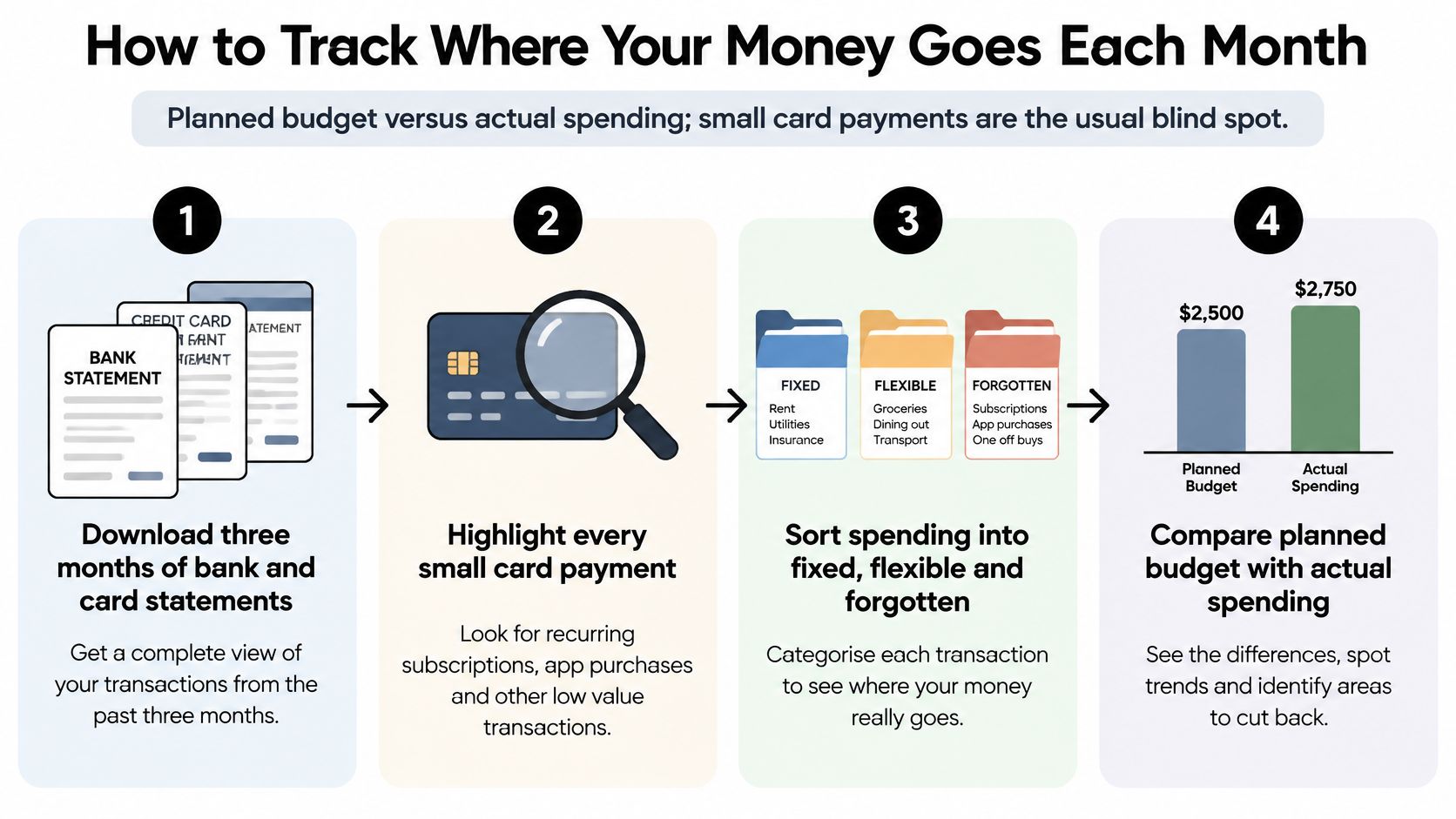
- Download three months of statements from every bank and card account. Three months, not one, because annual and quarterly bills hide inside a single month. The common slip is pulling only the account you think of as your main one and missing the card that handles every subscription.
- Sort each transaction into needs, wants, or savings and debt. Go finer if you like: groceries, transport, dining, subscriptions. A category with a name is a category you can cap. The slip here is counting transfers between your own accounts as spending; moving $500 into savings isn't an expense, and double-counting it makes the whole exercise look hopeless.
- Total each category and divide by three. That gives a monthly average that includes the annual insurance premium and the quarterly water bill. One month's total will lie to you. Cash is the other hole: if you withdraw $100 a week, log it, or your statements will understate dining and groceries by exactly that amount.
- Compare each total with its planned limit and flag anything more than 10% over. A category 3% over is noise. The slip is raising the limit to match the spending instead of deciding whether the spending was worth it.
- List your five largest expenses. Five, because they usually decide the month. If rent, childcare, groceries, transport, and one debt payment eat most of your take-home, no amount of coffee discipline will balance the plan.
A category 10% over is noise. A category 50% over is a decision you've been avoiding.
What it looks like when the numbers don't balance
Say the plan is $4,000: $2,000 needs, $1,200 wants, $800 savings. The sorted statements come back with $2,350 in needs and $1,500 in wants. Wants is $300 over, which is the natural place to look first, and rightly, since it's the easiest bucket to cut. But needs is $350 over as well, and together those two overruns leave $150 of the $4,000 for savings. Both lines need attention before the $800 target is realistic.
Small businesses run the same drill with bigger numbers, and the lesson transfers cleanly: managing cash flow for small businesses lives or dies on timing and visibility, not on how hard anyone works.
Review Recurring Charges Before They Renew
A statement review catches the big items. A renewal review catches the ones built to be invisible.
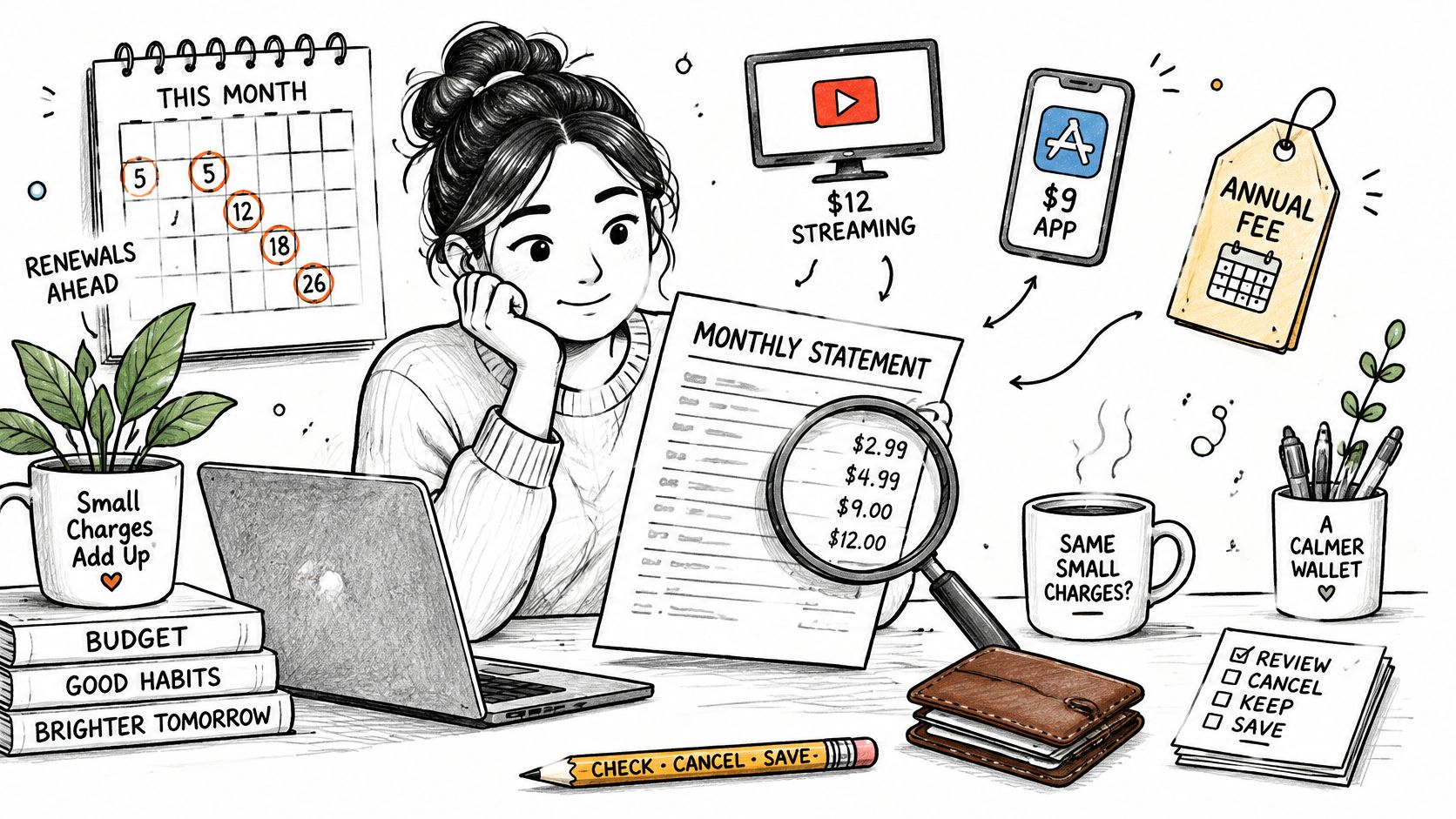
Every recurring charge is small enough to survive scrutiny alone. $12 a month for a streaming tier. $9 for an app opened twice. An annual fee that renews on a date you'd never have picked. Individually, none of them justifies a decision. Stacked, they're often the difference between a month that ends in the black and one that ends on a card.
The standard advice, cancel anything you don't use, is incomplete. It assumes the only options are keep or cancel, and providers often don't offer a middle. Recent U.S. research reported by Cfotech found that 40% of respondents had wanted to keep a subscription but canceled because pause, downgrade, or free-tier options weren't available, while 22% canceled after a price increase. People surrendered benefits they valued because the flexible version wasn't on the menu.
Cost per use, not used or unused
Divide the monthly cost by the number of times you used it last month. A $15 gym membership used twice a month is $7.50 a visit, which is cheap for what it delivers and expensive if you'd rather walk. A $12 streaming plan watched 20 hours a month is about 60 cents an hour. The number doesn't decide anything for you. It tells you whether the price still matches the value, which is the question that settles the renewal.
| Recurring charge | Signal to check | Action |
|---|---|---|
| Unused app or streaming service | No use in the last 30 days | Cancel, or pause if the provider allows it |
| Price increase at renewal | Monthly cost higher than last year | Ask for a lower tier, or cancel and compare alternatives |
| Free trial converting | Trial end date not on your calendar | Set a reminder before the trial ends and cancel if unused |
| Valued but overpriced service | Cost per use above what the service is worth | Downgrade, move to an annual plan, or use a family option |
| Duplicate household subscriptions | Two people paying for the same service | Share one account or combine plans |
Where renewal dates actually live
Three places: the charge on your bank or card statement, the receipt sitting in your email, and your calendar, which is the only one that warns you early enough to act. For a free trial, put the reminder two days before it ends rather than on the day, and check whether a cheaper tier exists before canceling outright.
Households need one extra pass. Two people paying separately for the same service, or a family plan that would cover both, is one of the most common leaks in a shared budget.
The output of all this is a single list: every recurring charge, its amount, and its next renewal date. The Recurring screen does that job directly, listing each repeating charge with its monthly cost, because Compass+ connects to bank and card accounts, reads transaction history, and finds recurring charges and subscriptions. A guide to finding all your subscriptions gets you through the first month; after that, the list should maintain itself.
Build an Emergency Cushion Before You Spend Extra
A $400 car repair lands in a month that's already tight. Nothing about the repair is unusual, which is the point. That expense arrives without warning, and whether it becomes a two-week inconvenience or a six-month credit card balance depends on what's already sitting in savings.
The Federal Reserve's 2024 Survey of Household Economics and Decisionmaking found that 63% of U.S. adults said they could cover a hypothetical $400 emergency using cash, savings, or a credit card paid off with the next statement. The other 37% would have to borrow, sell something, use credit they couldn't immediately repay, or go without. The survey also reports, as shares of all U.S. adults, that 15% would carry it on a credit card, 10% would borrow from family or friends, 7% would sell an asset, 3% would use a bank loan or line of credit, and 2% would use a payday loan, deposit advance, or overdraft. Another 13% said they'd be unable to pay at that time.
Longer-term resilience is thinner still. In 2024, 55% of U.S. adults reported having emergency savings sufficient to cover three months of expenses, according to the Federal Reserve's savings and investments report.
Two stages, one direction
The 20% bucket from your split fills this in two stages. Stage one is a starter cushion of one month of needs. Stage two is three months of needs. At $2,000 in monthly needs, that's $2,000 to start and $6,000 as the full target. The first stage matters more than it sounds, because most emergencies cost less than a month of living expenses. Getting to $2,000 changes how a broken washing machine feels.
Fund it like a recurring bill. When a subscription you canceled stops charging, route that same amount to savings on the renewal date. A canceled charge is a raise for the cushion, and the date keeps the transfer from drifting.
Hold the money in a separate, easy-access savings account, ideally at a different bank from your checking account so a Friday night transfer takes effort. Not an investment. Not a retirement account. Not a brokerage balance you'd have to sell during a bad week. The trade-off: the cushion earns little, which is the price of not selling assets at the wrong moment.
Practical rule: Keep the cushion somewhere you can reach within 48 hours. Money you can't withdraw this week isn't emergency savings.
How to know it's working
Three numbers, tracked monthly: the amount you transferred, the projected date you hit the starter target, and the date you hit the full one. If the cushion gets used, which is what it's for, restart the transfer before restoring the wants budget. A cushion spent on a real emergency did its job, and refilling it is part of the cost of that emergency. Log those three numbers next to your recurring-charge list so the cushion has a deadline.
Recover Refunds, Credits and Overcharges Fast
A return you shipped back two weeks ago. A delivery that missed its guaranteed date. A price that dropped the day after you checked out. Each one is money owed to you, and none of it arrives until somebody follows up.
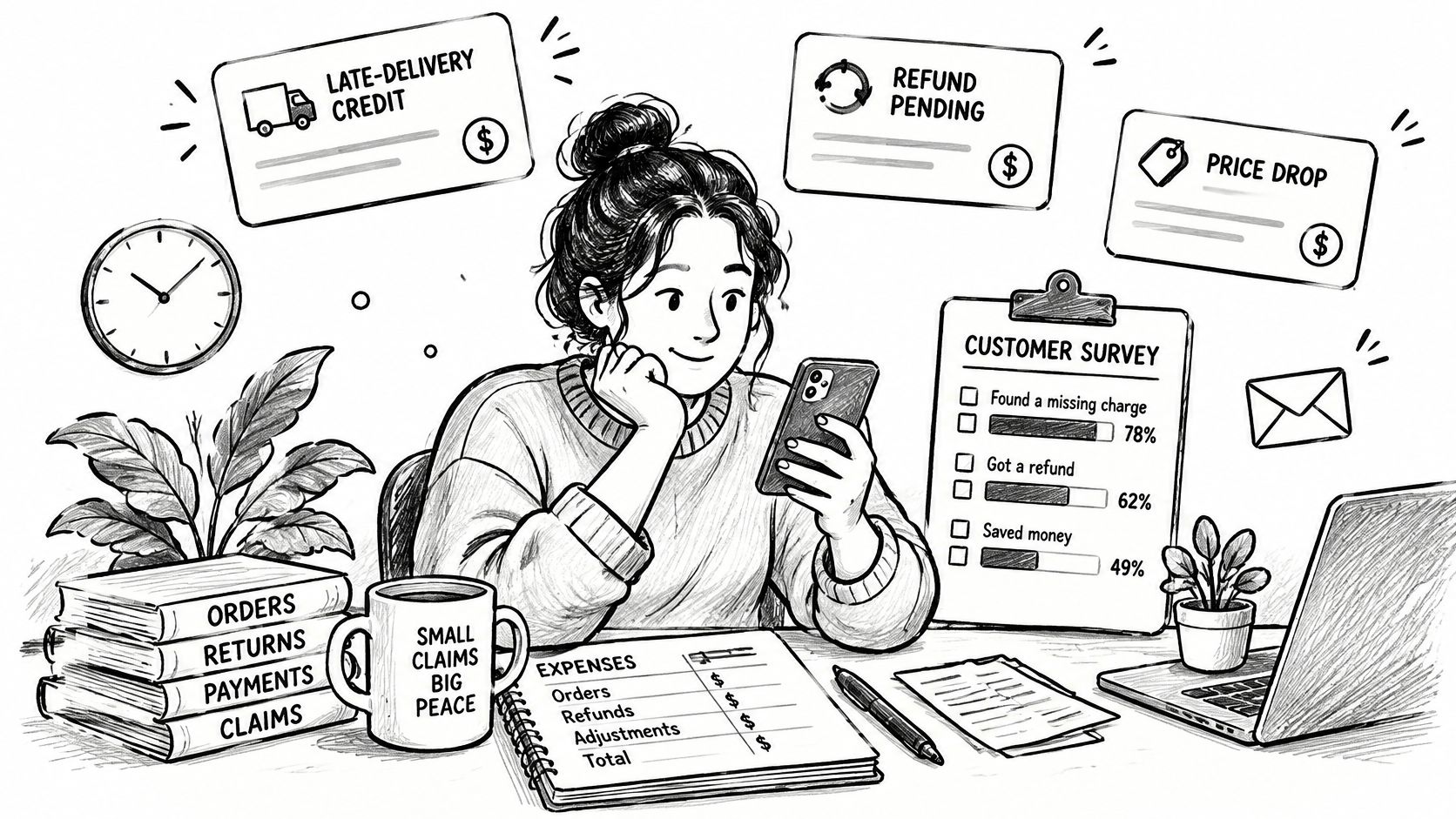
The waiting is the part that costs more than people expect. Survey coverage reported by KXAN found that nearly two-thirds of online shoppers said waiting for a refund caused financial stress. That's a cash-flow problem, not a customer-service problem, and it deserves the same tracking as a bill.
Five columns that fix most of it
Set up a simple sheet with merchant, amount, promised date, deadline, and evidence. The deadline is the return window or price-adjustment cutoff. The evidence is the order number, the screenshot, the email that made the promise.
Follow-up rule: Lead with the order number, the date, and the amount. Vague emails get vague answers, and every round trip costs you another week.
The routine
- Find the original order or charge and the stated refund policy. Screenshot the policy while you're on the page, because terms pages change.
- Log the amount, the promise, and the deadline. If a store said five to seven business days, write down the day the money should land.
- Save the proof. The confirmation email, the return tracking number, the chat transcript. Anything that shows what was promised.
- Follow up after the stated date passes. Quote the order number and the promised date in the first line. Most delays clear at this step.
- If the merchant refuses and you believe the charge is wrong, ask your bank about a dispute. Have the date, the amount, and your evidence ready. If the store declines a refund and you think the charge is wrong, you can email us with the date and amount and we'll look at it with you.
Prioritize by amount, deadline, and likelihood of success, in that order. A $140 refund with a deadline tomorrow outranks a $30 dispute you've already escalated twice. And while you're in the statement, compare this month's charges with last month's line by line. Duplicate charges and quiet bill increases hide in that comparison better than anywhere else. Finding money you're owed or wasting is the same skill applied more broadly.
Automate the Savings Checks You Would Otherwise Skip
Monthly reviews slip because statements get opened when something feels wrong, not on a schedule. A refund promised in March gets checked in June, or never. A bill that rose by $8 in January is still $8 a month higher in December, and nobody decided that.
Automation doesn't replace the review. It replaces the part of the review that depends on remembering.
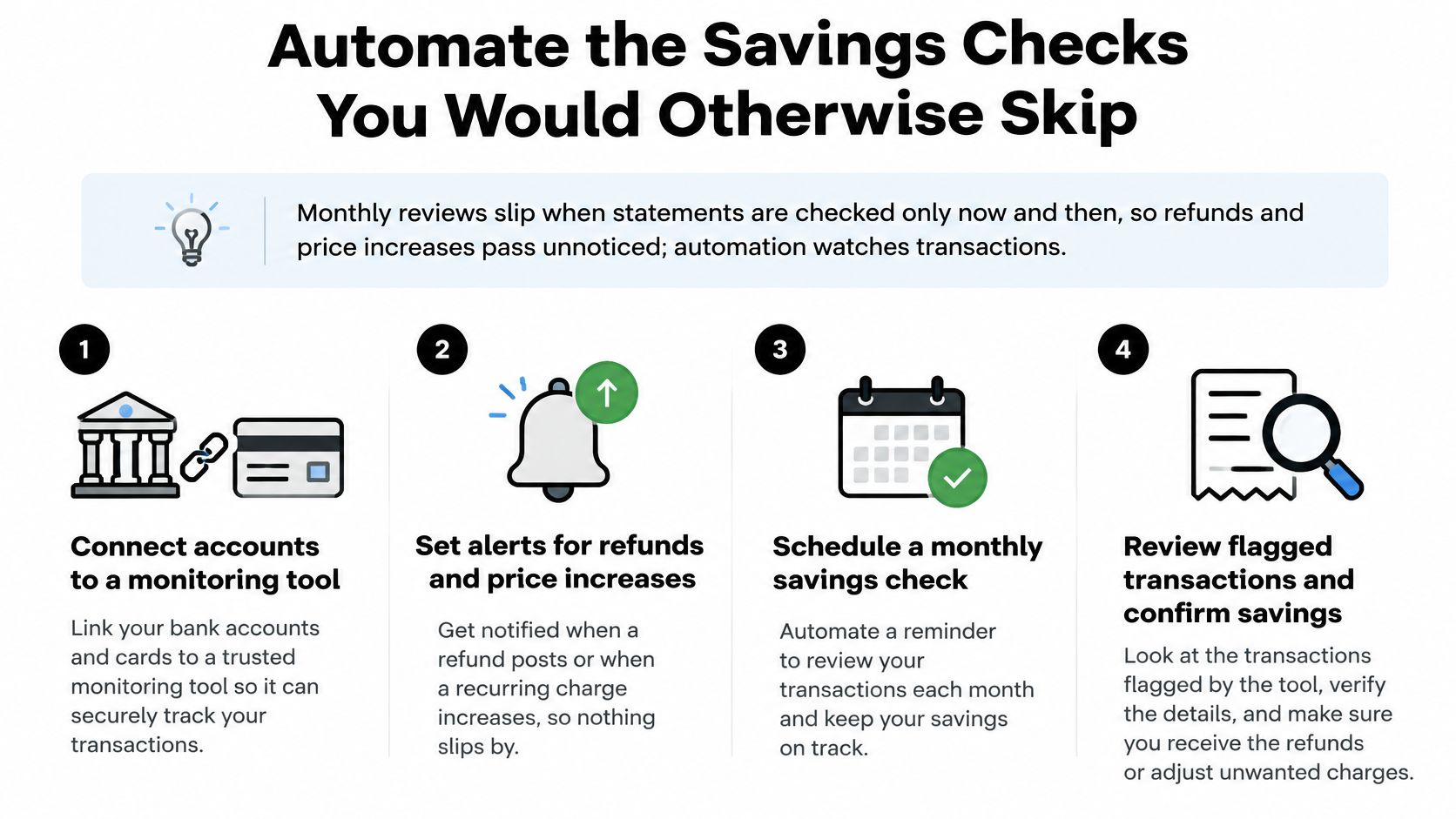
The setup checklist
- Connect only accounts you own or are authorized to access. Anything else is a bad idea regardless of the tool.
- Limit email access to receipts, renewal notices, and refund confirmations. A monitoring service doesn't need your correspondence.
- Put the renewal and return dates it finds onto your calendar. The tool can surface them; only your calendar nags you in time.
- Review the alerts once a week. Ten minutes, same day each week, so findings don't pile up into a task you avoid.
- Check every finding against your own bank before you act. The bank is the record of truth, and a finding is a pointer, not a settlement.
The trade-off nobody mentions
Each connected account adds visibility and adds data you've shared. That's a real cost, and it's worth starting small: connect the single account where most of your recurring charges and card payments run, because that's where the largest findings usually appear.
Compass watches your connected accounts around the clock in the background, and you don't have to check anything. A tool like that can see transactions and balances, but it can't move money, and your bank remains the final record. What automation can't do is decide. Whether a $12 plan is worth keeping, whether a $40 overcharge is worth an hour of your afternoon, whether a refund is worth chasing a second time: those are judgement calls, and the value of the system is that it puts the decision in front of you with the amount attached.
If a walkthrough helps more than a checklist, this one covers the same ground in video form.
Set Up Your Monthly Money Check This Week
Reading this changes nothing. Thirty minutes of setup this week changes the next twelve months, so here's the schedule I'd hold you to.
This weekend: write the 50/30/20 split using your real take-home pay, and set the starter cushion target from your monthly needs figure. Two numbers on one page, done in twenty minutes.
Within seven days: pull three months of statements from every account, run the sorting routine, and build the list of every recurring charge with its amount and renewal date. Give each one a signal and an action from the cases above.
Within two weeks: open the recovery log and add every refund, credit, duplicate charge, or quiet increase you find. You may discover at least one item you'd stopped thinking about.
Then set the recurring appointment: 30 minutes, same day each month. Compare category totals against limits, check what renews in the next 30 days, add new refunds to the log, and confirm the savings transfer went out. If you've connected a monitoring tool, review its alerts in the same sitting. After connecting a bank, you can see what Compass+ found for seven days without paying, which is enough time to judge whether the findings are worth the monthly attention.
Two boundaries worth stating plainly. A tool of this kind is read-only: it can't move money, make payments, open or close accounts, or cancel a subscription with a merchant. And everything here is information about your own data, not financial, tax, legal, or investment advice.
The first action takes two minutes: open your bank app and write down the three largest recurring charges you can see.
Compass+ reads the accounts you connect and surfaces the specific things worth acting on: a subscription you've stopped using, a bill that went up, a refund a store promised and never sent, a delivery credit you're owed. Each find arrives with its amount and the action to take, so the monthly check takes minutes instead of an evening. Visit Compass+ to see what it turns up in your own accounts.