Duplicate Transaction Bank Charges: Real or Pending?
Is a duplicate transaction bank charge real or just a pending hold? Learn how to tell the difference, what to check, and how to dispute it.
15 min read
One pending entry that later drops off your feed isn't a second charge, while two posted entries with the same amount and the same merchant usually are. That's the test, and it takes about a minute in your bank's own app.
So why does almost every guide stop at "same merchant, same date, same amount"? Because matching those three fields is easy to write and easy to get wrong. Two lines can look identical while only one of them ever took money out of your account, and two lines can look different while both settled.
The deciding evidence is the status of each entry and the net effect on your balance, not how similar the rows look on screen. There's a second trap underneath that: a duplicate transaction bank feed shows you twice may be one real debit imported twice by a budgeting app. Sorting those two situations apart before you contact anyone saves you a dispute you didn't need and keeps you from missing a refund you did.
Table of Contents
- Charged Twice or Just Pending? A Quick Test
- How Pending Holds Turn Into Posted Charges
- What a Duplicate Bank Transaction Actually Is
- How to Check a Suspected Duplicate Step by Step
- Which Route to Take to Get Money Back
- What to Do Today
Charged Twice or Just Pending? A Quick Test
Read the status line before you read the amount. A hold that vanishes cost you nothing; two settled debits against one receipt did.
Signals that separate a pending hold from a duplicate charge
| Signal | Pending hold | Probable duplicate charge |
|---|---|---|
| Status in bank feed | Pending or authorization | Both entries posted |
| Amount | Often differs after a tip or final capture | Identical |
| Merchant and date | Purchase date and posting date can differ, say a Friday tap posting on Monday | Same merchant, same or next day |
| Reversal or void | Usually voided or replaced by the final entry | None marked |
| Balance after one week | Only one charge reduces the balance | Both still reduce the balance |
What each row is telling you
- Status: "Pending" means the bank has reserved funds but hasn't finished moving them, so a pending twin isn't yet a second payment.
- Amount: Holds are frequently set at an estimate, which is why the hold and the final charge often disagree while genuine duplicates match to the penny.
- Merchant and date: A posting date can land days after the purchase, so a date gap on its own proves nothing either way.
- Reversal or void: A line marked reversed, voided or cancelled has already been undone, and chasing it wastes your time.
- Balance after a week: This is the row that settles the argument, because money that left and stayed gone is the only loss you can claim.
When the second line lives only in your budgeting app
Aggregator feeds re-import, reorder and re-enrich records, so one debit can appear twice in a spending app while your statement shows it once. Open your bank's own app or the PDF statement and count the entries there. If the bank shows one, you've got a display problem, not a billing problem.
Then look at available balance rather than the headline balance. A hold reduces what you can spend today without ever becoming a charge, which is exactly why working out how much you can safely spend has to start from the available figure.
Practical rule: If the second entry is still pending, wait and recheck. If both entries have posted and both still reduce your balance, start gathering proof.
How Pending Holds Turn Into Posted Charges
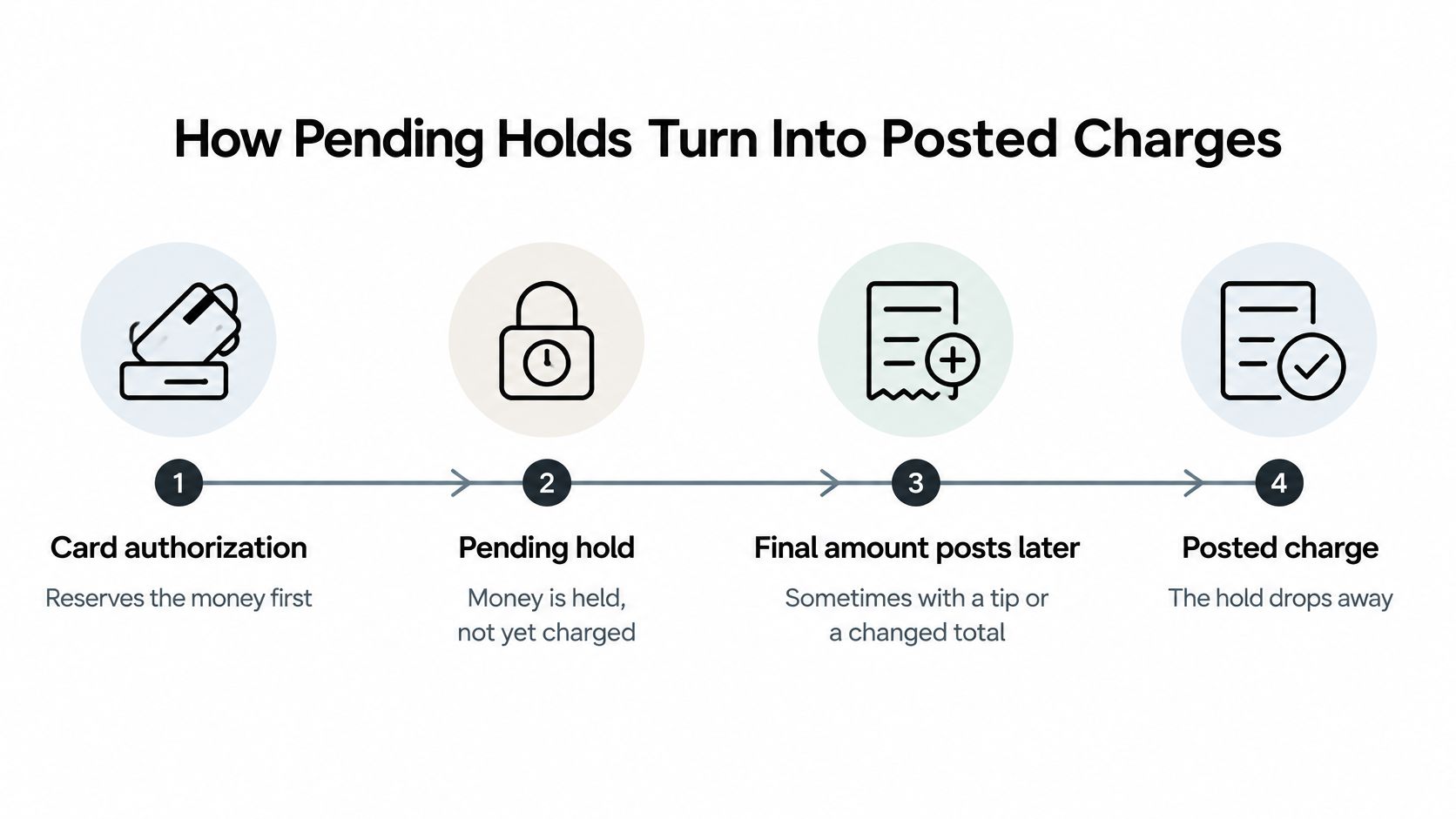
Pending and posted aren't two rival versions of a charge. They're two moments in the life of one payment, and your feed sometimes shows you both moments at once.
The sequence runs like this: you pay, the merchant asks your bank to reserve the money, the merchant later captures a final amount (which may include a tip or a corrected total), that final amount posts, and the original hold falls away. Here's that path laid out end to end.
Merchant types that stretch the overlap
Some merchants sit on an authorization longer than others, and that's what makes the overlap look alarming. A consumer explainer on duplicate credit card charges frames the question most guides skip as “Am I being charged twice, and when should I act?”, and points out that a pending authorization can coexist with the later settled transaction for online purchases, restaurants where tips are added, fuel stations and delayed-capture merchants, with the pending record sometimes disappearing rather than becoming a second debit.
Typical clearing times by merchant type
| Merchant type | What creates the second entry | Usual clearing time |
|---|---|---|
| Restaurant with tip | Authorization for the bill, then adjusted total | Typically a few business days |
| Fuel station | Pre-authorization hold, then the actual fill | Usually a few days |
| Hotel or rental car | Deposit hold, then the final bill | Until checkout is reconciled |
| Online retailer | Pending authorization, then capture at shipment | Can take several days depending on shipping |
Hotels and rental agencies are the slowest because they hold a deposit against damage or fuel, then release it after someone reconciles the final bill. Cross-border purchases and digital wallets add another wrinkle: the descriptor on the hold may name the wallet or a payment intermediary rather than the shop you remember.
The working rule on timing
Two posted transactions with the same merchant, amount and payment credential are materially more suspicious than one pending plus one posted entry. So recheck after the merchant's usual clearing window instead of acting on the first screenshot. If a hold is squeezing your account before a rent or utility debit lands, that's a cash-timing problem worth planning around, and avoiding overdrafts by tracking bill timing handles it better than a premature dispute does.
What a Duplicate Bank Transaction Actually Is
You tap your card at a café terminal. The screen sits there spinning, the barista says it didn't go through, and you tap again. Two weeks later there are two identical lines for the same flat white, and you can't remember whether you bought one coffee or two.
That's the honest starting point for most real duplicates: an uncertain payment, not a second purchase anyone wanted. Here's the moment where it begins.
The plumbing behind a double debit
An engineering write-up on idempotency, state and reconciliation describes duplicate charges as an uncertainty-after-failure problem: a client, backend or queue submits a payment, loses the response to a timeout, and retries even though the first request succeeded. The same shape appears when a worker charges a customer and crashes before acknowledging its queue message, so at-least-once delivery replays the charge, and when webhooks are redelivered or settlement batches are resubmitted.
Translated into household terms:
- A lost reply: the terminal or app never heard "approved", so it asked again.
- A resubmitted bill: a recurring payment fails, someone reruns it, and both attempts land.
- A replayed job: the processor's queue reprocesses a charge after a crash.
- A double post: the merchant or processor submits the same settled item twice.
The fix on their side is an idempotency key, a stable identifier tied to the intent to pay, so a repeat request returns the original result instead of charging again. You can't install that, but knowing it exists tells you what to say when you call: ask them to check for a repeated request under the same order reference.
Why the scale matters to one household
A payments-industry analysis citing Capgemini estimates that approximately 0.1% to 0.5% of payments worldwide are paid twice, which at annual transaction volume of £1 billion implies duplicate outflows of roughly £1 million to £5 million each year. Small percentage, enormous transaction count, real money. Your household runs the same machinery at a smaller scale, so the exposure is routine rather than freakish.
The catch is that appearance proves nothing on its own. Two identical grocery debits can both be legitimate, which is why timing and account context do the work. And one distinction outranks all the others: a second debit that moved money is a claim, while the same entry shown twice in a budgeting feed is a tidy-up.
How to Check a Suspected Duplicate Step by Step
Work through these in order. Each step exists to remove one specific way people get this wrong, and the whole thing takes less time than a phone queue.
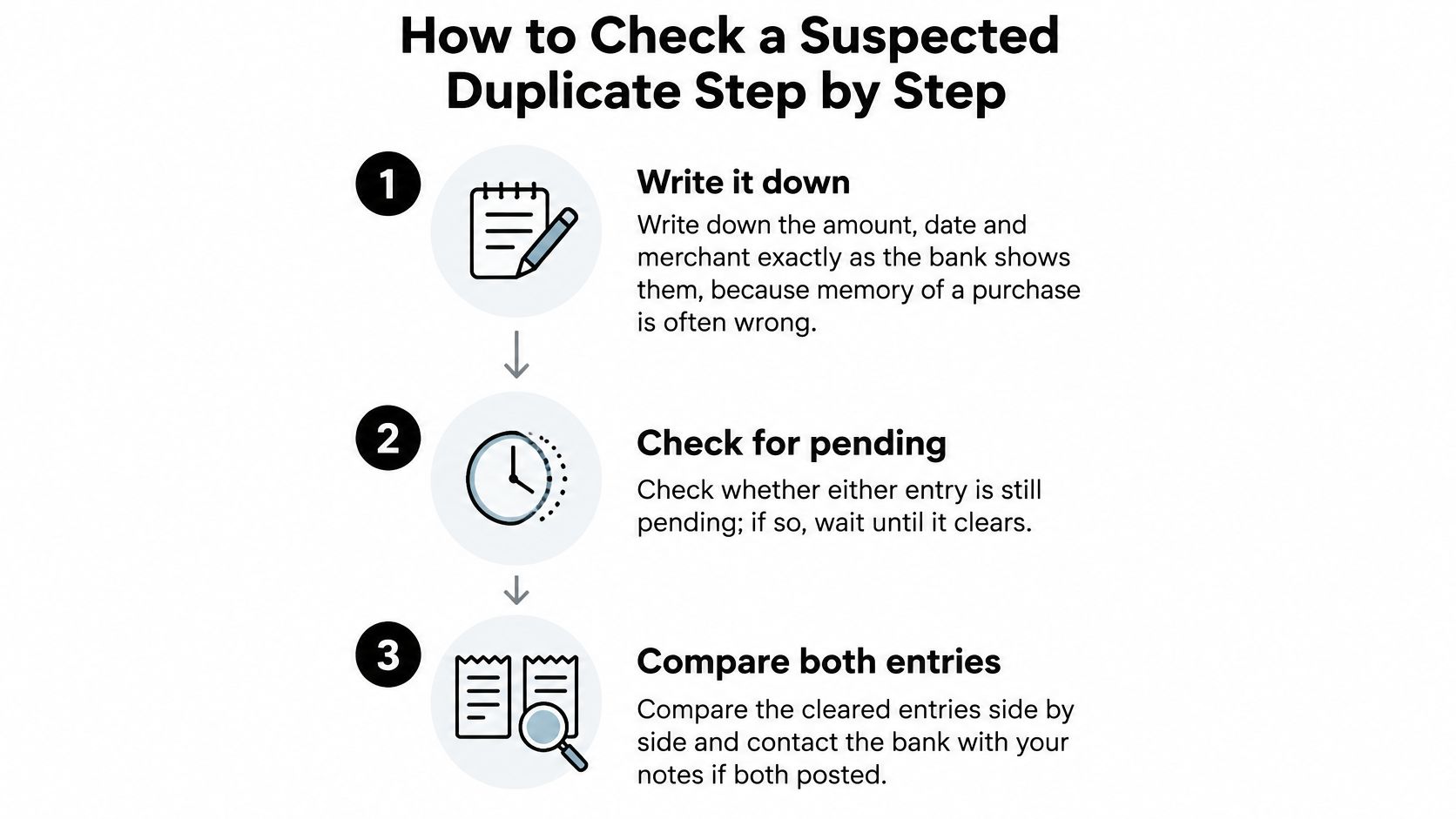
- Write down what the bank shows. Copy the amount, date and merchant descriptor exactly, including the ugly abbreviations and trailing store numbers. Memory of a purchase is unreliable, and the descriptor is what a support agent will search on.
- Check whether either entry is still pending. If one is, stop here and recheck after it clears. People who "give up" on a duplicate often give up while a hold is still resolving itself.
- Compare the two cleared entries field by field. Amount, currency, merchant name, which account or card was used, and the date window. A technical guide to duplicate transactions in bank feeds notes that the strongest signal is an exact provider or processor transaction ID, and that without it you compare signed amount, currency, account, merchant descriptor, timestamp window, card or transfer context and order or reference number.
- Look at the balance, not just the list. Two posted lines that both reduce your available funds are a different animal from one line plus a hold. Note the balance figure and the date you checked it.
- Match the entries to one order. Pull the receipt, order confirmation or invoice. One order should mean one charge, so two settled debits against a single order number is the cleanest case you can make. The common slip here is checking only a budgeting app, whose feed can re-import the same line.
- Confirm it in your bank's own app or statement. Anything you plan to act on belongs in front of the bank's own record first. We say the same thing about our own findings: check anything you intend to act on against your bank, because a feed is a copy of the record, not the record.
- Save the proof before you contact anyone. Screenshots of both entries, the timestamps, the transaction references, the order confirmation and your balance note. Store them in one folder named with the merchant and date.
If you'd rather watch someone walk through a statement comparison, this video covers the same ground.
Reading your own result
A real duplicate looks like this: two posted entries, neither reversed, one corresponding order, and a balance that stayed lower. A near-identical same-day debit deserves confirmation rather than an automatic dispute, because installment schedules, foreign-exchange adjustments and legitimate recurring bills all produce lookalikes.
Keep the matched fields, the timestamps and your conclusion together. That small audit trail is what turns "I think I was charged twice" into a claim someone can act on.
Which Route to Take to Get Money Back
Pick the route by who holds the money and who has already answered you, not by who feels most responsible.
Recovery routes and the evidence each one needs
| Route | Use when | Evidence to gather |
|---|---|---|
| Merchant refund | The merchant charged you twice and responds | Receipt, order number and both statement lines |
| Card issuer dispute | The merchant refuses or does not reply | Screenshots, timestamps, merchant messages and both entries |
| Bank or payment-provider claim | A debit account was charged twice by a biller or transfer | Statement lines, reference numbers and the biller's confirmation |
The merchant first, when the merchant replies
For a straightforward technical double charge, the merchant is usually quickest. They can see two captures against one order in their own payment dashboard and refund the extra without anyone opening a case. Send the order number, both statement lines with dates and amounts, and one sentence stating what you want: a refund of the second capture. Keep it to email or chat so you have a written trail.
Escalating to the issuer or bank
Escalate when the merchant doesn't reply, refuses, or promises a refund that never arrives. At that point your card issuer's dispute process, or your bank's claim process for a duplicated direct debit or transfer, is the right door. Bring the same folder you built during the check, plus every message you exchanged with the merchant, because "I asked and they declined" is a material part of the claim.
What makes a claim credible isn't visual similarity. A consumer explainer on posted transactions makes the point that a duplicate is more believable when two entries both post, neither is marked reversed or voided, both consume available funds, and there's only one corresponding order or receipt, while a pending record that later vanishes or a hold followed by a single final capture usually isn't a loss. That's also why you shouldn't dispute a legitimate authorization: it will drop off on its own, and a dispute against it muddies your record.
Check the claim deadline early. Time limits differ by issuer and product, and the window is printed on your statement or shown in the app's dispute flow. Once a refund is promised, the next job is confirming it lands, and tracking a refund through to your account is where many stop paying attention too soon.
What to Do Today
Decide before you dispute. Wait if an entry is still pending, prove it if both entries have posted and match, and escalate only when the merchant or bank hasn't resolved it.
The one action worth taking today: open your bank's own app or statement, confirm whether both entries have posted, and check whether your balance still reflects both debits. Write down the date you looked. A reduced balance with only one order behind it is the point where a claim is justified, and a pending record that later disappears was never a loss at all.
Two things not to do:
- Don't dispute a live authorization. It hasn't finished moving money, and it will usually drop off the feed without help.
- Don't request a refund for a reversed line. A void or reversal has already cancelled that entry, so you'd be asking for money nobody took.
A refund request is your action, taken after the manual check, with the screenshots and references from step 7 ready to attach. We can point at a probable duplicate and estimate what's worth chasing, but we're read-only: we can't move money, make payments, open or close accounts, or cancel a subscription with a merchant. Our free private audit estimates subscriptions, duplicate charges, missing refunds, fees, renewals and bill increases worth investigating, which is a starting list rather than a verdict. The bank's record and your receipt decide the case, and you're the one who files it.
We built Compass+ to do the tedious part of this for you: it reads your connected bank and card history with read-only access, flags probable duplicate charges alongside missing refunds and quiet bill increases, and pairs each finding with the amount and the next step. Run the free private audit, then confirm anything you plan to act on in your bank's own app before you contact the merchant. Visit Compass+ to see what's sitting in your transaction history right now.