Order Tracking System: Visibility and Recovery
Discover how a modern order tracking system works, key features to evaluate, and how tools like Compass+ turn delivery data into financial recovery.
17 min read
You've placed an order, received a confirmation email, and then watched the tracking page remain unchanged. The parcel may be moving, but the information available to you creates a blank post-purchase void. You don't know whether the delay is at the warehouse, in customs, with the carrier, or caused by a stale status update.
That uncertainty is why an order tracking system matters. A modern platform doesn't just display a tracking number. It connects shipment events, carrier data, estimated delivery times, customer notifications, and increasingly, the financial actions that become possible when an order is late, a refund is missed, or the price falls after checkout.
Table of Contents
- Understanding the Modern Order Tracking System
- How Real-Time Shipment Visibility Actually Works
- Key Features to Evaluate in Tracking Platforms
- Benefits for Consumers and E-commerce Businesses
- System Architecture and Data Privacy Considerations
- Turning Delivery Data into Financial Recovery
- Maximizing Your Post-Purchase Experience
Understanding the Modern Order Tracking System
An order tracking system is the infrastructure that follows a purchase from fulfillment through delivery and turns scattered logistics events into information people can use. The customer sees a status such as “in transit” or “out for delivery,” while operations teams may see carrier scans, warehouse activity, estimated arrival changes, and delivery exceptions.
That experience has developed over a long period. Shipment visibility history traces early courier services to around 2,400 B.C.E., then points to the telegraph in 1844 and the arrival of motorized carrier operations when UPS became the first major carrier to use cars and trucks in 1907. Each stage reduced the time between sending an item and knowing what happened to it.
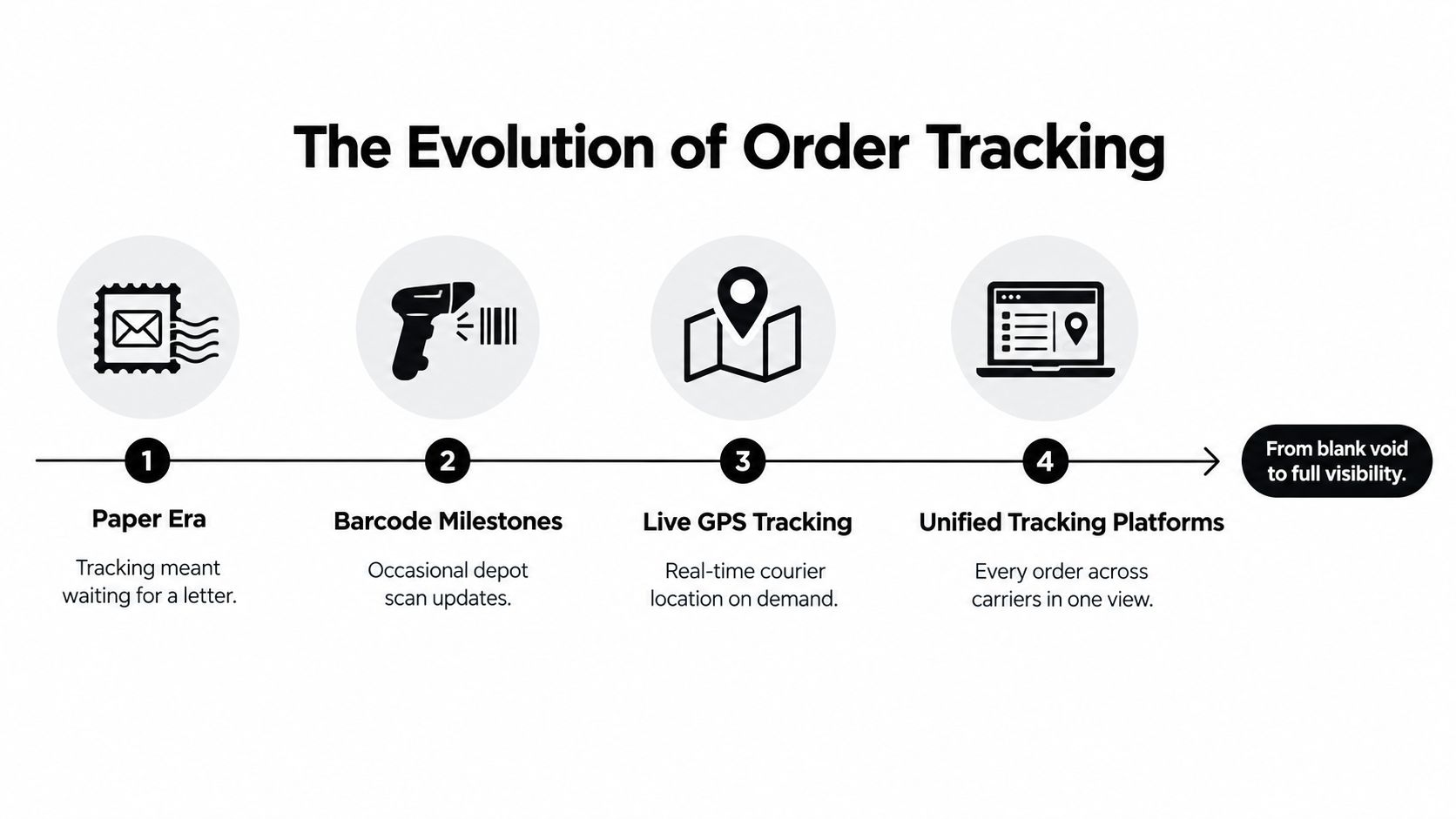
From occasional updates to commerce infrastructure
The scale of modern delivery networks explains why tracking is no longer a premium feature. The same industry source reports that UPS handles over 20.7 million packages on a typical day, while FedEx averages over 15 million each day. At that volume, a simple tracking number cannot provide enough context on its own. Carriers and retailers need systems that expose current location, estimated arrival time, status timestamps, and shipment history through connected platforms and APIs.
Consider a shopper buying a replacement laptop charger. The retailer creates the shipment, the warehouse records the pick and pack event, the carrier accepts the parcel, and several facilities may scan it before final delivery. A useful tracking platform assembles these events into one understandable timeline instead of asking the shopper to interpret separate carrier pages and inconsistent labels.
Practical rule: A tracking page should answer more than “where is the parcel?” It should help the customer understand what happened, what happens next, and whether an action is required.
For merchants using Shopify, the explanation of how order tracking works in Shopify is a useful starting point because it shows how fulfillment information becomes visible to customers through store and carrier connections. That basic visibility is important, but it's only the first layer of the post-purchase experience.
The more important shift is conceptual. Tracking used to be a passive lookup tool. Today, it can become a decision system that tells a warehouse team to investigate a stalled shipment, tells a shopper that a delivery promise was missed, or identifies that a purchase may qualify for a price adjustment.
How Real-Time Shipment Visibility Actually Works
A real-time tracking platform behaves more like an event-stream engine than a spreadsheet. It receives many small signals, evaluates them in sequence, and updates the current state of a shipment whenever new information arrives.
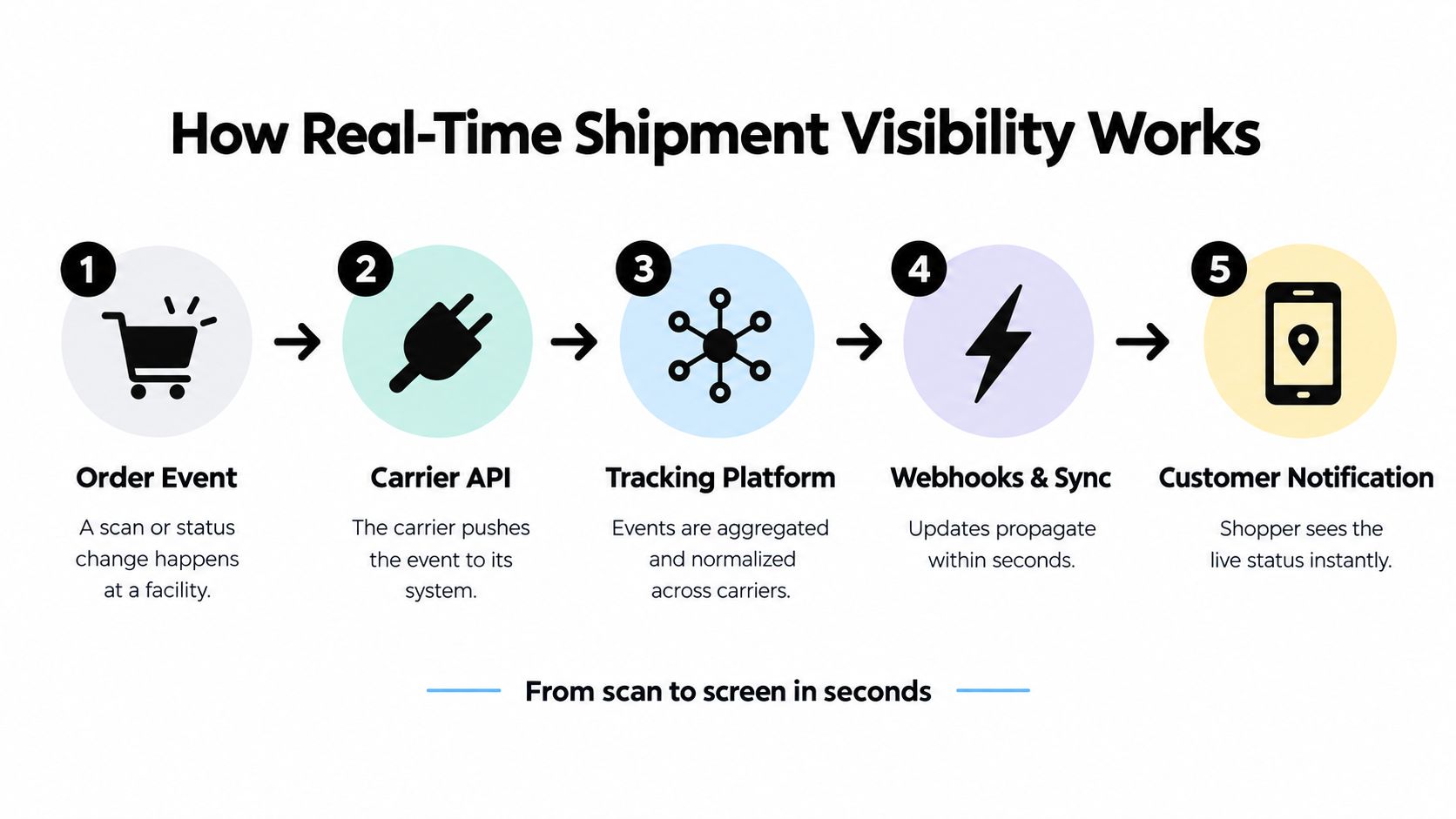
A carrier may send GPS telemetry from a vehicle. A warehouse may send a scan from a packing station. A driver application may record a delivery attempt, while an electronic data interchange or API feed reports a departure from a facility. These events use different formats, names, timestamps, and levels of detail.
The platform's first job is to collect them. Its second job is to make them understandable together.
The universal translator behind the status page
Think of the platform as a universal translator. One carrier might label an event “ARRIVED_AT_SORT,” another might call it “facility received,” and a driver application might provide only a location and timestamp. The tracking system maps those signals to a shared internal model, such as arrived at facility, in transit, out for delivery, or delivered.
This process is called normalization. It creates one shipment record with a consistent identity, event history, location, estimated arrival, and milestone state. The platform can then recalculate an ETA when a vehicle moves, a scan arrives late, or a shipment misses an expected handoff.
The architecture typically connects three operational layers:
- Data sources: Carrier GPS, telematics, EDI and API feeds, warehouse scanners, and driver applications provide raw events.
- Normalization services: The system matches events to the correct order and translates carrier-specific labels into shared milestones.
- Action and presentation layers: Webhooks, notifications, dashboards, and customer pages distribute the updated status to the people who need it.
Without normalization, a support agent might check the order management system, the warehouse management system, and a carrier portal separately. With it, the agent can see the same shipment history as the customer, while the operations team receives a more detailed view of the underlying exception.
That matters at hubs and cross-docks, where a missed scan or stalled handoff can become actionable instead of remaining a manual investigation. Readers who want a more focused explanation of the final delivery stage can review these SelfServe delivery tracking insights, particularly the relationship between last-mile events and customer-facing visibility.
The customer doesn't need to see every raw event. They need a reliable interpretation. A good system hides technical noise while preserving enough detail to explain why the ETA changed and whether the next step belongs to the carrier, the merchant, or the shopper.
Key Features to Evaluate in Tracking Platforms
A map with a moving vehicle can look impressive, but it doesn't tell you whether the platform can manage real exceptions. Evaluation should start with the information a user needs, then work backward into the integrations and automation that produce it.
A basic tool may store a tracking number and display the latest carrier status. An advanced platform can connect that shipment to the order, send a notification when the ETA changes, detect a stalled movement pattern, and route the issue to the correct team.
Compare the important capabilities
| Feature Category | Basic Implementation | Advanced Implementation |
|---|---|---|
| Status visibility | Shows the latest carrier scan | Combines events into a full shipment timeline with consistent milestone labels |
| Customer notifications | Sends standard dispatch and delivery emails | Sends event-based alerts for delays, ETA changes, delivery attempts, and exceptions |
| ETA handling | Displays the carrier's last estimate | Recalculates arrival expectations when new events change the route or timing |
| Exception detection | Requires a customer or agent to notice a problem | Flags stalled, late, incomplete, or contradictory shipment events |
| Carrier coverage | Connects to a limited set of carriers | Normalizes data across multiple carriers and service types |
| Integrations | Links to a storefront or carrier page | Connects OMS, WMS, CRM, email, shopping accounts, and operational workflows |
| Customer experience | Redirects shoppers to a tracking page | Provides a branded, contextual page with relevant next steps |
| Financial context | Stops at delivery status | Links delivery events with guarantees, refund requests, and post-purchase recovery workflows |
Push notifications are valuable because customers shouldn't have to refresh a page repeatedly to learn that the delivery date changed. However, a notification without useful context can create more confusion. The message should identify the event, explain the effect on delivery, and provide a clear next step when one exists.
Predictive ETA logic also requires scrutiny. Ask whether the system merely repeats carrier estimates or evaluates fresh events against the shipment's route and milestone history. An ETA is useful only when the platform can explain changes and identify when the original expectation is no longer credible.
Exception management separates a status aggregator from an operational system. Look for rules that can identify a shipment with no meaningful movement, a failed delivery attempt, a customs hold, or a mismatch between promised and observed delivery timing.
The strongest platform doesn't create more data for teams to inspect. It reduces the number of decisions that require manual inspection.
Integration depth deserves equal attention. A consumer-focused recovery workflow may need order details, receipt emails, delivery promises, return deadlines, and refund confirmations. A business-focused workflow may need warehouse events, carrier APIs, support tickets, and inventory data. For shoppers who want to investigate broader spending issues alongside purchase records, the Money Leak Finder provides a related example of how financial signals can be surfaced for action.
Benefits for Consumers and E-commerce Businesses
Tracking creates value on both sides of the transaction, but the value looks different for each participant. A shopper wants confidence, clarity, and control. A merchant wants fewer avoidable inquiries, better exception visibility, and a post-purchase experience that protects trust when fulfillment doesn't go perfectly.
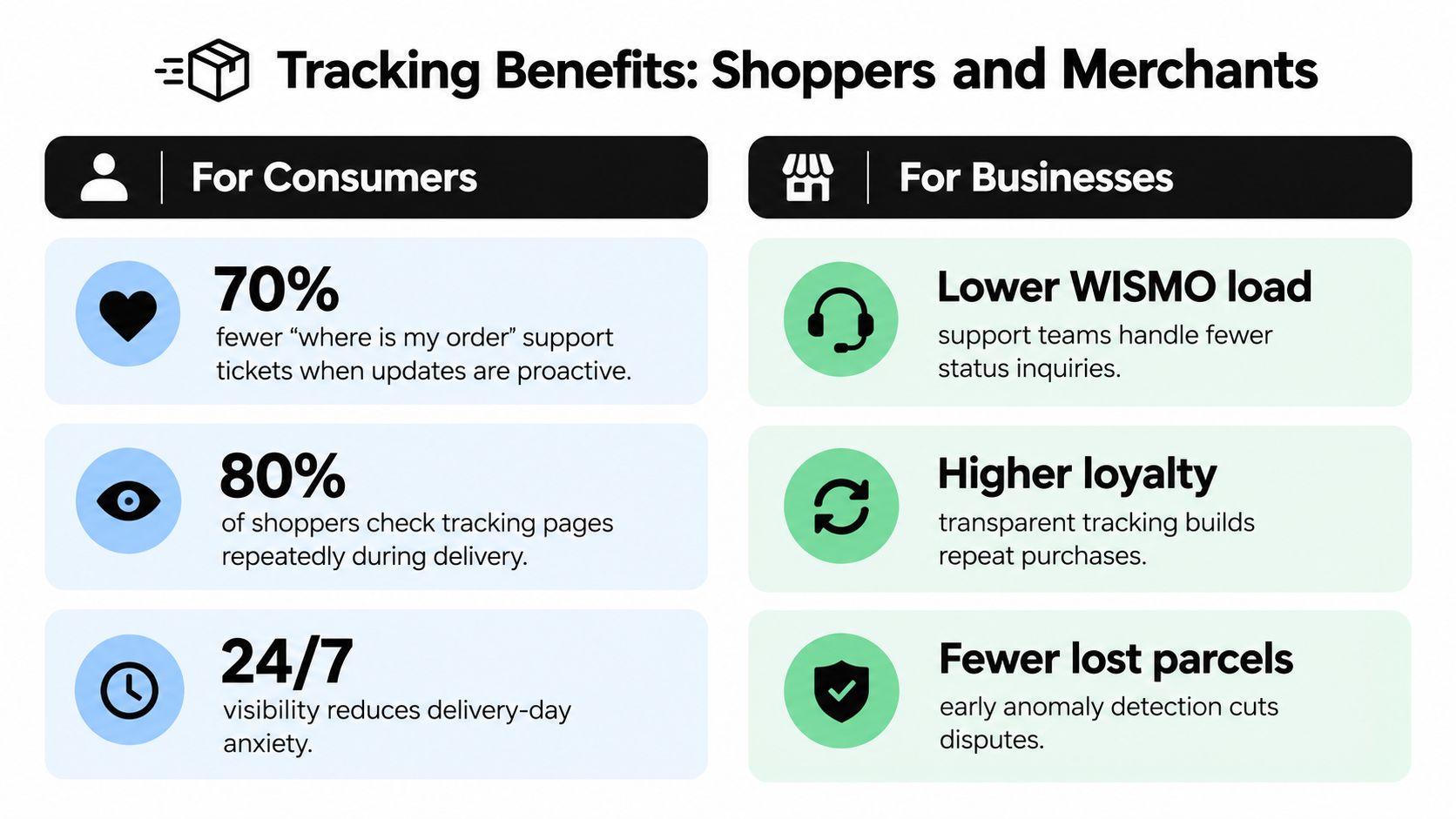
Consumer expectations have made delivery visibility a standard part of online shopping. One consumer tracking expectations summary reports that 90% of U.S. consumers expect delivery tracking as a standard service, while 74% expect delivery tracking updates in general. The same source says 61% of shippers had implemented or were implementing real-time shipment tracking for customer-facing updates in 2024.
Those figures describe a baseline expectation, not an optional enhancement. When a shopper can see the order status without contacting support, the merchant removes one source of uncertainty. When the status page explains a delay instead of displaying a vague label, it protects the customer relationship more effectively.
What merchants gain
A merchant with reliable tracking can give support agents the same current information that shoppers see. That reduces repetitive status checks and lets agents spend more time resolving exceptions, address problems, replacements, and returns.
Tracking also helps teams identify patterns. If many parcels stall after a particular handoff, the operations team can investigate that carrier or facility. If customers receive inconsistent messages, the business can correct the data mapping or notification rules.
The broader market reflects sustained demand for this infrastructure. The cited industry summary places the order tracking platform market at $4.2 billion in 2025 and projects it to reach $10.8 billion by 2034. That projection is not a guarantee for every vendor, but it signals continued investment in systems that connect shipment events, customer communication, and delivery transparency.
What shoppers gain
For consumers, visibility reduces the need to search through email, copy tracking numbers, or contact a retailer for routine updates. A complete order timeline can also preserve evidence when something goes wrong. A delivery attempt, missed promise, or refund confirmation becomes a recorded event that can support a practical request.
The financial benefit is where many tracking experiences remain incomplete. A customer may know that a parcel arrived late but still not know whether the merchant offers a delivery credit. They may see a lower price after purchase but fail to connect that change to the specific SKU and order that could qualify for an adjustment.
A tracking system that captures events without helping users act on them provides visibility. A system that connects those events to deadlines, policies, and financial outcomes provides control.
System Architecture and Data Privacy Considerations
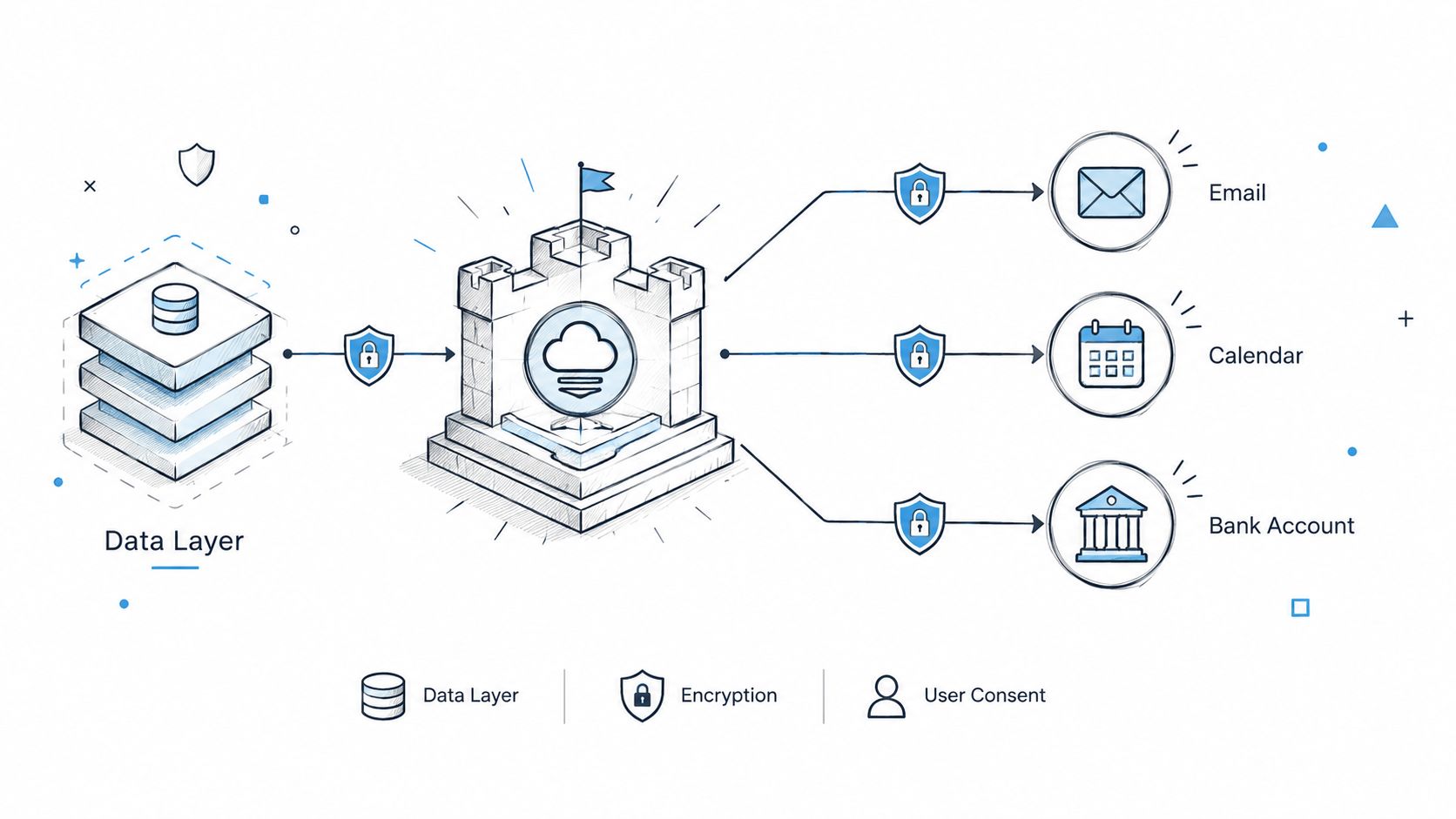
The moment an order tracking system connects to email, calendars, shopping accounts, or financial records, privacy becomes part of the product architecture. Convenience isn't enough. Users need to know what data the system reads, why it reads it, how long access lasts, and whether the connection can be revoked.
A privacy-conscious design separates read access from transaction authority. Read-only banking access can allow a service to inspect balances and transactions for patterns such as duplicate charges or recurring bills, without giving it the ability to transfer funds or make payments. Banking passwords should remain with the financial connectivity provider rather than being stored by the tracking application.
Build narrow data boundaries
Email access should be limited to messages that support a defined task. Receipts, renewal notices, shipment confirmations, and refund confirmations may be relevant. General correspondence usually isn't.
A safer pipeline can work like this:
- The user opts in to a connection. The permission screen explains the account and purpose.
- The system extracts relevant fields. It identifies order numbers, merchant names, product identifiers, dates, prices, refund promises, and delivery commitments.
- The service stores only what the workflow needs. It doesn't need unrestricted access to every message to monitor a receipt.
- The user controls the connection. Each account can be disconnected independently, without forcing the user to disable every monitoring feature.
- The system records the reason for an alert. A user should be able to see which order, message, transaction, or deadline produced a recommendation.
Calendar access can follow the same principle. The system may need to identify a return deadline or subscription renewal date, but it shouldn't require broad access to unrelated personal events. Clear scope and individually revocable permissions preserve the difference between useful monitoring and intrusive surveillance.
Turning Delivery Data into Financial Recovery
Most order tracking content stops at the question, “Where is my order?” That question matters, but it leaves out the financial consequence of a failed delivery experience. A late parcel may trigger a delivery guarantee, a missed deadline may affect a return, and a price drop may create an opportunity for an adjustment.
Independent coverage describes branded tracking and predictive delivery tools as ways to reduce WISMO inquiries by 42% and increase repeat purchases by 42%, as reported in coverage of ecommerce order tracking. Those figures describe communication and retention outcomes. They don't answer the shopper's next question: What money can I recover because something changed after checkout?
The recovery workflow
A recovery-focused order tracking system links several records that normally remain separate:
- The order record identifies the merchant, SKU, purchase date, price, and fulfillment details.
- The delivery record shows the stated promise, carrier events, delays, attempts, and final delivery.
- The receipt and policy records provide evidence of the purchase and any refund or guarantee terms.
- The calendar record helps identify return windows, claim deadlines, and renewal dates.
- The transaction record confirms whether a promised refund or adjustment reached the account.
This is cross-system exception detection. A standard tracking page may know that delivery occurred late. A recovery workflow asks whether the delay overlaps with a merchant guarantee, whether the user has already claimed the credit, and whether a confirmation email was followed by an actual refund.
Price tracking requires similar discipline. Broad browsing history can produce false matches because products often have variants, bundles, or different sellers. A more reliable detector follows the same SKU after checkout, matches it to the receipt or order, and watches a short fulfillment window rather than monitoring prices indefinitely.
Empirical retail evidence in research on post-purchase price changes shows why timing and product identity matter. Price changes can occur within days of purchase, and a two-day monitoring window is meaningful when delivery is typically about two days. The practical lesson isn't to watch every product forever. It's to monitor the correct item during the period when a merchant's price-adjustment policy and the observed change may overlap.
A money-saving agent such as Compass+ can apply this model across linked shopping, email, calendar, and financial accounts. It can surface a missed delivery credit, a post-purchase price drop, a promised refund that hasn't appeared, a duplicate charge, or a subscription increase, then pair the finding with a concrete next step and estimated value.
The order tracking industry is moving toward AI, predictive delivery analytics, and automated exception management, but commentary on order tracking software market direction still largely frames the problem as logistics visibility. The opportunity is broader. Tracking data becomes much more useful when it tells a consumer not only that an event occurred, but also what action may recover money.
For guidance on one part of that workflow, see how to track a refund, especially when a merchant has acknowledged the refund but the transaction history doesn't yet show it.
Maximizing Your Post-Purchase Experience
The best order tracking system doesn't force every user to become a logistics analyst. It turns fragmented events into a simple answer, then adds context when an action can prevent loss or recover money.
For merchants, the evaluation starts with the customer journey. Map the period from checkout to delivery, then identify where customers need status updates, where support agents lack context, and where delivery promises create potential claims. A branded tracking page is useful, but it shouldn't be the final destination for every exception.
For consumers, audit the information you already receive:
- Do delivery updates identify meaningful changes, or do they repeat generic statuses?
- Can you find the original delivery promise after the parcel arrives?
- Do you have a reliable way to confirm that a refund was paid?
- Are return deadlines and subscription renewals connected to your calendar?
- Can you identify a post-purchase price drop for the exact item you bought?
The answers reveal whether your current setup provides visibility or decision support. A carrier page may tell you where a package is. Your inbox may contain a receipt. Your bank may show a charge. Your calendar may contain a return deadline. The useful insight appears only when those records are connected without weakening privacy boundaries.
The next phase of tracking will therefore be less about adding another map and more about adding context. Delivery status, purchase identity, payment confirmation, and deadlines can work together to create specific recommendations. Readers who want to explore the broader problem of overlooked savings can review ways to find money you're owed or wasting.
Start by reviewing your last several online purchases and write down the promise, the final delivery date, the paid price, any refund commitment, and the relevant deadline. If that manual check uncovers gaps, choose a tracking solution that connects shipment events to financial follow-up rather than stopping at “delivered.”
Compass+ monitors linked shopping, email, calendar, and financial accounts to surface refunds, delivery credits, post-purchase price drops, duplicate charges, and recurring cost increases. Visit Compass+ to join the waitlist or learn how automated post-purchase monitoring can turn overlooked order events into concrete recovery actions.