Is Plaid Safe to Link Bank Account? a Security Explainer
Wondering is Plaid safe to link bank account? Learn how Plaid's encryption, tokenization, and read-only access protect your data when using apps like Compass+.
12 min read
You're signing up for a budgeting app, shopping service, or money-saving tool when a familiar-looking screen asks you to connect your bank through Plaid. Then you pause. Handing over bank access feels very different from entering an email address, especially when the screen appears to involve your financial login.
That hesitation is healthy. The useful question isn't “Is Plaid safe to link a bank account?” It's what Plaid can access, how it protects that access, and what the connected app can do afterward. Once you understand tokens, read-only permissions, encryption, and revocation, the decision becomes much easier to evaluate.
Table of Contents
- That Moment of Hesitation Before You Link Your Bank
- How Plaid Securely Connects Your Accounts
- Understanding Plaid Access Read-Only vs Control
- Key Security Features That Protect Your Data
- Your Role in Staying Safe Best Practices for Users
- The Verdict Should You Trust Plaid With Your Bank Account
That Moment of Hesitation Before You Link Your Bank
You open an app that organizes spending or finds savings. After choosing your bank, a Plaid connection screen appears. For a moment, several questions surface: Will Plaid store your username and password? Could the app empty your account? If you disconnect later, does access really end?
Those concerns make sense. Plaid sits between banks and financial applications as a middleman that helps an app receive approved financial data. It provides a connectivity layer, so each app does not need to build a separate connection to every bank.
Plaid reports that more than 150 million consumers have used its network to link accounts from 12,000+ financial institutions. It also says about 1 in 2 U.S. adults have linked and authorized an account through its platform. Its consumer fraud protection blocked 3 million fraud attempts last year, while the platform handles about 1 million daily connections, according to Plaid's explanation of open-finance trust and security.
Those figures show broad use, not a guarantee that every connected app deserves your trust. Your information passes through a chain involving the bank, Plaid, and the third-party service. Each party must handle the connection and resulting data responsibly.
The first question to ask: Is the app requesting permission to read your financial information, or permission to initiate payments?
For budgeting or monitoring services, read-only access is often the key safety boundary. The app may need balances and transaction history to spot spending patterns, recurring charges, or unusual changes. It generally has no reason to transfer money, so payment or transfer permissions deserve extra scrutiny.
Compass+ follows this same principle when it uses read-only access. That permission limits what the connected service can do, even though it may still receive the financial information required for its features.
Your decision should therefore cover two separate issues: Plaid's connection method and the app's own data practices. Check the requested permissions, review its privacy information, and confirm what data it keeps after you disconnect.
How Plaid Securely Connects Your Accounts
Think of Plaid as a secure valet key for a car. A valet key can allow someone to use the car in a limited way, but it isn't the same as handing over every key and the vehicle's full control system. For many bank-linking situations, Plaid is intended to provide a similarly limited pathway to approved account data.
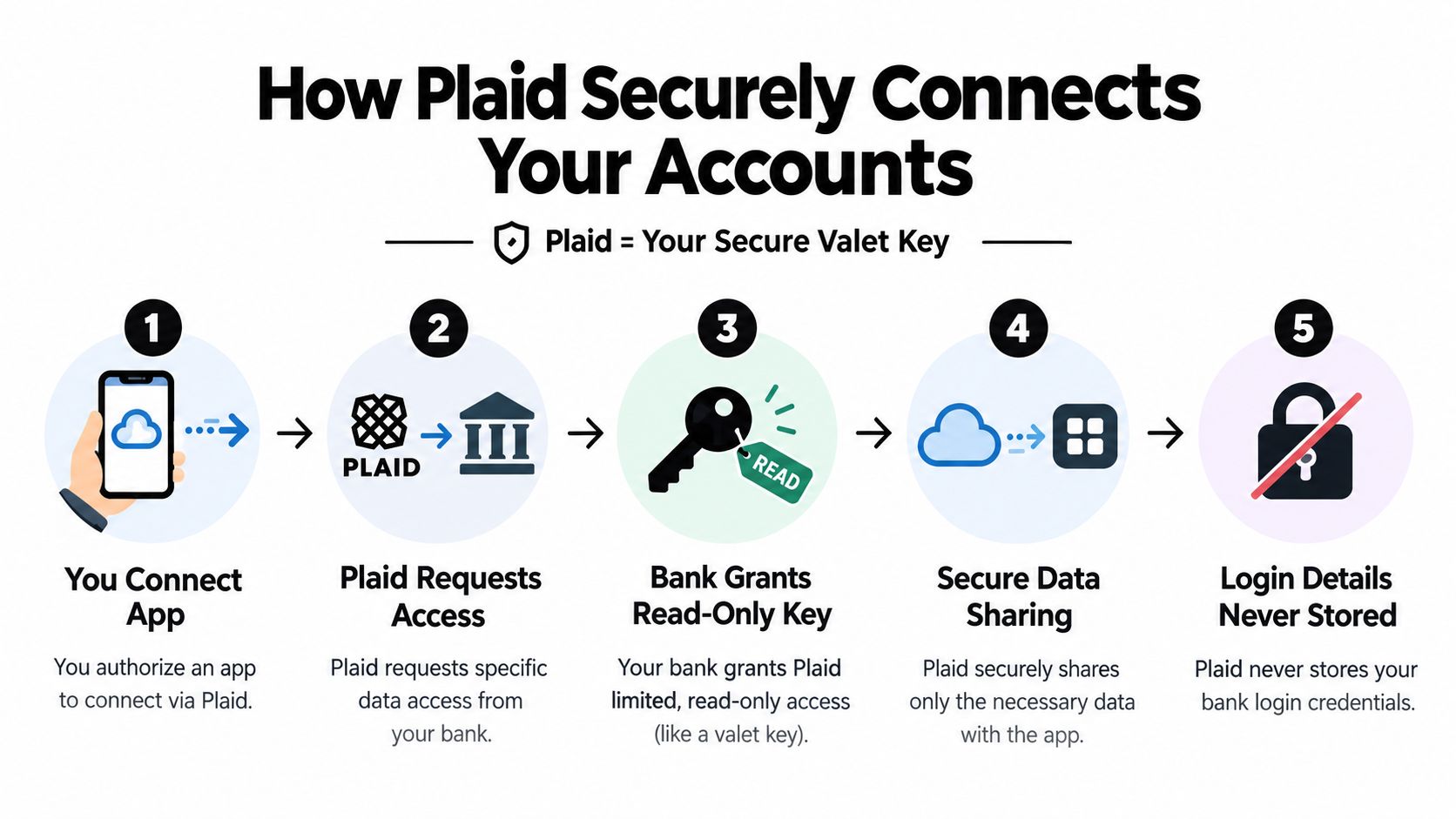
The process typically works like this:
- You choose the financial app. You tell the app that you want to connect a bank account through Plaid.
- Plaid contacts the bank. Plaid requests the account information and permissions supported by that institution.
- You authenticate with the bank. For supported institutions, OAuth-style redirection can send you to the bank's own login and authorization experience rather than requiring the app to receive your raw credentials.
- The bank grants an authorization artifact. Instead of passing your ordinary username and password to every app, the system can provide a tokenized authorization result.
- The app receives approved information. The app gets the data it requested and that you authorized, subject to the connection's permissions.
That difference matters. Sharing your bank password directly with multiple apps creates multiple copies of a credential that may provide broad access. Tokenization replaces the reusable secret with a limited digital permission, so a connected app doesn't need to know the password you use at the bank.
Plaid's authentication documentation describes unique tokenized account numbers, or TANs, for some payment rails. Those TANs are scoped to ACH and RTP rather than wires or checks, which narrows what a compromised application could potentially do through those rails. The same documentation explains the authorization architecture in more detail in Plaid's account-authentication documentation.
The exact experience varies by bank and product. Some institutions support direct OAuth-style authorization, while others may use a different connection method. Before proceeding, check the bank name, the permissions displayed, and the identity of the app requesting access.
If you're comparing financial tools, review how each one handles connected data and permissions, including this comparison of Compass+ and Rocket Money. The important question isn't just whether an app uses Plaid. It's whether the app asks for an appropriate scope and explains what it does with the information.
Understanding Plaid Access Read-Only vs Control
The clearest way to judge a bank connection is to separate seeing information from taking action.
A read-only connection can let an app retrieve balances, transaction descriptions, dates, and other account details. That's enough for many budgeting, monitoring, and savings features. A payment-enabled connection is different because it can support a separate product that initiates a transaction, subject to additional authorization.
For most consumer use cases, Plaid can surface balances and transactions but can't move money unless a separate payment product and explicit authorization are involved, as described in independent coverage of how Plaid access tokens work. The Plaid access token given to an app isn't a replacement bank login, and a leaked token shouldn't function as a direct password for signing in to your bank.
That makes the read-only boundary similar to giving someone permission to inspect a statement without giving them the authority to sign checks. They may understand where money went, but that permission alone doesn't let them withdraw or transfer funds.
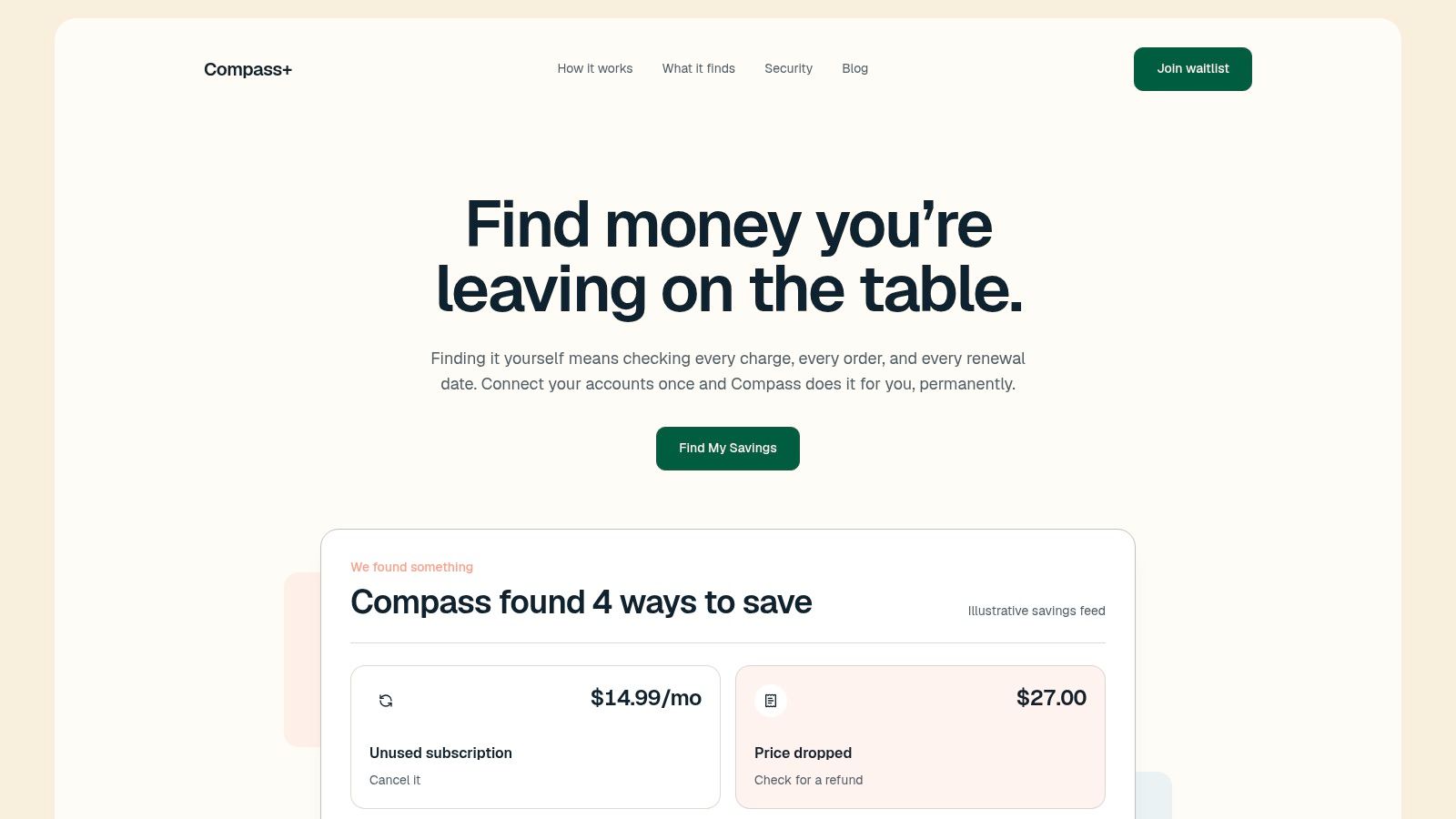
A transaction-monitoring app might use read-only access to look for:
- Duplicate charges, such as the same purchase appearing twice.
- Increased bills, where a recurring service costs more than before.
- Recurring subscriptions, including services you rarely use.
- Patterns that deserve attention, such as a new merchant or an unexpected charge.
Those functions require observation, not control. A service using Plaid for read-only analysis should clearly state that it can view account information while lacking the ability to move funds. You should still verify the permission screen rather than relying on a general marketing description.
Security also depends on where sensitive tokens are stored. Plaid's guidance emphasizes that long-lived tokens shouldn't be exposed on the client side. That reduces the chance that an app database or browser-side exposure turns into a reusable bank credential, although no connected service eliminates every data-security risk.
Before approving a connection, look for language that distinguishes account information from payment authorization. If an app asks you to approve a payment feature, read that request separately. Read access and money movement are not interchangeable permissions.
Key Security Features That Protect Your Data
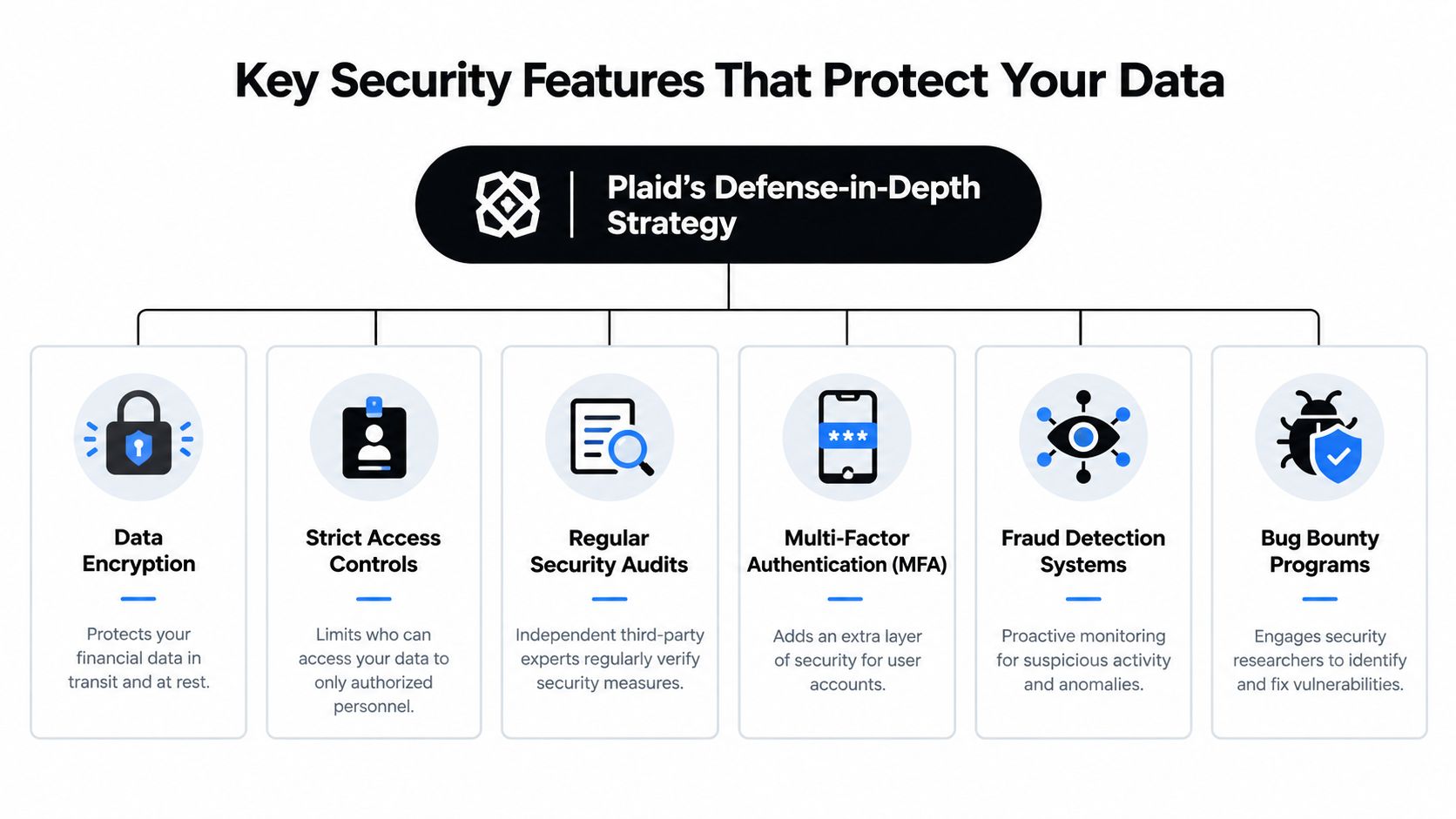
Plaid's security model uses several layers rather than relying on one login screen. These controls address data while it moves between systems, while it is stored, and while people or applications request access.
Independent consumer security coverage describes Plaid as generally safe because it uses AES-256 encryption, does not store banking passwords on its own servers, and acts as a bridge between banks and apps instead of a direct money-moving service. The same overview says Plaid connects to more than 12,000 financial institutions across the U.S., Canada, the U.K., and Europe and supports more than 7,000 apps, as explained in this overview of Plaid's safety measures.
These safeguards work together:
- AES-256 encryption: Encryption changes readable information into a protected format. It works like placing a message inside a locked container before sending it.
- Secure transmission: Data exchanged among your bank, Plaid, and the connected app is protected while traveling across networks, reducing the chance that an unauthorized observer can read it.
- Credential separation: Connected apps generally do not need to receive or store your ordinary bank password. Instead, the connection uses separate authorization details.
- Access controls: Systems can limit which people or services may view particular data. A service should receive only the access required for its stated purpose.
- Fraud monitoring: Plaid describes monitoring designed to identify suspicious activity and fraud attempts. Active detection adds a layer beyond storing information, as described in its security materials.
Encryption protects information in transit and storage, but it cannot decide whether an app should keep more transaction history than you expected. An app might retain data longer than you prefer or share it under terms you did not review. Technical safeguards therefore need clear permissions and responsible data practices.
Compass+ explains its data handling in its privacy policy. Review a connected app's policy for the information it collects, the reasons for collection, retention periods, sharing practices, and how it handles deletion or disconnection requests. Also confirm whether the connection is read-only, since viewing account activity and moving money are separate permissions.
Your Role in Staying Safe Best Practices for Users
Plaid can secure the connection, but you choose which app receives access. The safest process starts before you click the authorization button.
Use this checklist:
- Start from the app: Open the financial service through its official website or verified app store listing. Don't follow an unexpected message that asks you to connect a bank account.
- Read the permission screen: Check which accounts and data categories the app wants. A savings-monitoring feature shouldn't need permissions unrelated to its stated purpose.
- Review the privacy policy: Look for details about transaction retention, sharing, deletion, and whether the company uses data for purposes beyond the feature you selected.
- Check the company itself: Search for professional coverage, clear support channels, a named business, and an understandable explanation of its product. A polished Plaid screen doesn't make an unknown app trustworthy.
- Use strong bank security: Enable multi-factor authentication with your bank when it's available. A secure connection can't compensate for an exposed bank account or reused password.
- Revisit connected accounts: Treat old connections like unused house keys. If you no longer use the app, review the connection and revoke it through the appropriate account-management tools.
Plaid says users control what they share and can revoke connections. The unresolved question often sits downstream. A third-party app may copy transaction data into its own systems, and the practical details can vary, including how long it keeps that data, which internal services can use it, and whether another connected product receives similar information. Consumer guidance about Plaid's downstream data questions highlights why revocation doesn't automatically answer every retention question.
Revoking access can stop future retrieval, but it may not erase information the app already copied. Check the app's deletion procedure if you want previously imported data removed.
Here's a short walkthrough that can help you understand account-linking and access management before authorizing a connection:
For transaction-based savings monitoring, you can also review how a tool such as Compass+’s Money Leak Finder describes the types of charges it looks for. Focus on the permissions, not just the promised result.
The Verdict Should You Trust Plaid With Your Bank Account
Linking a bank account through Plaid can be a reasonable security choice when the app is reputable and the permission is read-only. Plaid's use of tokenized authorization, encryption, credential separation, and controlled access creates a stronger model than giving your raw bank password to every financial app.
The valet-key analogy is useful because it captures the central limit. A read-only connection can let an app inspect the dashboard, such as balances and transactions, without giving it the controls needed to move money. That limit doesn't make the connection risk-free, but it can significantly narrow the consequences of an app compromise compared with broad credential sharing.
Your decision should rest on three checks:
- The app is legitimate and transparent.
- The requested access matches the feature you want.
- You understand what happens to copied data after linking or revoking access.
Plaid protects the connection, but it doesn't certify every app that uses it. Treat the connected service as a separate security decision, read the consent screen carefully, and remove access when you no longer need the feature.
Compass+ uses read-only Plaid connectivity to analyze balances and transactions for duplicate charges, recurring bills, and price or subscription-related savings opportunities, without moving money or receiving your banking password. Visit Compass+ to learn how its financial monitoring tools can help you identify specific actions to reduce expenses.