Personal Finance Tools: The 2026 Buyer Guide
Compare top personal finance tools for 2026. Learn how to build a secure stack that automates savings, tracks subscriptions, and fits your lifestyle.
13 min read

Most advice about personal finance tools starts in the wrong place. It tells you to log every latte, tag every purchase, and stare at charts until your habits improve, but the underlying problem in 2026 is not sloppy note-taking, it's money leakage hidden inside recurring charges, missed credits, and disconnected accounts. The modern stack should not ask you to become your own accountant, it should watch for waste, surface actions, and recover money while you do something better with your time.
Table of Contents
- The Shift From Manual Tracking to Automated Monitoring
- Core Categories of Modern Money Management
- The Hidden Drain of Subscription Sprawl
- Choosing the Right Tools for Your Financial Lifestyle
- Navigating Privacy and Security Tradeoffs
- Building a Proactive Savings Workflow
- Auditing and Optimizing Your Financial Stack
The Shift From Manual Tracking to Automated Monitoring
Manual budgeting made sense when personal finance software was basically a digital checkbook. The category began in the early 1980s as spreadsheet add-ins, then moved into standalone tools, and by 1984 Quicken entered a crowded market that already had around 40 competitors zipdo.co. By 1998, more than 12 million users were already using personal finance software, which shows how long people have been trying to make money management less painful zipdo.co.
The old model breaks under modern life
That old model expected you to inspect every transaction and make sense of it yourself. It worked when the list of money actions was short. It falls apart now because your financial life spreads across bank accounts, cards, subscriptions, shopping apps, billers, and email receipts.
The best tools don't ask for constant attention. They keep watch in the background and only interrupt when something needs action. That matters because the category has moved from desktop bookkeeping to mobile-first behavior at global scale, with an estimated 1.36 billion users worldwide in 2024, up from 1.15 billion in 2023, and about 64% of users accessing budgeting apps through mobile platforms marketgrowthreports.com.
Practical rule: If an app needs you to open it every day to stay useful, it's too manual.
That shift changes what good looks like. The goal is no longer perfect categorization, it's reducing the number of financial mistakes you can make without noticing. If a tool doesn't monitor for recurring waste, missed refunds, or account mismatches, it's still stuck in the last era.
Core Categories of Modern Money Management
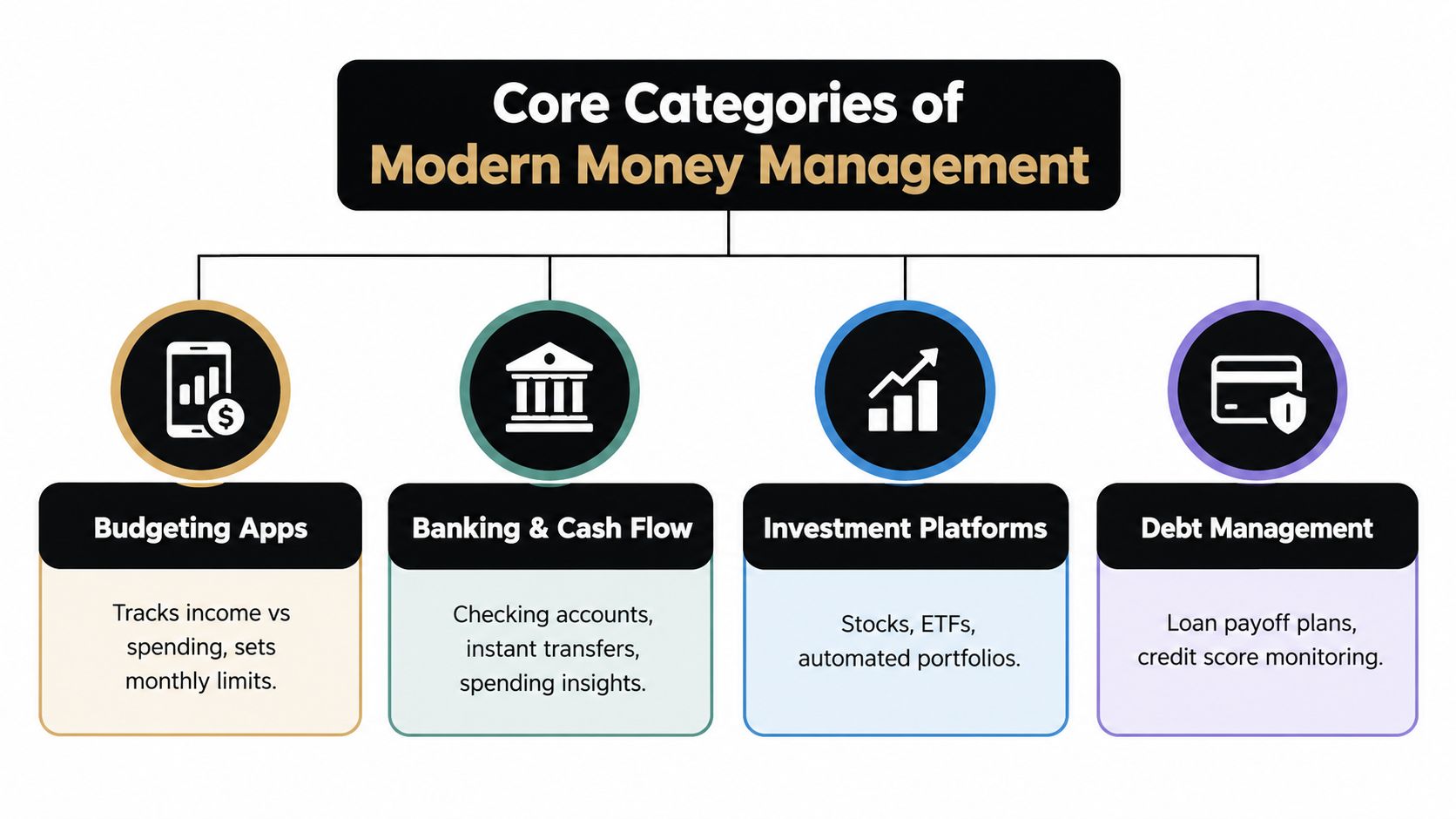
A lean financial stack works only when each tool has a defined job. Budgeting apps show spending patterns, banking tools manage cash movement, investment platforms build wealth, and debt systems organize repayment. Confusing these categories creates clutter and leaves important problems unsolved. The strongest setup combines visibility with automation, especially tools that search for forgotten subscriptions, missed refunds, and duplicate charges.
Budgeting apps and cash flow dashboards
Budgeting apps provide visibility. They show income, expenses, categories, and spending trends, which helps you set limits and identify habits. Their weakness is timing. A budget can show that you overspent, but it rarely prevents the charge or recovers money after the fact.
Banking and cash flow tools handle the money itself. They display balances, move funds, schedule payments, and track activity close to real time. Choose this category when avoiding overdrafts, timing bills, or maintaining a cash buffer matters more than updating a spreadsheet each week.
Automated savings agents add a different layer. They monitor transactions, receipts, renewal dates, and account activity for waste that a standard dashboard leaves untouched. A useful agent can flag a forgotten membership, identify a refund that never arrived, or highlight a duplicate charge. That proactive search is often more valuable than another chart.
Investing and debt tools solve different problems
Investment platforms focus on long-term growth. They track portfolios, automate contributions, and support ETF or stock management. They will not challenge a price increase from a streaming service or recover a refund owed by a merchant.
Debt management tools focus on repayment plans and credit monitoring. Use them to organize balances, prioritize payments, and watch changes to your credit profile. They are the wrong tool for recovering money from unused subscriptions, late deliveries, or billing errors. Readers comparing find debt payoff and investing apps can separate these functions before adding another platform.
Each category supports a different financial decision. A dashboard reports net worth, while a savings agent searches for recoverable cash. An investment platform allocates capital, and a debt tool structures repayment.
Build around the gaps in your current system. Use one budgeting or cash flow tool for visibility, one automated monitor for hidden waste, and dedicated investing or debt tools only when those goals require them. Overlapping apps create more alerts without improving control.
The Hidden Drain of Subscription Sprawl
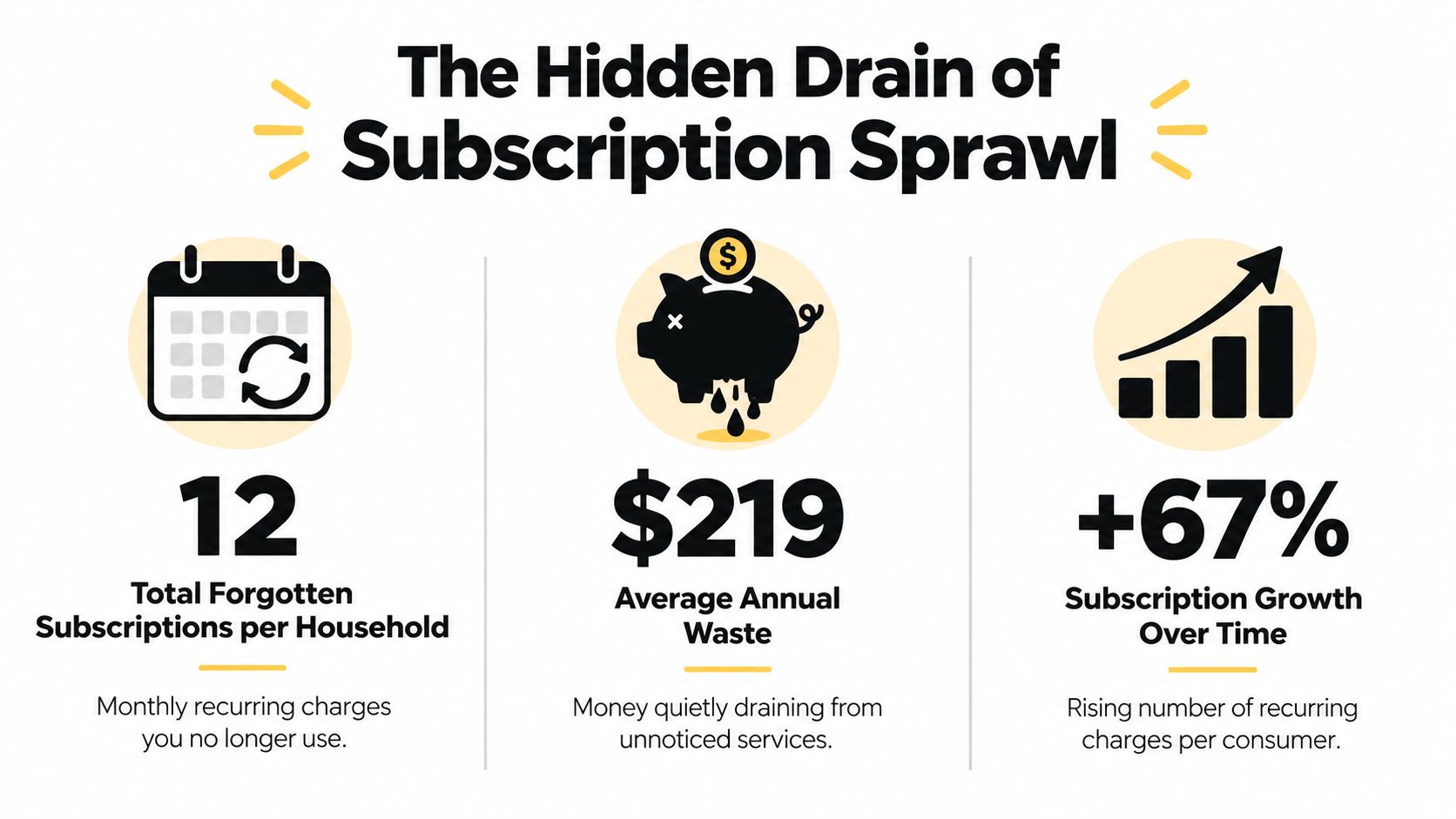
Subscriptions are where budgets rot in silence. People remember the big bills and forget the small recurring ones, which is why recurring waste is so dangerous. The numbers in the 2026 consumer research are blunt, U.S. adults paying for subscriptions report spending about $111 per month on average, while wasting about $21 per month on unused subscriptions CNET subscription survey.
Why people underestimate recurring spending
The same research found a bigger blind spot, people estimated monthly subscription spend at $86, but when itemized, the true average was $219, a gap of $133 CNET subscription survey. That gap is the reason manual tracking misses the problem. Memory is bad at recurring charges because renewals are designed to blend into the background.
The better way is to look for forgotten waste, not just log what already happened. Tools that scan bank transactions, receipts, and renewal dates can spot low-use memberships, trial conversions, and charges you stopped caring about months ago. That's a different job from budgeting, and it should be treated as one.
Where the waste actually hides
The problem isn't always the subscription itself. It's the combination of free trials, auto-renewals, and quiet plan changes that keep charging after intent disappears. Once a charge gets normalized, people stop checking it.
That's why this category matters more than generic expense tracking. A good monitoring tool should identify the charge, explain why it matters, and tell you the next move. If it can't do that, you're still stuck with a rearview mirror.
For a practical walk-through of this problem, the guide on how to find all your subscriptions is a useful reference point.
Choosing the Right Tools for Your Financial Lifestyle
The right tool depends on how you live, not on how slick the interface looks. A busy professional needs background monitoring and concise alerts. A budget-conscious household needs shared visibility and fewer manual handoffs. Those are not the same job, so don't buy software as if they are.
Match the tool to the workflow
If you hate logging in, choose automation first. If you manage shared bills, choose coordination first. If you just want to stop recurring waste, choose a savings agent that watches for it in the background.
| User Profile | Primary Need | Ideal Tool Category | Time Commitment |
|---|---|---|---|
| Busy professional | Fewer manual checks, fast alerts | Automated savings agent | Low |
| Budget-conscious household | Shared visibility and bill coordination | Cash flow dashboard or family budgeting app | Moderate |
| Long-term investor | Portfolio tracking and contribution rules | Investment platform | Low to moderate |
| Debt-focused user | Payoff sequencing and score monitoring | Debt management tool | Moderate |
A lean stack usually means one primary tool and one specialized tool. That keeps overlap down and reduces the number of places where data can drift out of sync. The fewer apps you maintain, the easier it is to trust the system.
For people comparing all-in-one monitors against recovery-focused tools, Compass+ vs Rocket Money is a useful comparison because it highlights a simple question, do you want to review spending, or do you want a tool that looks for savings opportunities on its own?
My blunt recommendation
If you're busy, don't buy a budgeting app that demands weekly cleanup. Buy a monitor that surfaces exceptions. If you're managing a household, keep one shared view for essentials and avoid stacking multiple trackers that each claim to solve the same problem.
The right setup is boring on purpose. It should do its work in the background and leave you with fewer decisions, not more.
That's the standard to use. If an app adds friction, it's probably creating more work than value.
Navigating Privacy and Security Tradeoffs
Connecting money tools to your accounts is useful, but it's also a trust decision. You're asking a product to look at transactions, balances, receipts, and sometimes email or calendar data. That means the security model matters as much as the feature list.
Read-only access should be the default
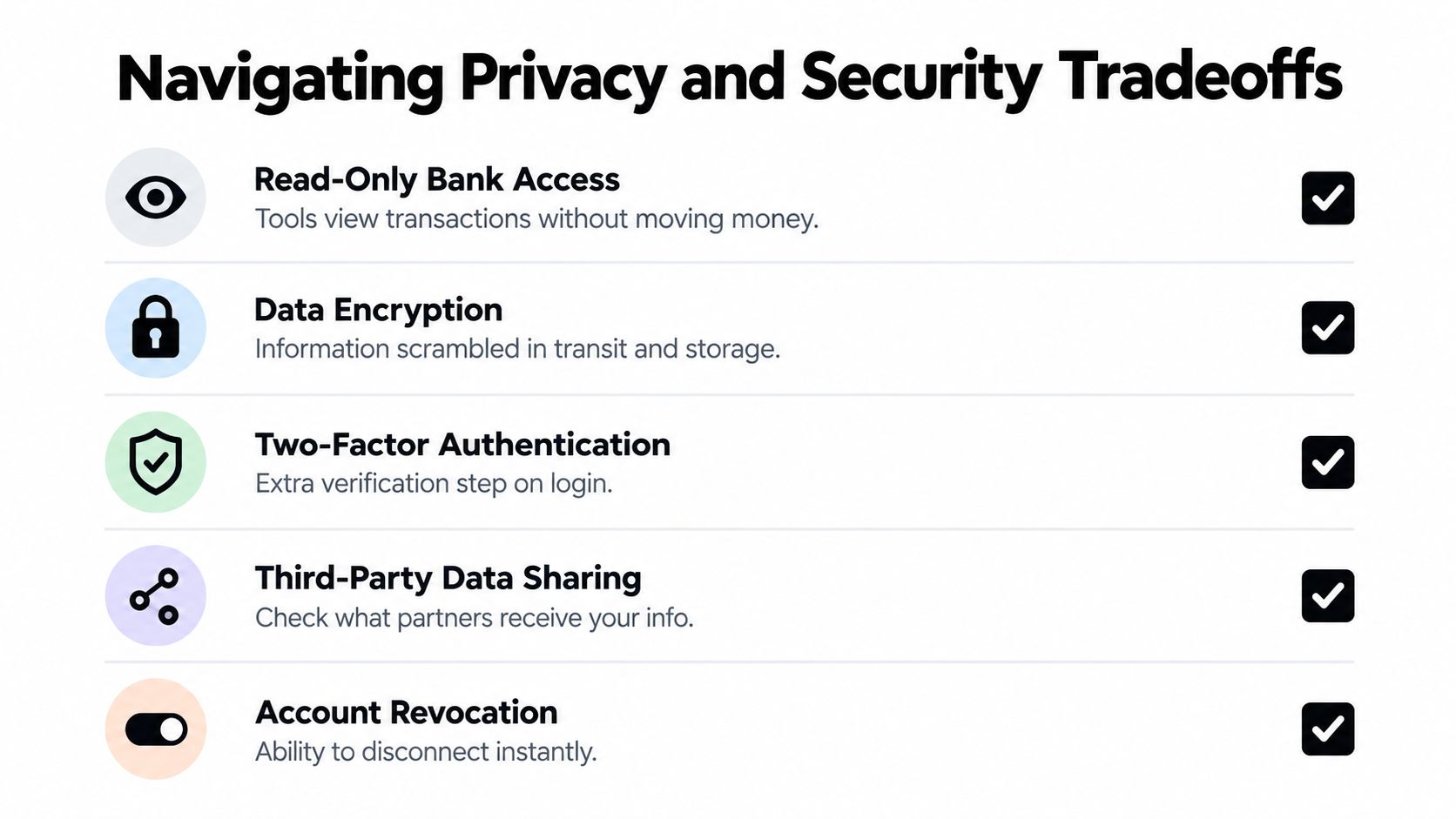
The safest financial tools use read-only access where possible. That means they can inspect transactions without moving money, and they shouldn't store your banking password if there's a cleaner way to connect. The more limited the access, the better.
You also want clear revocation. If you can't disconnect an account instantly, the tool has too much staying power. The connection should be opt-in, narrow, and easy to shut off.
For a straightforward checklist on connection controls, the privacy notes at Compass+ privacy are relevant because they frame the exact issues you should ask about before linking financial data.
Ask the annoying questions before you connect anything
Don't hand over access unless the product can answer basic questions clearly. Who stores the data? What happens if you cancel? What third parties receive it? Can you remove one connection without breaking the whole setup?
AI-powered finance tools can be useful, but they're only sensible when paired with human judgment and tight boundaries around data use Intuit on AI for personal finance. That's the part people skip. Convenience is not a substitute for control.
If a tool needs broad access to do a narrow job, that's a warning sign. Look for systems that focus on receipts, renewals, and transaction signals instead of broad, unnecessary visibility. The more focused the access, the easier it is to trust the result.
Building a Proactive Savings Workflow
A good money tool shouldn't just report what happened last month. It should catch recoverable value before it disappears. That means cross-checking purchases, receipts, renewal dates, and delivery events, then turning each finding into a clear action.
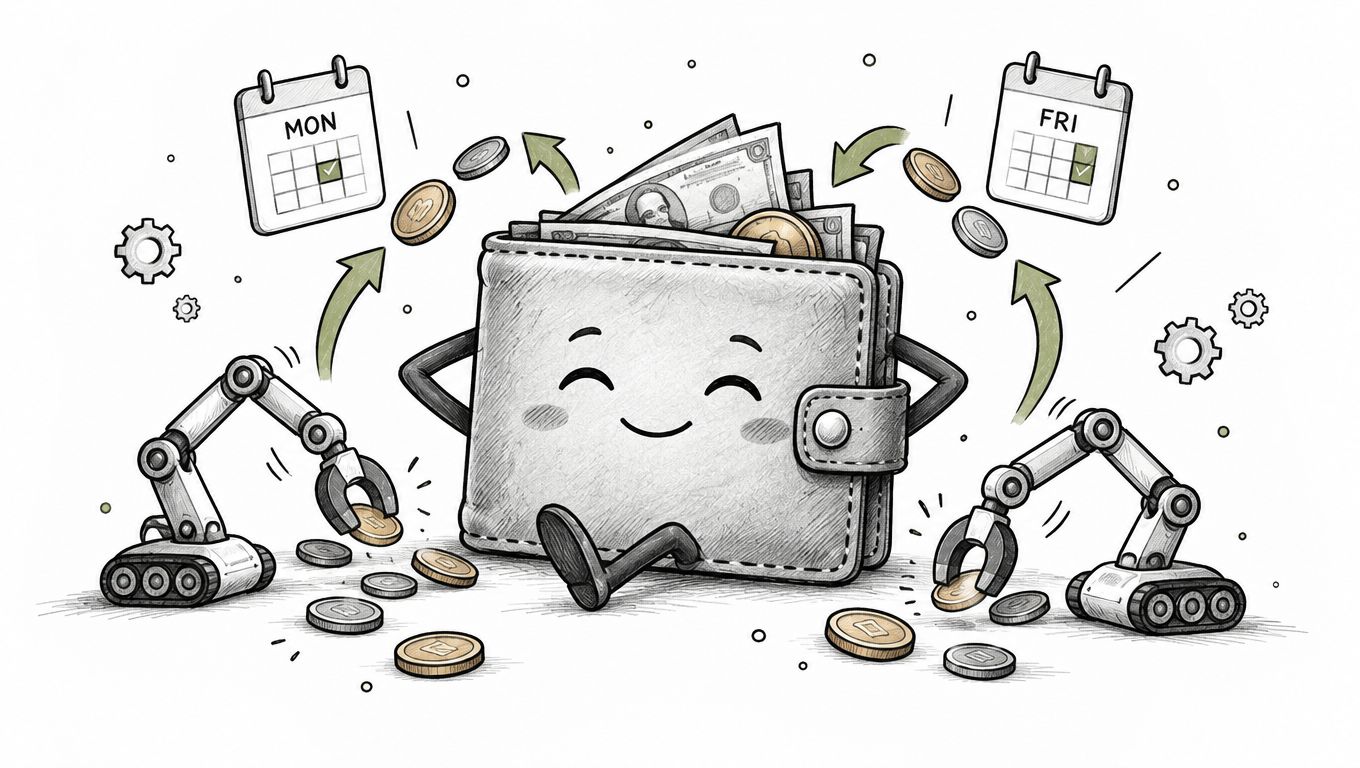
A practical example is a shopper who buys headphones online on Monday. On Thursday, the price drops, and the tool flags a potential adjustment. On Friday, the delivery slips past the promised window, and the system surfaces a possible credit. None of that requires the user to remember dates, check inboxes, or compare invoices by hand.
What the workflow should do
The workflow should combine signals, not isolate them. A bank charge alone is useful, but bank data plus the order confirmation and delivery timeline is much better. That's how a savings agent spots duplicate charges, missed refunds, and merchant credits that would otherwise stay buried.
Compass+ is one option in this category, since it monitors linked financial, email, calendar, and shopping accounts to surface refunds, duplicate charges, price drops, and low-use subscriptions, then pairs each finding with a next step.
The value is in the handoff. A good system doesn't just say something might be wrong. It tells you whether to cancel, claim, or request a refund. That's the difference between information and action.
After you've seen how the background monitoring works, the logic gets simple. The best workflow is one that keeps hunting while you stay out of it.
If a tool only helps after you notice the problem, it's already too late for some of the money.
That's why proactive recovery beats retrospective reporting. It finds the leak while there's still time to patch it.
Auditing and Optimizing Your Financial Stack
People often juggle too many apps with too little clarity. The fix is to strip the stack down, keep the tools that do distinct jobs, and cut anything that overlaps without adding new value. If two apps both tell you the same thing, one of them is probably dead weight.
Audit in three passes
Start with overlap. Which apps duplicate budgeting, alerts, or subscription tracking? Then check friction. Which tools require manual entry, repeated logins, or cleanup you never do? Finally, check trust. Which ones hold too much access for the benefit they provide?
- Keep one core dashboard: Use it for balances, major categories, and broad visibility.
- Keep one proactive monitor: Use it to catch waste, refunds, renewals, and duplicate charges.
- Drop the rest: If an app doesn't reduce work or recover money, it's clutter.
The point is not to build a perfect system. It's to build a system you'll keep using because it does useful work without asking for constant attention. A financial stack should be lean, automated, and secure by default.
Replace effort with monitoring
Manual trackers make you the process. Automated tools make the process do the work. That's the better trade if you care about time, privacy, and catching waste before it compounds.
If your current setup still depends on memory and weekly check-ins, it's behind. Start with the app you use least, ask what it's doing for you, and cut anything that doesn't earn its place. Then move that energy into tools that watch for savings in the background.
Compass+ is built for people who want less manual checking and more automatic recovery of wasted money. If you're ready to simplify your stack and focus on tools that find refunds, credits, and hidden recurring costs, visit Compass+ and see how a background savings agent fits into a leaner financial system.